How sale rewards work
Sale rewards are triggered by sale events on Dub. A sale event is created whenever:- You track a sale via the
/track/saleendpoint or one of our SDKs - A payment or invoice is paid via your Stripe integration
- A lead submitted by a partner reaches Closed won
- A deal is marked as
closed wonin HubSpot via your HubSpot integration
- a link-level reward if one is set,
- otherwise a partner-level reward,
- otherwise the partner’s group reward.
- Refunded: the commission is marked
Refundedand removed from any pending payout. See handling refunds. - Disputed: the commission is put
On Holdwhile the dispute is open, so it can’t be paid out (available on the Advanced plan and above). If you lose the dispute, the commission is markedRefunded. If you win it, or the inquiry closes without a chargeback, the commission goes back toPending. It stays on hold if it was already on hold before the dispute or a pending risk event still covers it.
Creating a sale reward
In your group rewards tab, click Create next to the Sale reward type.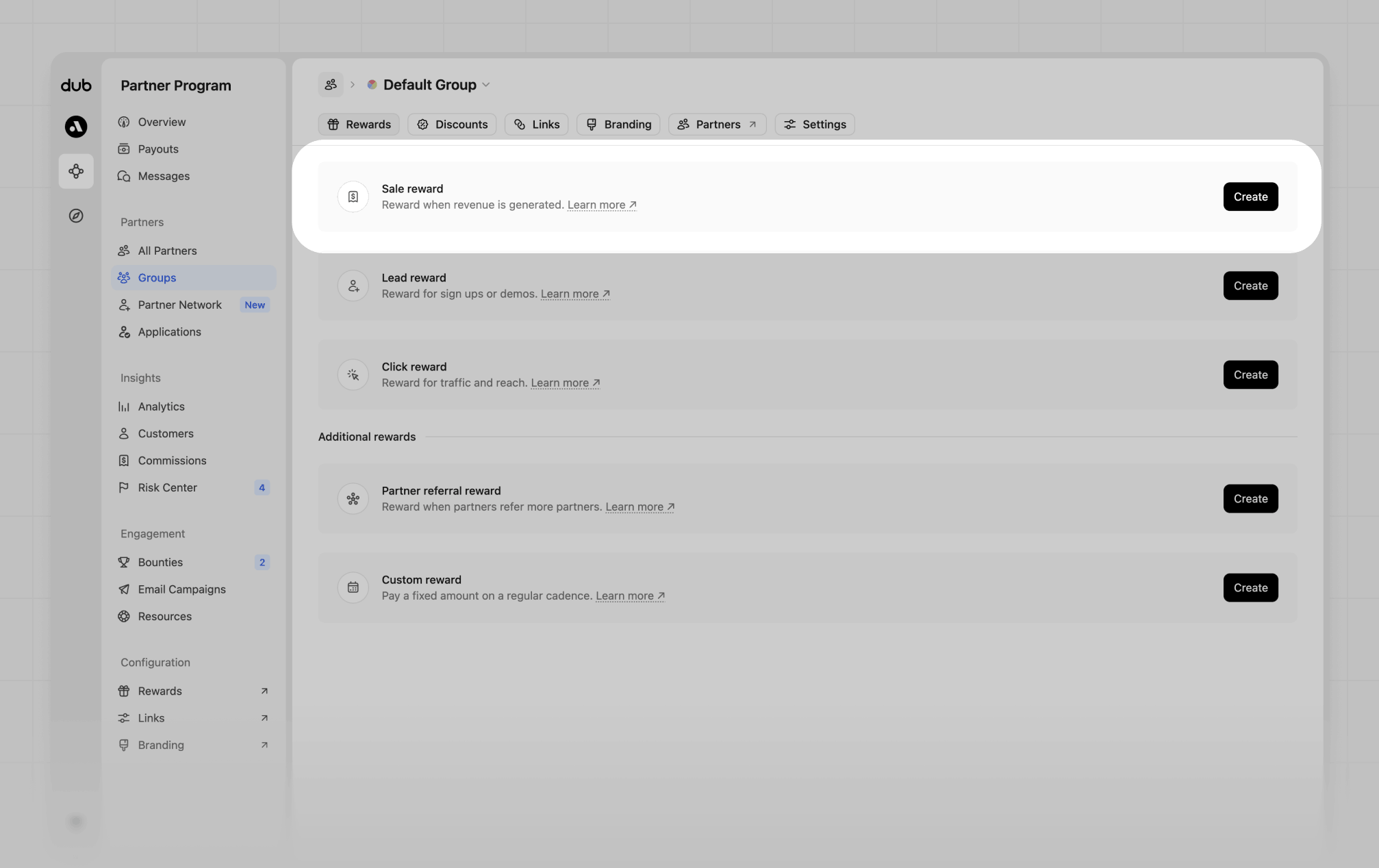
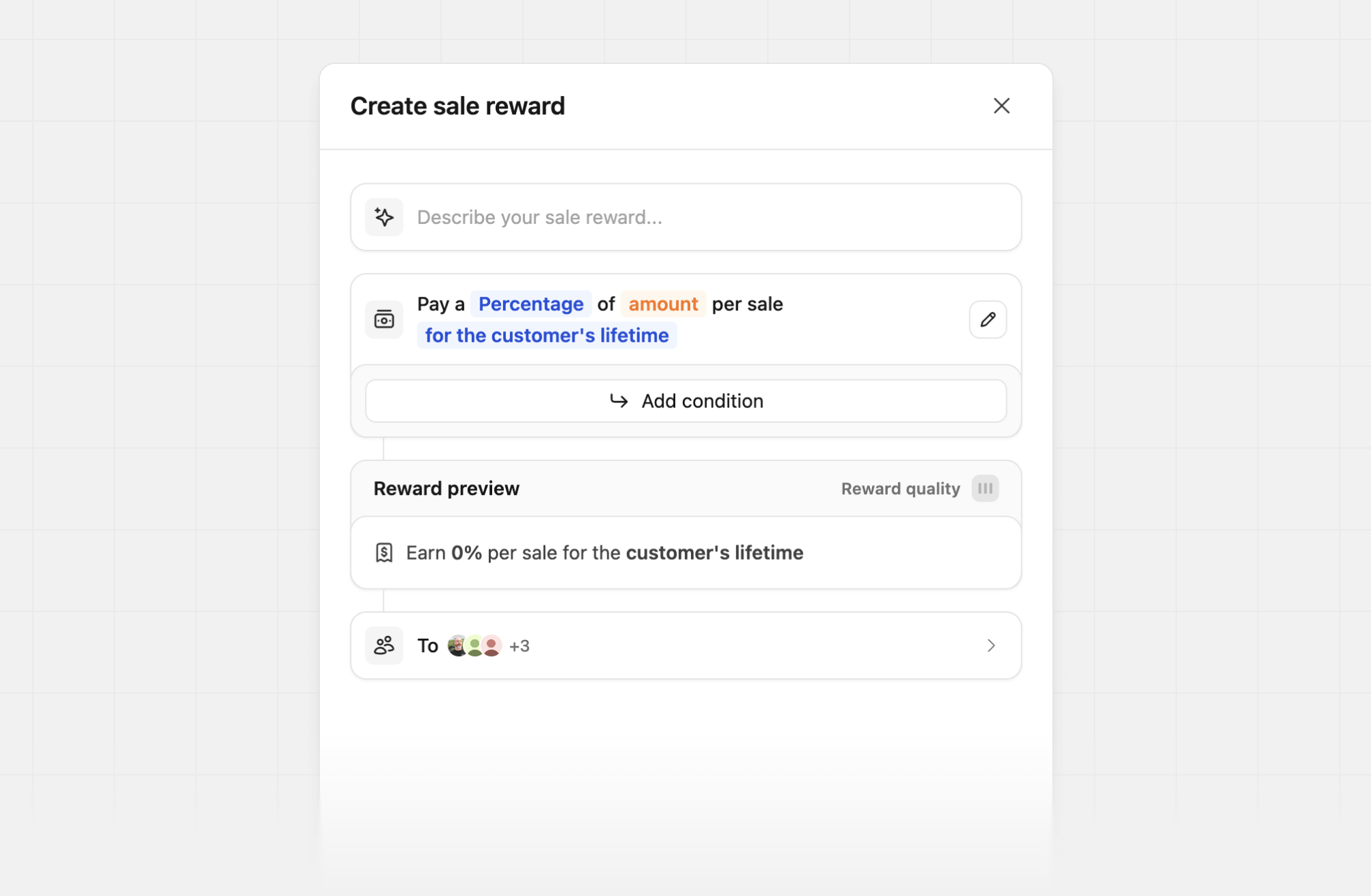
- “30% recurring for 12 months”
- “50% lifetime for customers who joined before Jan 2026, else $100 one time”
- “$500 if productId = ‘prod_xxx’ (Pro Plan), else $100 one time”
Amount
Sale rewards support two payout models:
Percentage rewards are calculated on the sale amount Dub receives. For Stripe, that’s the invoice or checkout total after any discounts, and for
/track/sale it’s the amount you pass.
Duration
The duration controls how long a partner keeps earning on a given customer after the first sale:Sale reward conditions
Conditions let you pay a different amount when a sale meets certain criteria. Click Add condition in the reward builder, and set the reward amount and duration for each condition block.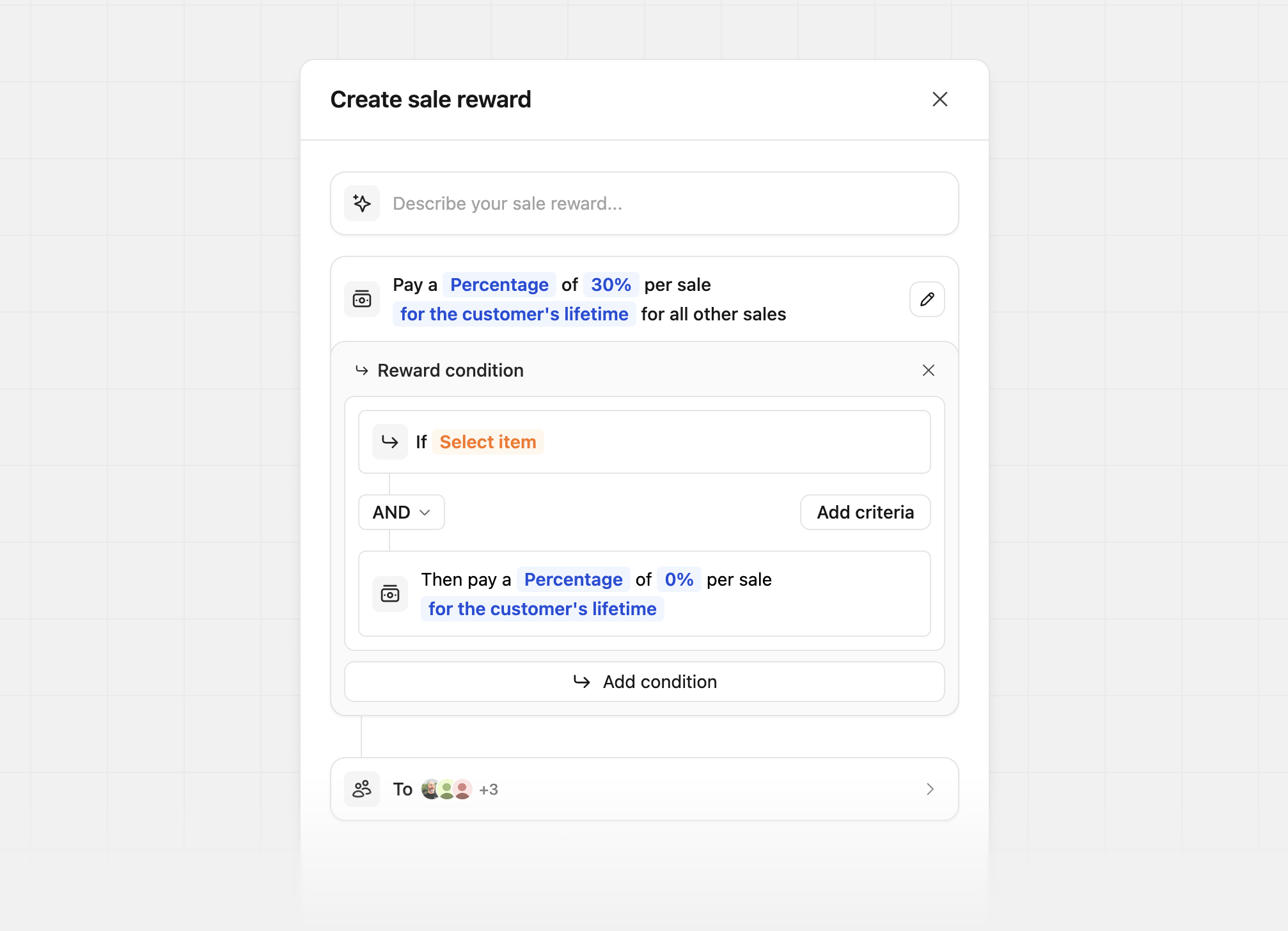
Customer attributes
Partner attributes
Sale attributes
Learn more about metadata conditions.
Sale reward examples
First-sale bonus
Pay a big rate on the first sale to reward customer acquisition, then a standard rate on renewals: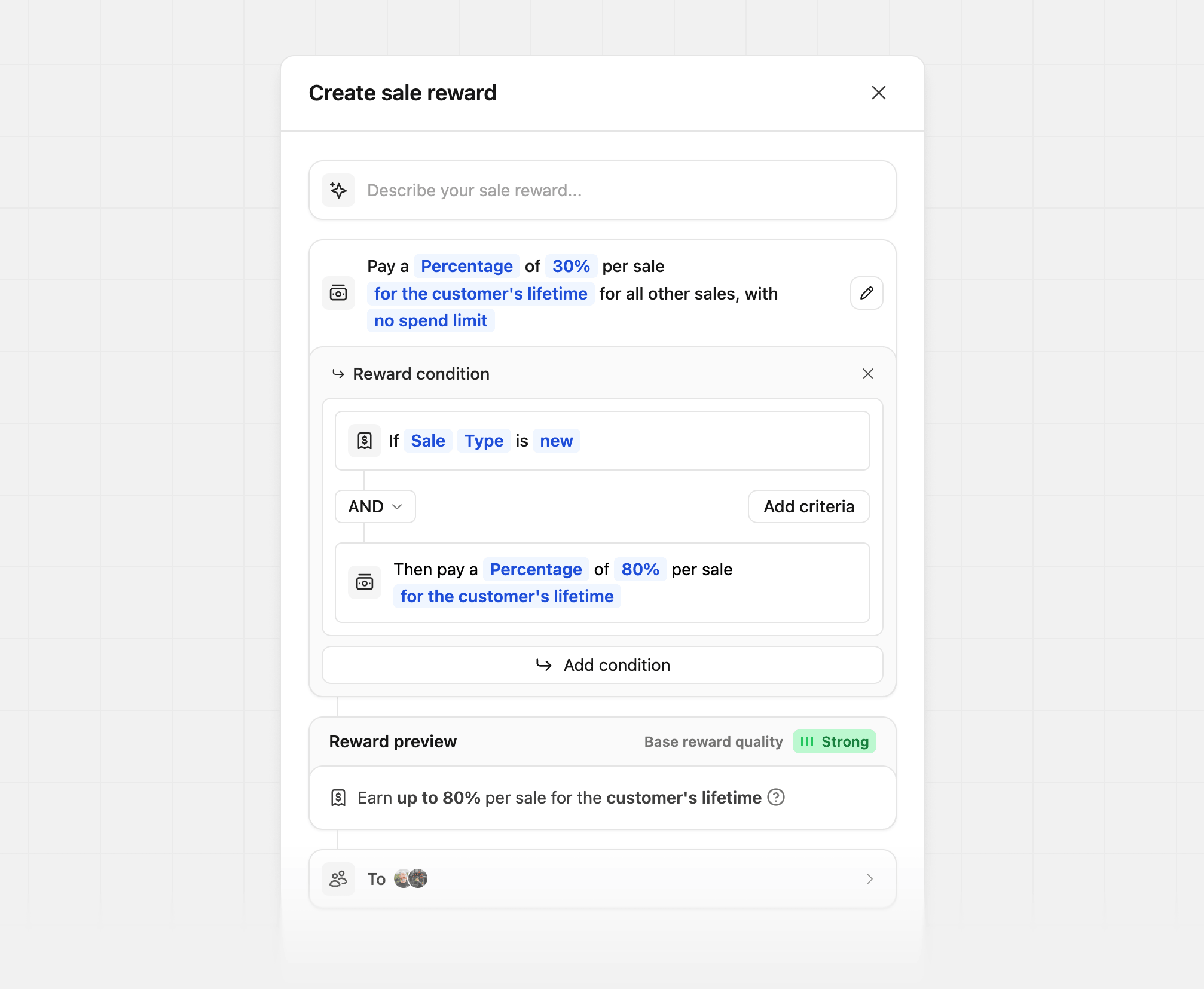
Staggered reward durations
Tailor your reward amount by the customer’s subscription duration, subscription start date, or signup date. In this example, we’re offering a 25% reward for the first 12 months and a 10% reward for all other sales: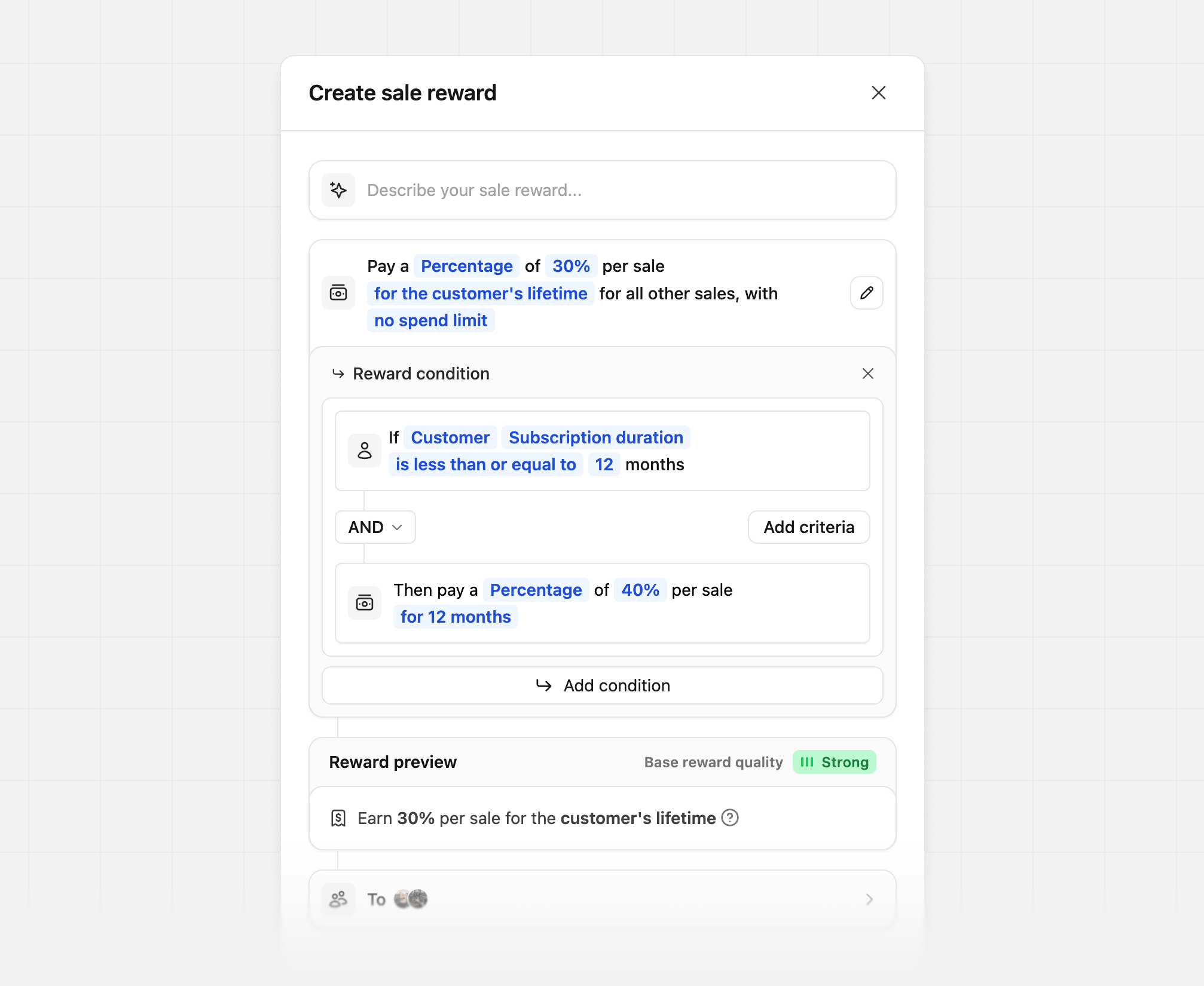
Geo-specific
Tailor your reward amount by customer country. In this example, we’re rewarding partners with a higher percentage for conversions from Canada and the United States: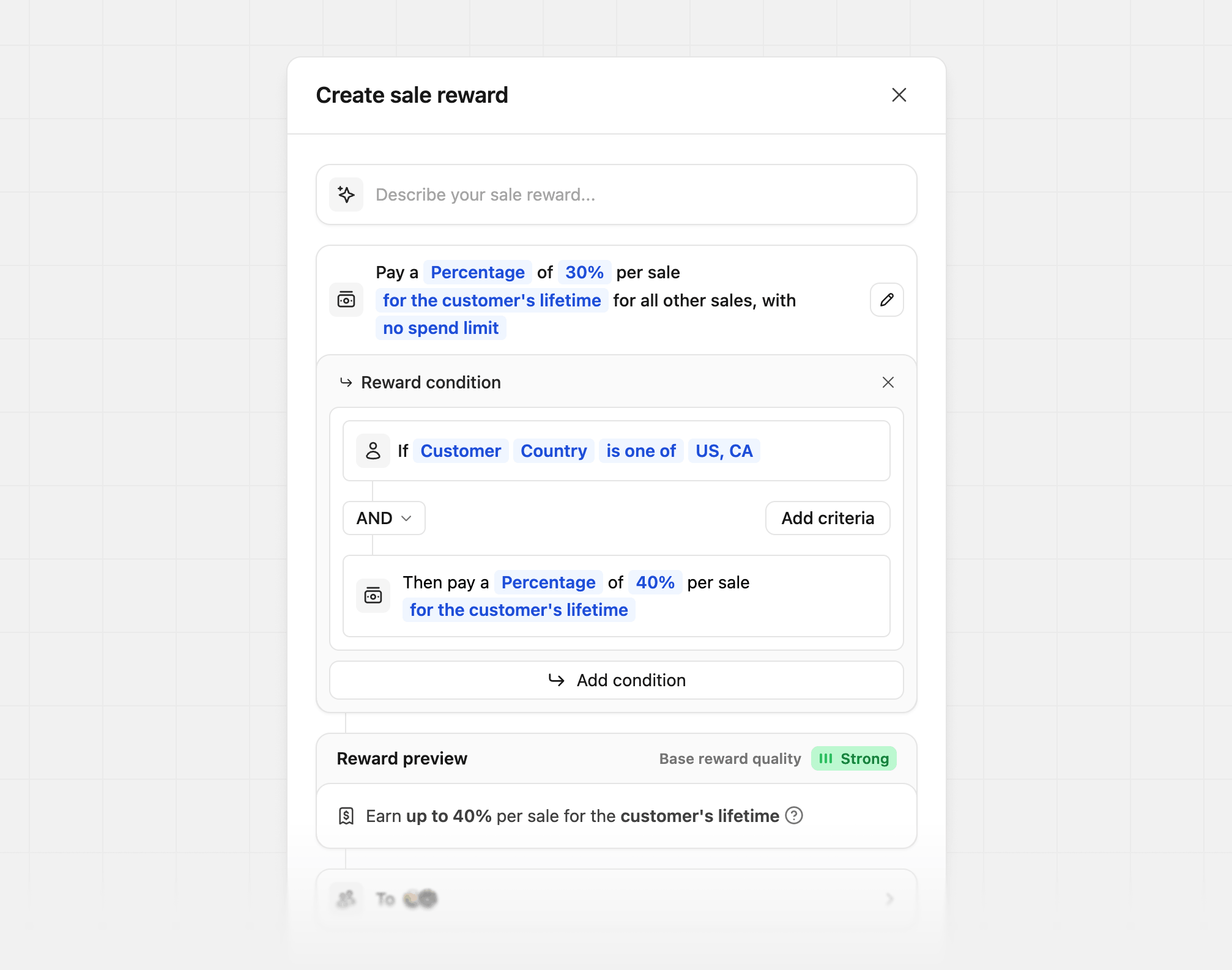
Product spotlight
Tailor your reward amount by product. In this example, we’re rewarding more when the sale is for the Gold Plan: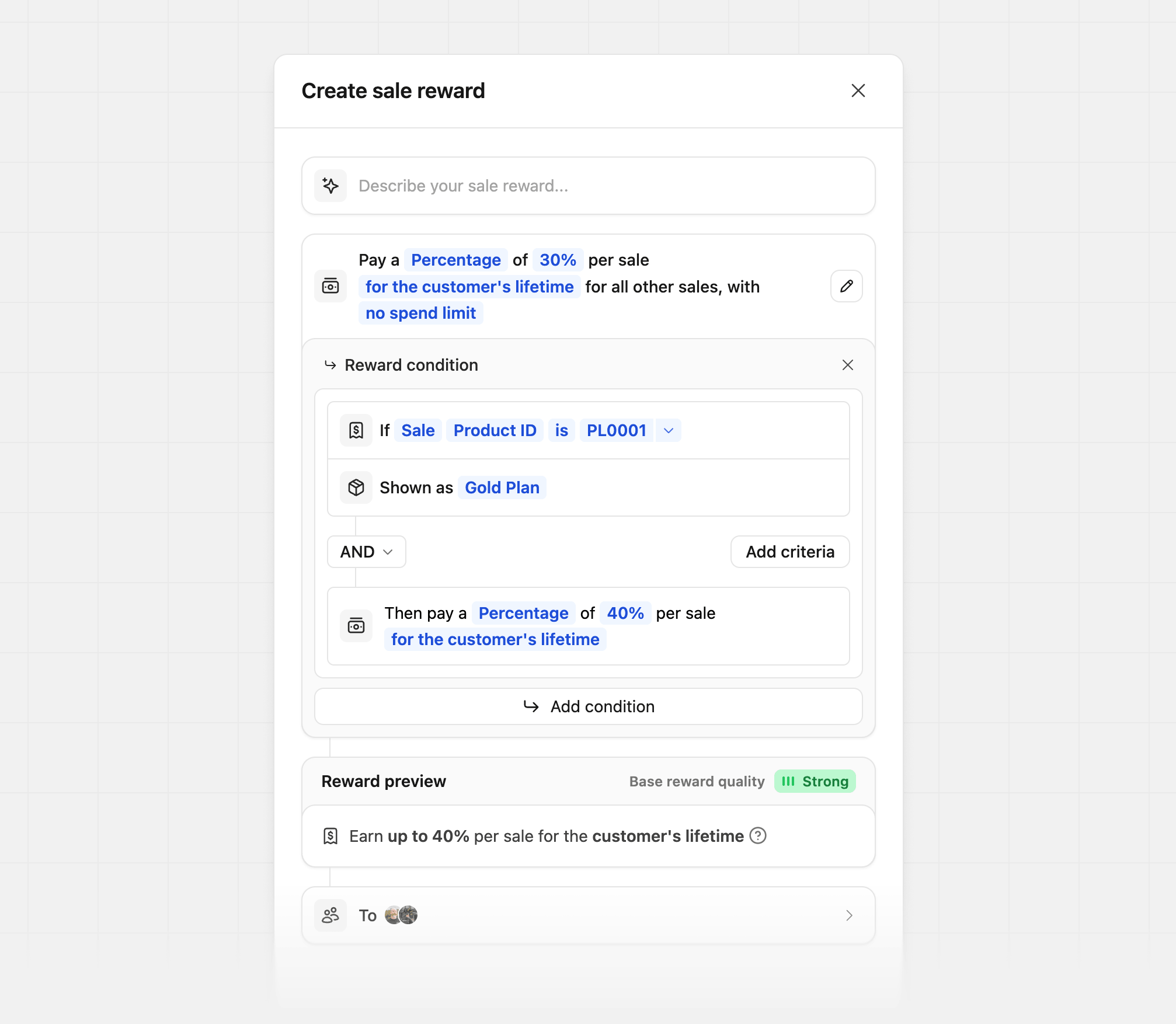
Where
Your product ID is listed, you’ll enter your product ID (the
screenshot uses an example product ID)If you’re manually tracking a sale event via our /track/sale endpoint, you
can pass along the product ID via the metadata
prop
(e.g. metadata.productId = "prod_xxx").If you’re using our Stripe
integration, the product ID will be the Stripe
product ID that the subscription is for (starts with prod_xxx). If a Stripe invoice contains multiple line
items (e.g. a base subscription plus an add-on), Dub
calculate the commission for each line item using the matching reward
rate. See full example here.Sale amount modifiers
For creating tiered rewards based on the sale amount. In this example, we’re giving our partners a higher reward if the sale amount is over a specific dollar amount: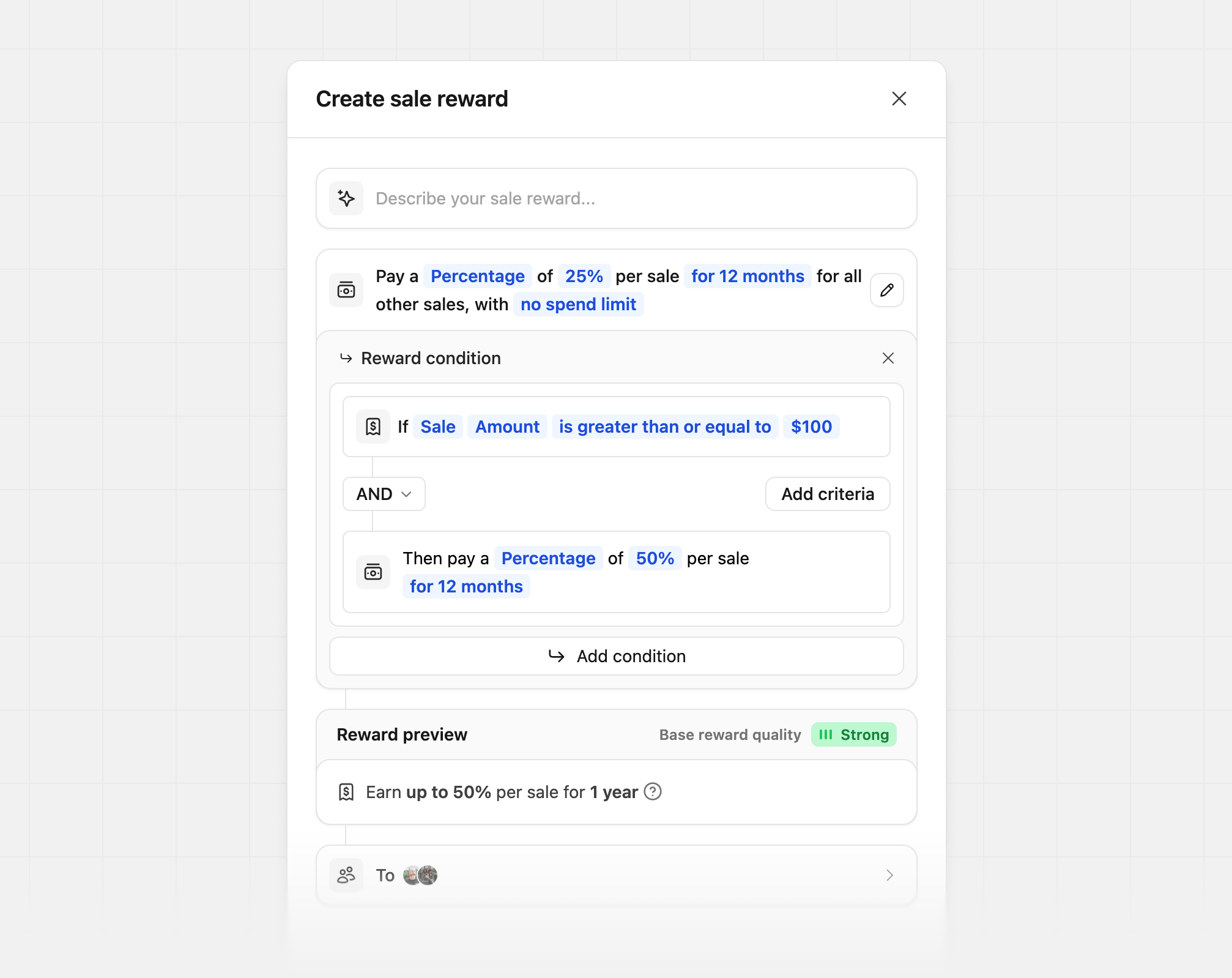
Partner performance tiers
Tailor your reward amount by partner performance. In this example, we offer a 50% base reward and increase it to 60% based on how many conversions the partner has: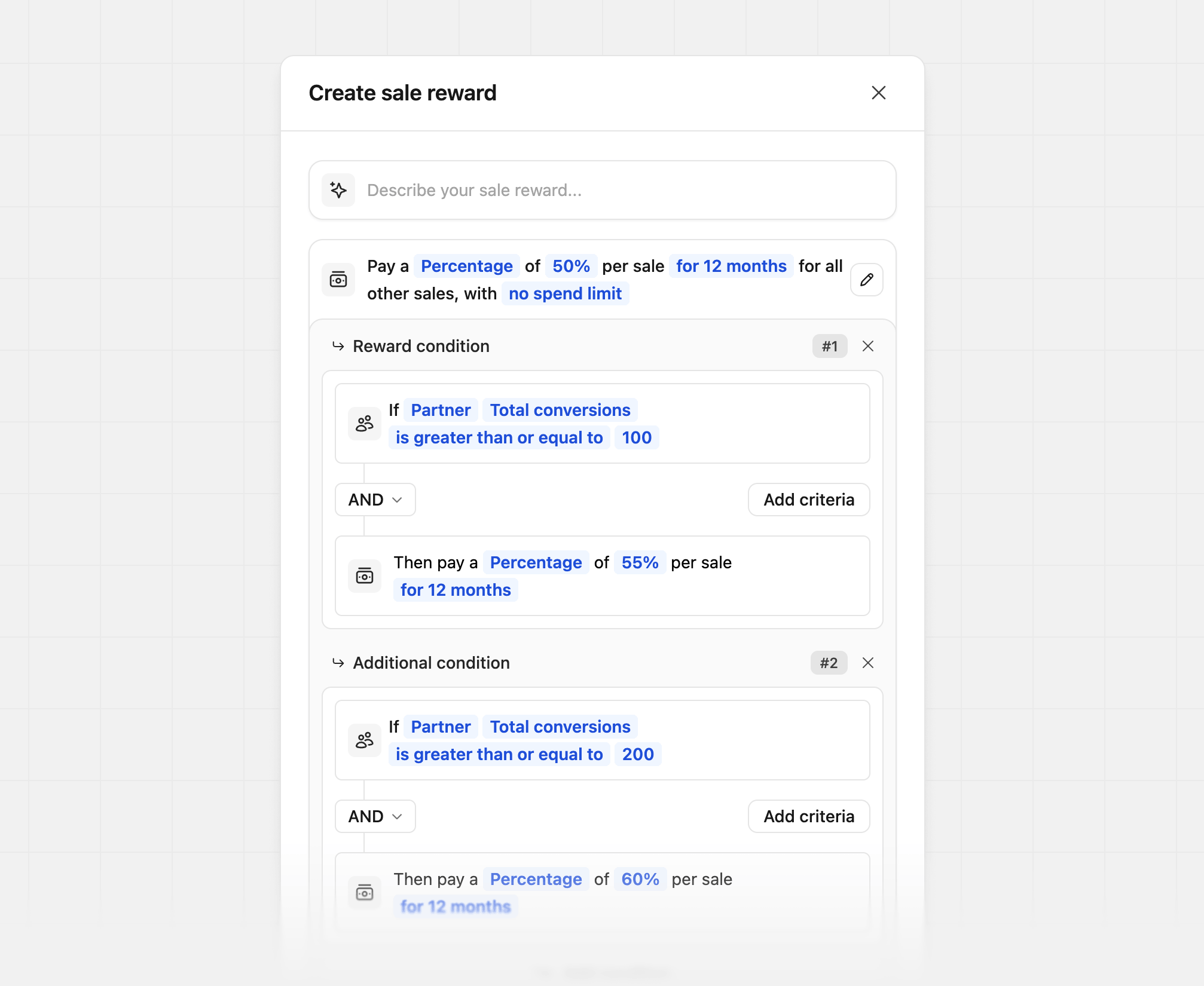
Yearly vs. monthly billing
Pay a different rate depending on how often the customer’s plan bills. If you use the Stripe integration, chooseSale → Billing period as the condition. Dub fills in the billing period from Stripe for you.
In this example, partners earn 35% on monthly plans and 25% on all other sales, including yearly plans, for 24 months:
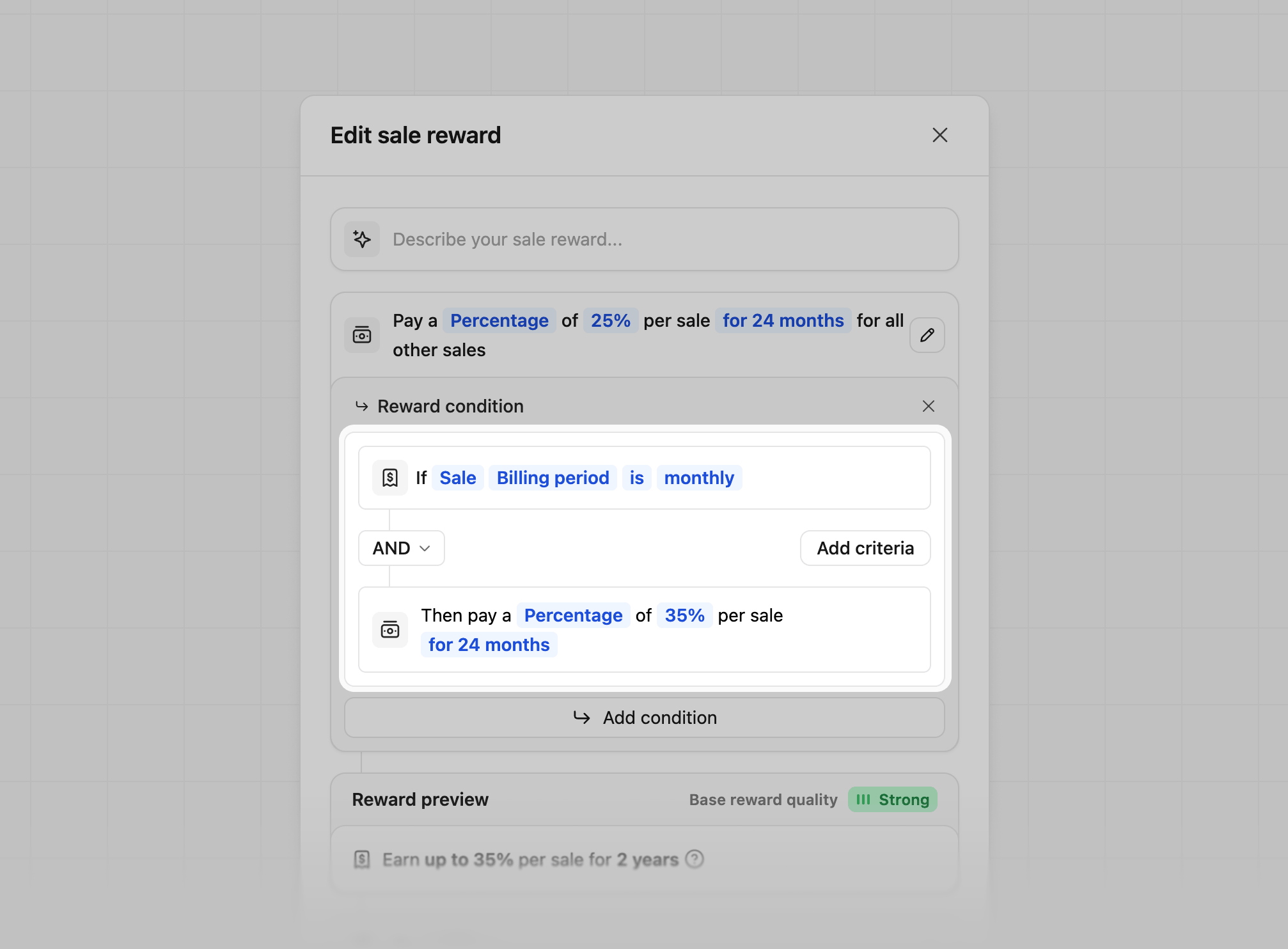
If a Stripe invoice has line items on different billing periods (for example, a yearly plan plus a monthly add-on), Dub works out the commission for each line item separately. See the full example.
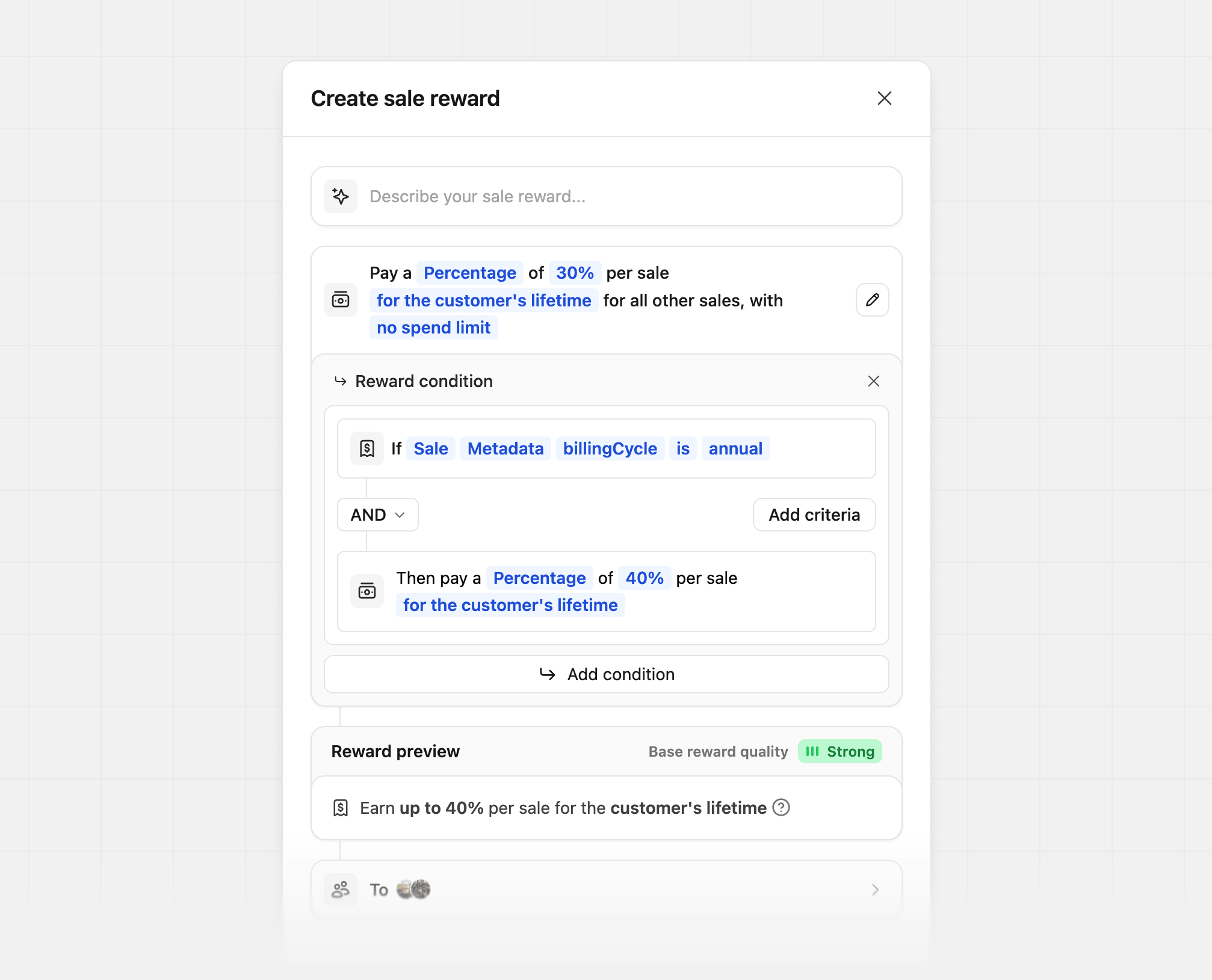
Using metadata instead
If you track sales with/track/sale, the Billing period condition isn’t available. Use a metadata condition instead. In this example, we’re passing a billingCycle field on each sale (via the metadata prop) and rewarding partners more for driving annual plans over monthly plans:
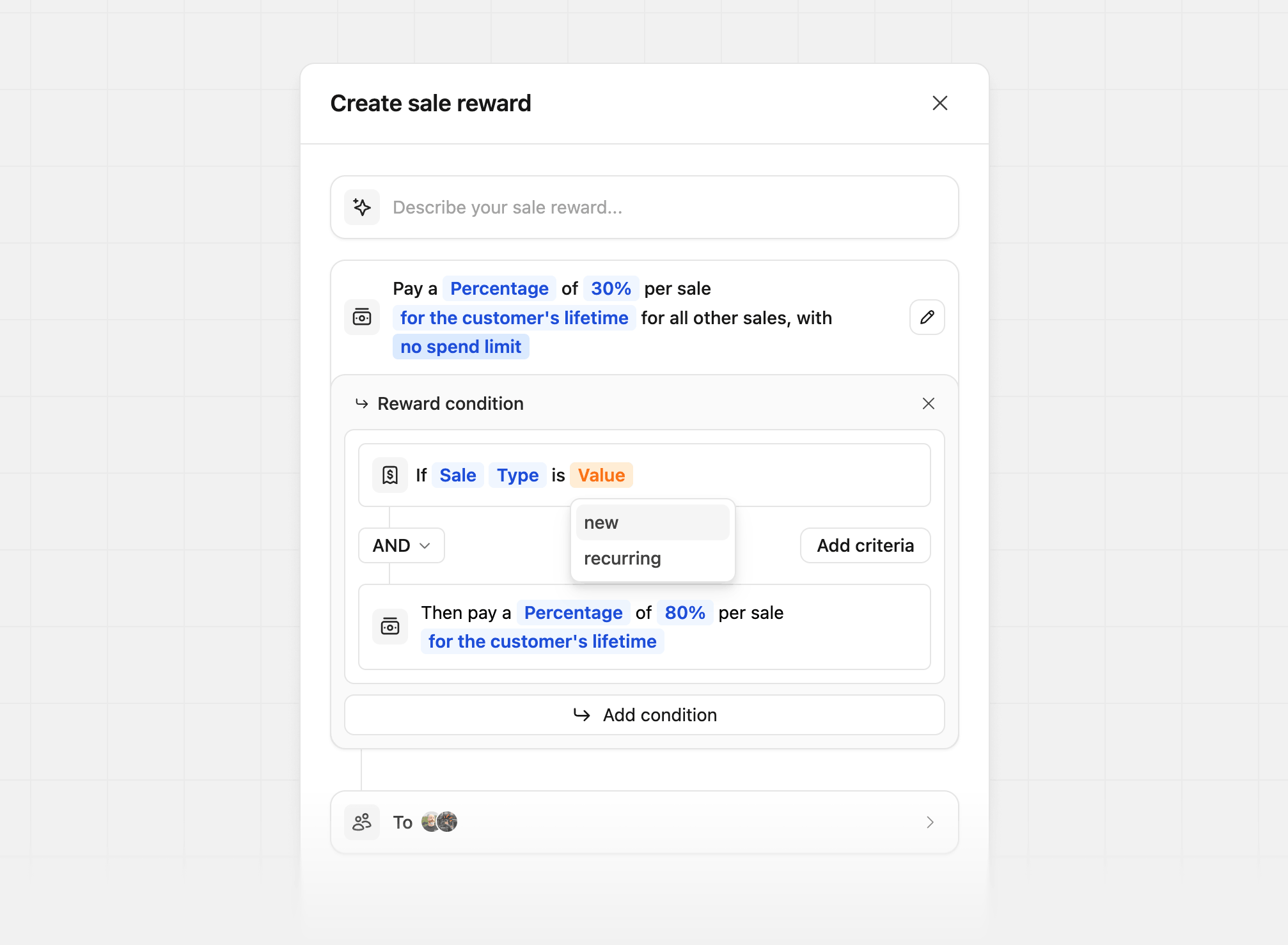
New vs. recurring sales
Tailor your reward amount based on whether the sale is the customer’s first sale or a recurring sale. During reward creation, selectSale as the condition type and then choose Type as the condition field. This will allow you to differentiate between new and recurring sales.