Click rewards are available on Business plans and above.
A click-based reward (pay-per-click, or CPC) pays partners a fixed amount for every click they drive to your product through their partner links. Click rewards are the simplest way to get partners paid, since they don’t depend on you tracking leads or sales. They work well for top-of-funnel campaigns, content sponsorships, and publishers whose audiences are valuable even before they convert.

Creating a click reward

In your group rewards tab, click Create next to the Click reward type.
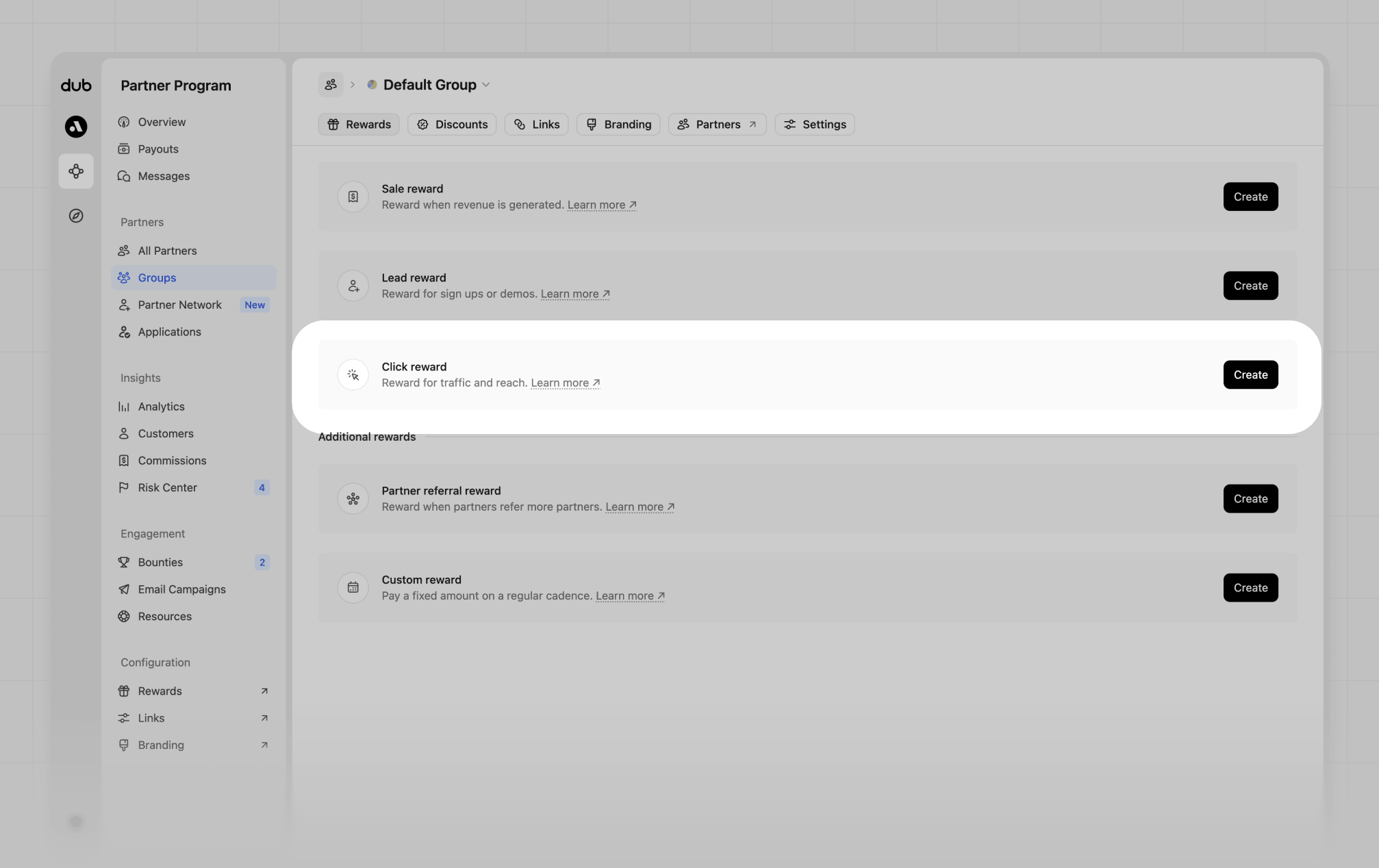
Group rewards
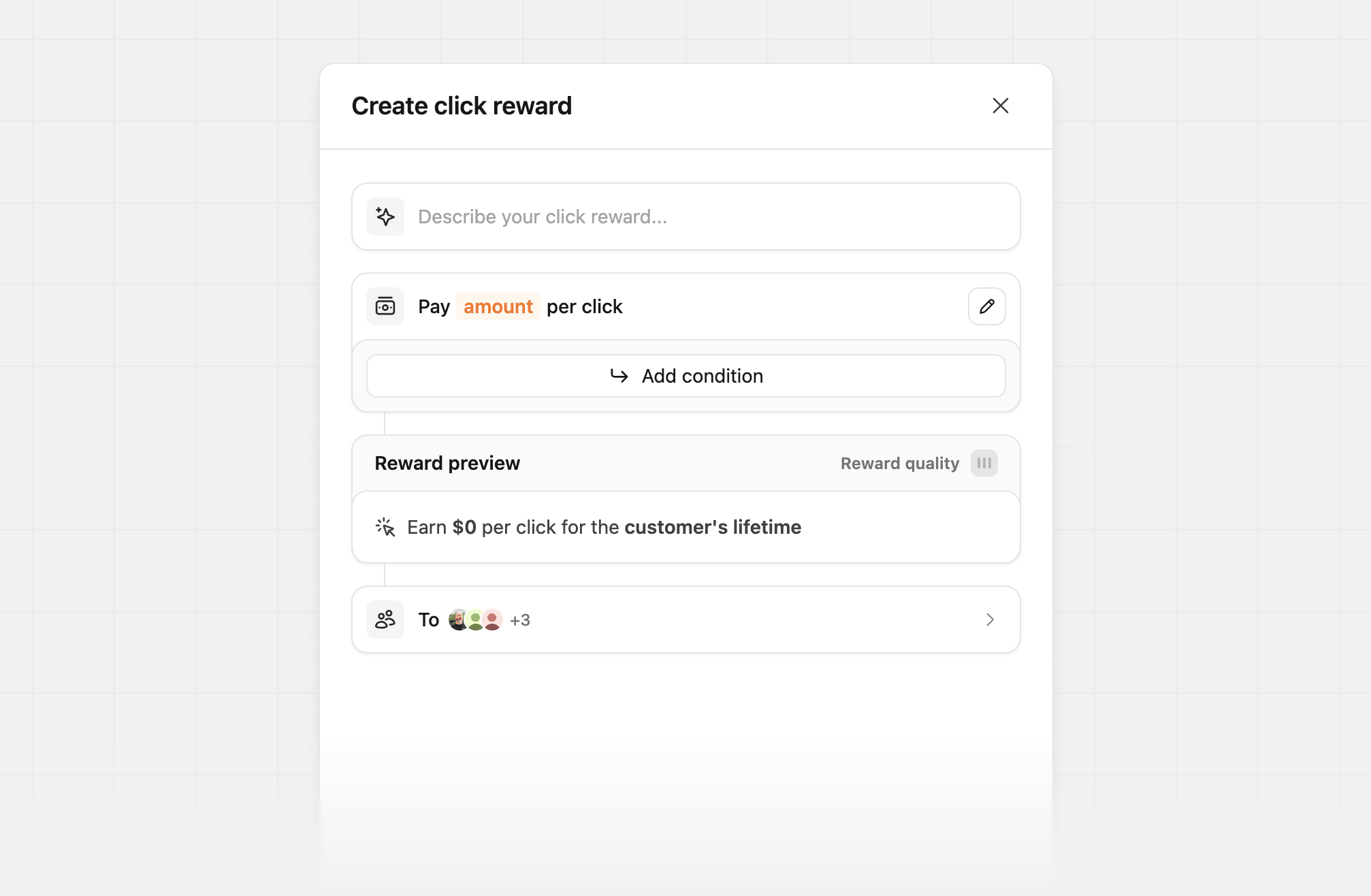
When the reward builder is open, set your amount per click, and optionally set your click reward conditions.
Create click reward
Once you’ve configured the reward, you’ll see a reward preview and quality score, and be asked to confirm before it goes live. Dub generates the reward description partners see automatically, but you can customize how it’s shown to partners by using the customize the reward description by clicking the pencil button next to the reward. You can also describe the reward in plain English using the AI reward builder, for example:
  • “$0.50 per click”
  • “$5 cpc for US + EU countries, else $1 for RoW”
  • “$2 per click from the United States, $0.25 everywhere else”

Click reward conditions

Customizing reward conditions is only available on the Advanced plan and above.
Conditions let you pay a different per-click amount when a click meets certain criteria. Click Add condition in the reward builder, and set the reward amount for each condition block.
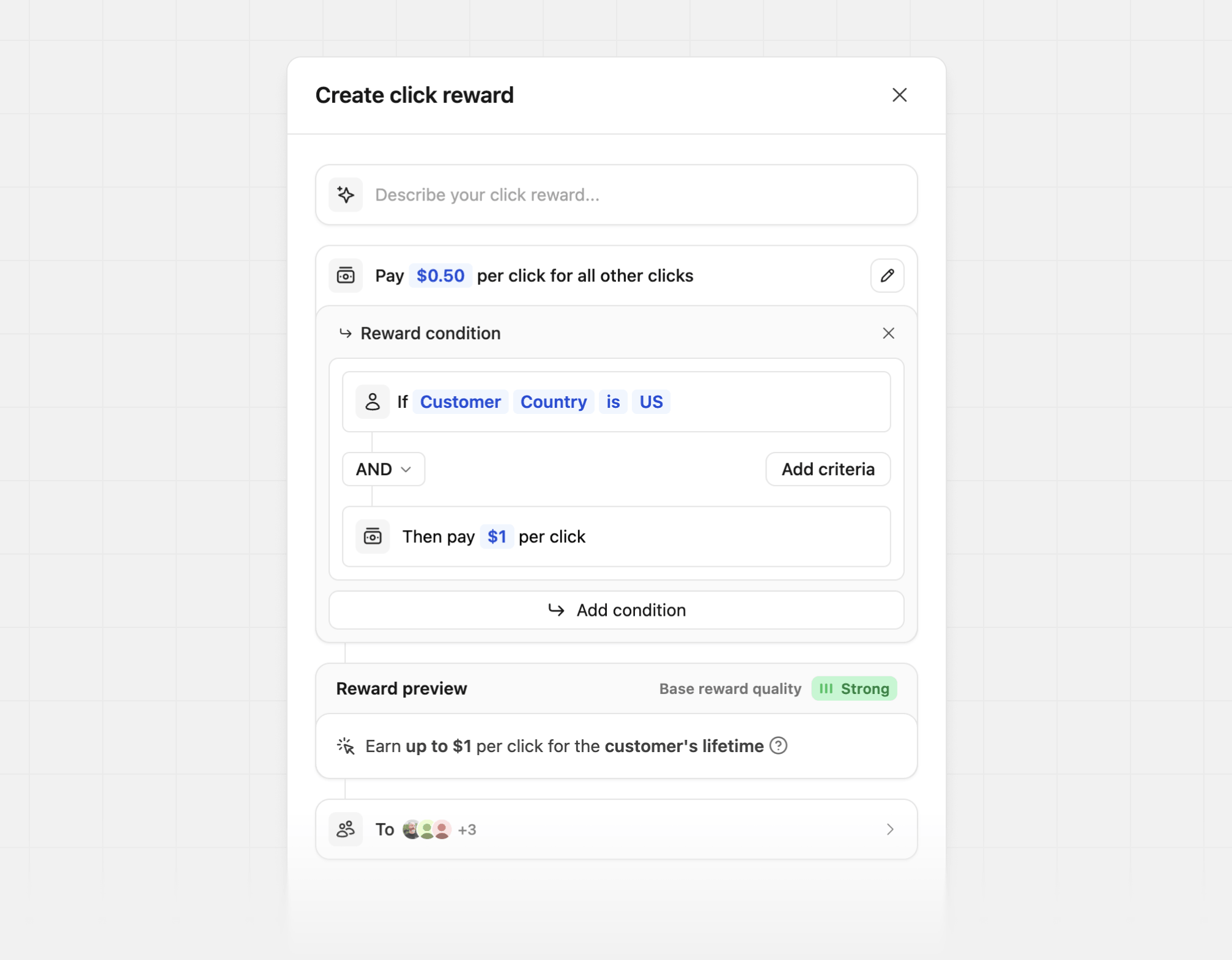
Create click condition

Customer attributes

Click reward examples

Flat rate

The simplest setup: every click is worth the same amount, wherever it comes from.

Geo-tiered CPC

Pay more for traffic from your core markets and less for the rest of the world:

Single-market only

Reward only the traffic you can actually serve, and pay nothing for the rest: