

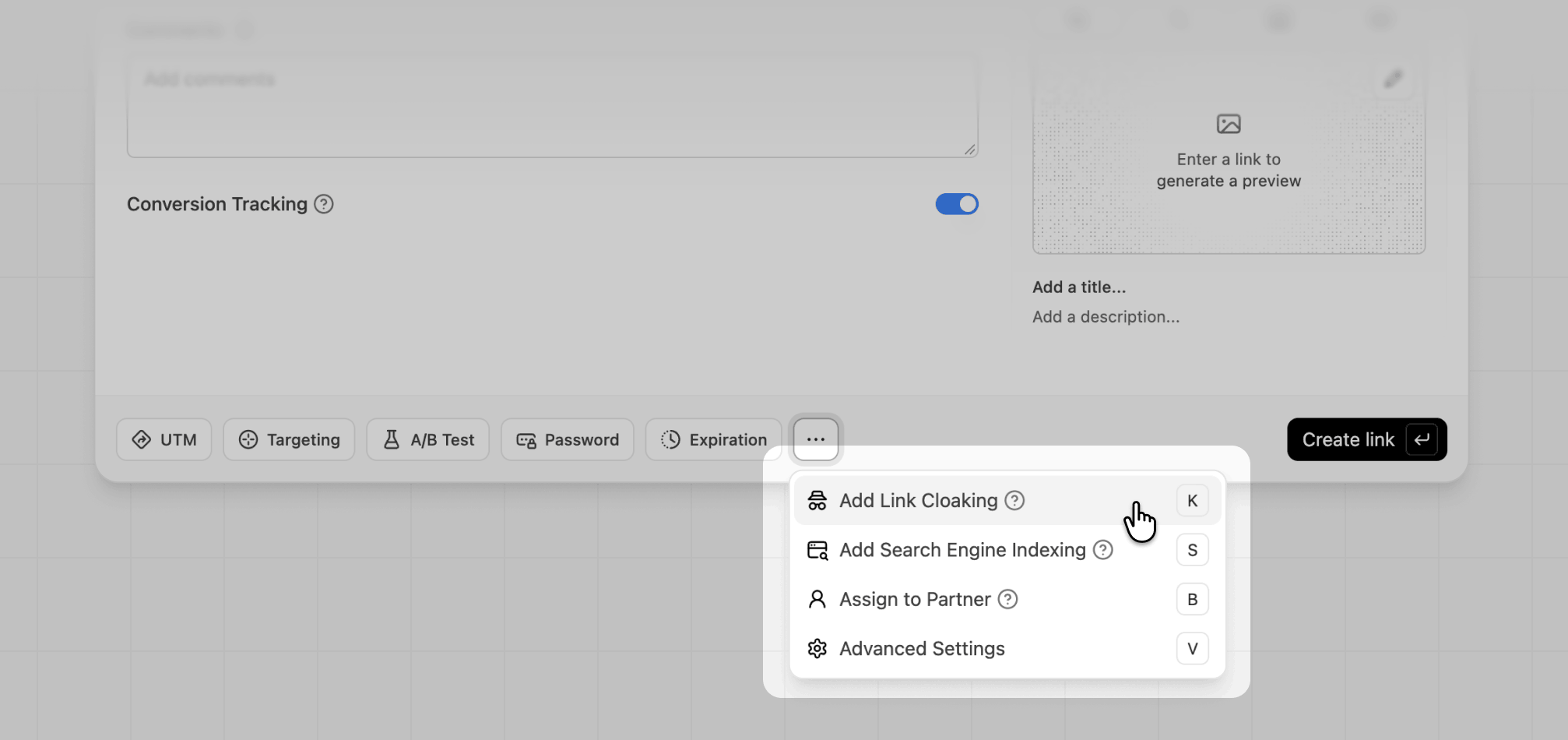
... in the link builder and select Add Link Cloaking. You can also press K while the link builder is open.

Checking if your link can be cloaked
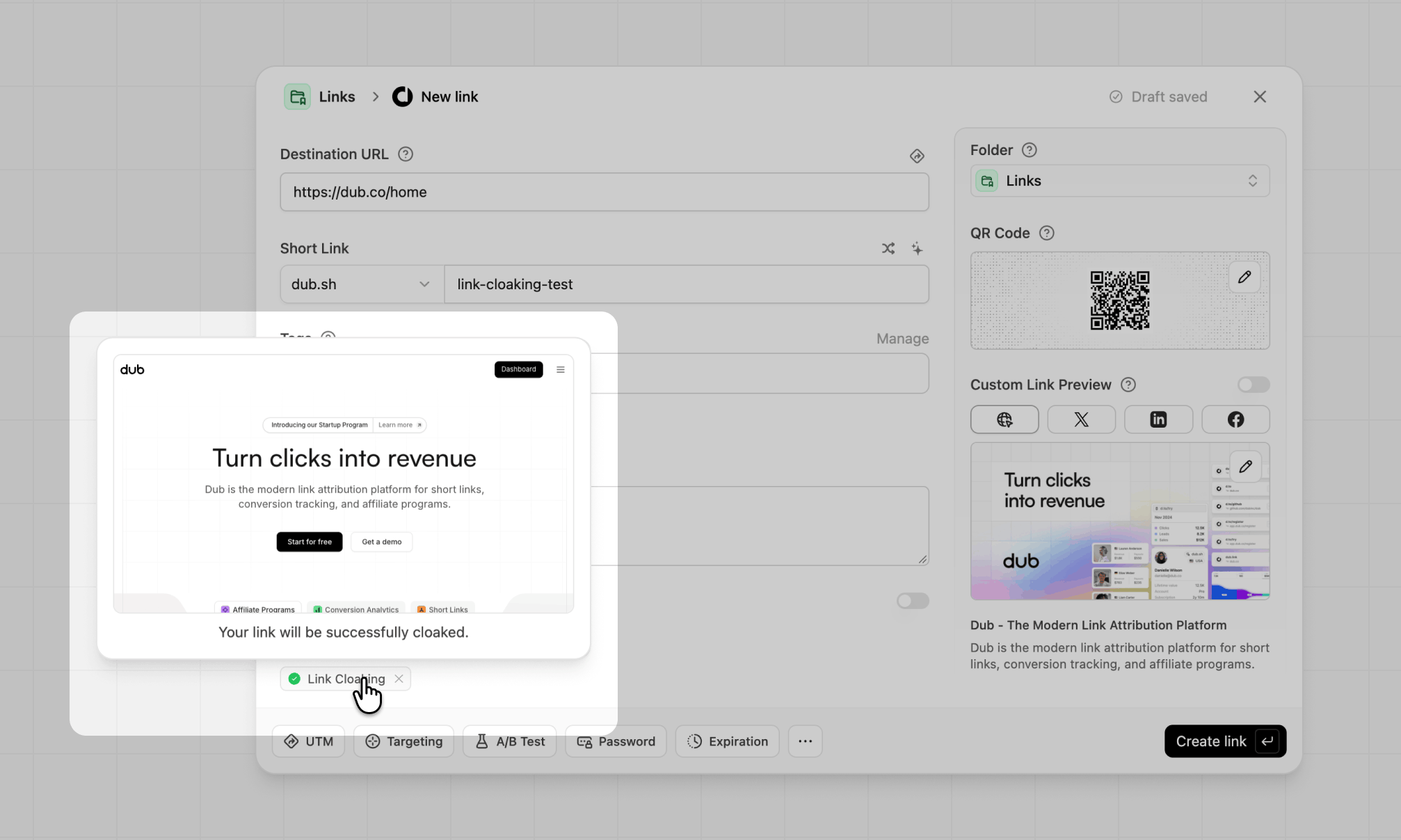
After you turn on link cloaking, the Link Cloaking badge in the link builder checks the destination URL for you:- Green check: the destination can be cloaked. Hover over the badge to see a preview of how the page will look.
- Amber warning: the destination blocks being shown in a frame, so visitors will see a blank or error page. See link cloaking with security headers to fix this for sites you control.
When to use link cloaking
Link cloaking works best when you own or control the destination. That way you can make sure it can be framed and it’s clear to visitors who they’re dealing with. Some good examples:- Branded URLs for pages hosted elsewhere: show
go.acme.com/launchinstead ofacme-launch.vercel.appfor a campaign microsite, waitlist, or event page your team hosts on a different domain. - Clean URLs for long, parameter-heavy pages: hide UTM parameters or long query strings on your own site, so
acme.com/pricing?utm_source=newsletter&utm_campaign=q4-promoshows up asacme.link/pricing. - Printed and spoken links: keep a short, memorable link on screen for QR codes on packaging, conference booths, or podcast ads, even after visitors land on the page.
- Consistent branding across your own properties: send visitors to your docs, help center, or status page on another subdomain while keeping a single branded domain in the address bar.
- Links that outlast a hosting change: visitors who bookmark or copy the address get your short link, not the host’s URL. If you later move a microsite to a different host, update the destination URL and existing bookmarks keep working.
When to avoid link cloaking
Cloaking hides where a visitor actually is. That’s fine for your own pages, but can break things or break the rules elsewhere. Avoid it for:- Affiliate links: many affiliate programs don’t allow cloaking. For example, Amazon Associates doesn’t let you cloak or obscure links so visitors can’t tell they go to Amazon. Regardless of the program, you must disclose affiliate links clearly. A regular short link (with cloaking turned off) is the safer option.
- Ad destinations: ad platforms like Google Ads and Meta review your ad’s final URL and expect it to match the site visitors land on. A framed destination can be flagged as a destination mismatch, or as an attempt to get around ad review. Use a regular short link or the destination URL directly.
- Pages you don’t control: most large sites (social networks, marketplaces, banks, and many SaaS apps) block being shown in a frame, so the link won’t work. Even when it does, showing someone else’s page under your domain can confuse visitors.
- Logins, checkouts, and forms: browsers restrict cookies and storage inside frames from other sites, so sign-in, payment, and form flows often fail. Payment providers also commonly block framing for security.
- Links where visitors need to see the real destination to trust it: if a visitor would reasonably want to verify where they are, for example before entering personal details, don’t hide it.
- Links with device or geo targeting: link cloaking takes priority over device targeting and geo targeting. If cloaking is on, every visitor sees the main destination URL and your targeting rules are ignored.
- App links: a framed page can’t open your iOS or Android app, so visitors stay on the web page instead.
- Video, calls, and other device features: the framed page can’t use fullscreen video, camera, microphone, location, or copy-to-clipboard buttons.
- Conversion tracking and partner links: conversion tracking relies on a cookie set on the destination site. Inside a frame, many browsers treat that cookie as third-party and block it, so leads and sales may not be attributed. This includes partner and referral links in your partner program.
Things to keep in mind
- The address bar doesn’t change while visitors browse: if a visitor clicks around inside the cloaked page, the address bar keeps showing your short link. Refreshing the page or sharing the URL sends people back to the original destination, not the page they were on.
- Dub tracks the first click only: Dub records a click when the cloaked link is opened. Navigation inside the framed page isn’t tracked as additional clicks.
httpsis required: your short link is served overhttps, and browsers won’t load anhttppage inside it. Make sure your destination URL useshttps.
How link cloaking affects SEO
Cloaked links don’t help or hurt the SEO of your destination site. Here’s why:- Cloaked links are never indexed: Dub adds a
noindextag to every cloaked page, even if you’ve turned on search engine indexing for the link. Search engines won’t show your cloaked short link in results. - Your short domain doesn’t get credit for the destination’s content: search engines attribute framed content to the destination URL, not to your short link.
- This isn’t the same as “cloaking” in Google’s spam policies: Google’s spam policies on cloaking and sneaky redirects cover showing search engines different content than users. Dub shows the same page to both. That said, using any link to disguise where visitors end up, especially in ads or emails, can still get flagged.
How Dub prevents abuse
Scammers sometimes use cloaking to make a malicious page look like it belongs to a trusted brand. To prevent this, Dub has several safeguards:- Paid plans only: link cloaking is only available on Pro plans and above.
- Malicious URL scanning: links on Dub-branded domains like
dub.shanddub.linkare checked when they’re created or updated, against a blocklist of known malicious domains and an automated review for phishing, brand impersonation, malware, and nested URL shorteners. Links that fail are rejected. - Link inspector: anyone can see a short link’s real destination, including a cloaked one, by adding a
+to the end of the link (for example,d.to/github+). Learn more. - Reporting and takedowns: anyone can report a suspicious link from the link inspector. We review every report and take down links that violate our Terms of Service.
Link cloaking with security headers
Some websites block being shown in a frame using these security headers:X-Frame-Optionsset toDENYorSAMEORIGINContent-Security-Policywith aframe-ancestorsdirective that doesn’t include your short domain (for example,frame-ancestors 'none'orframe-ancestors 'self')
Adding security headers to your destination URL
To do this, you need to allowlist your Dub short domain as an allowed origin on your site by adding the following response header to your site:dub.sh, you would need to add the following header to your destination URL:
X-Frame-Options header, you can keep it. Modern browsers ignore X-Frame-Options when frame-ancestors is set, so your cloaked links will still work. Older browsers that don’t support frame-ancestors will keep using X-Frame-Options, which protects your site from clickjacking there, but means cloaking won’t work in those browsers.
Allowlisting multiple domains
You can also allowlist multiple domains by separating them with a space:Secure link cloaking demo
Here’s a demo of how this works:- Code example: git.new/zAD0CkJ
- Demo site: link-cloaking-security.vercel.app
- Demo short link (enabled): dub.link/secure-cloak
- Any other iframes (disabled): iframetester.com/?url=https://link-cloaking-security.vercel.app