

The flow at a glance
1
Getting started
Set up your program name, logo, and referral link settings.
2
Configure rewards
Choose your primary reward type, structure, duration, and amount.
3
Invite partners
Invite your first partners to your program.
4
Help and support
Add support resources (support email, terms of service, help center) that
partners see on their dashboard.
5
Overview
Review your selection and create your program.
Migrating from another platform? Check out our migration
guides or contact
support.
Step 1: Getting started
Goal: Set up your program name, logo, and referral link settings.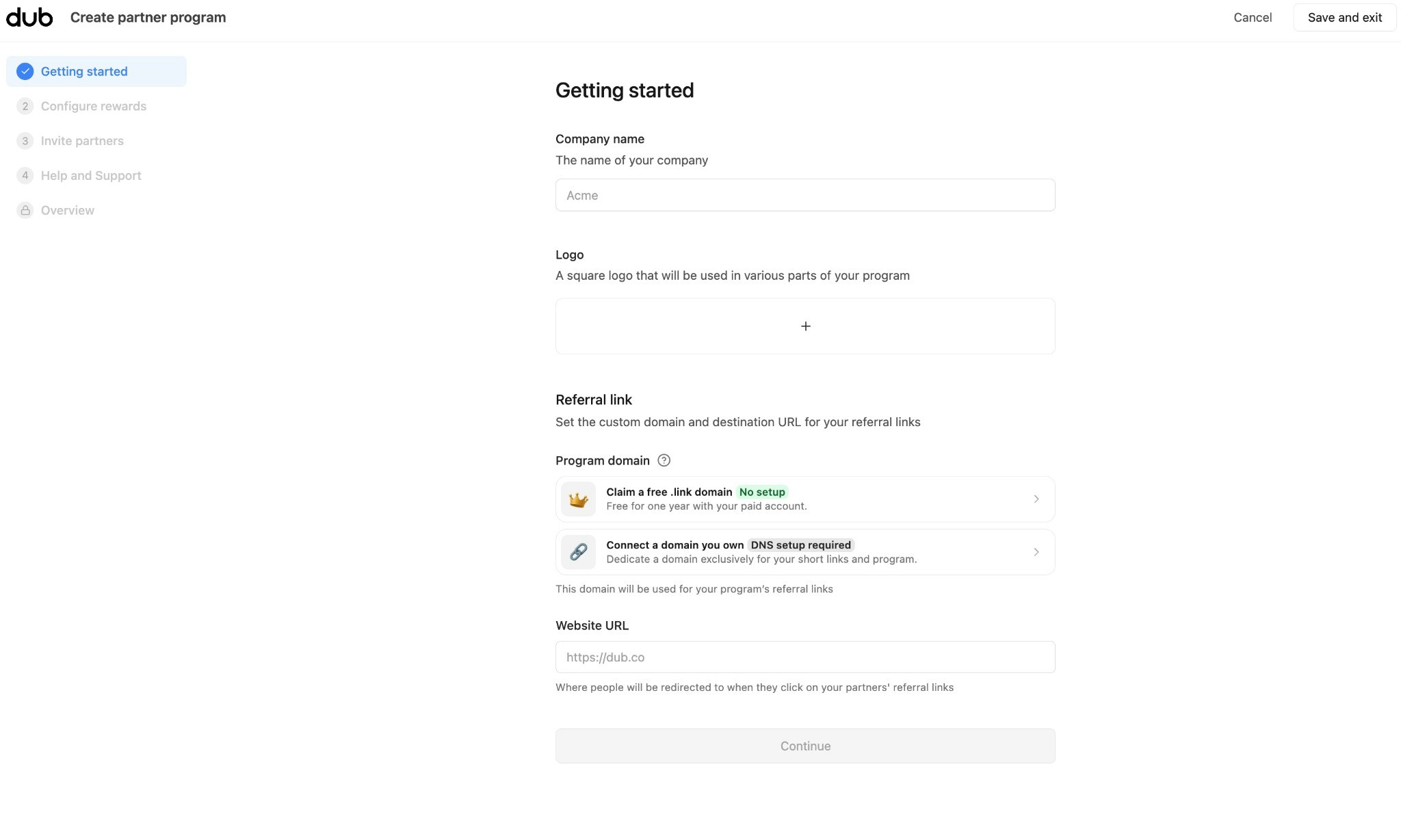
- Company name: The name of your company (e.g., “Acme”).
- Logo: Upload a square logo. It appears on your program landing page and in partner materials.
- Referral link: Set the domain and destination for partner links:
- Program domain
- Claim a free .link domain: No setup. Free for one year with your paid account.
- Connect a domain you own DNS setup required. Use a domain dedicated to your program (e.g.,
refer.yourcompany.com).
- Website URL: Where visitors go when they click a partner’s referral link (e.g.,
https://yourcompany.com).
- Program domain
Step 2: Configure rewards
Goal: Choose your primary reward type, structure, duration, and amount.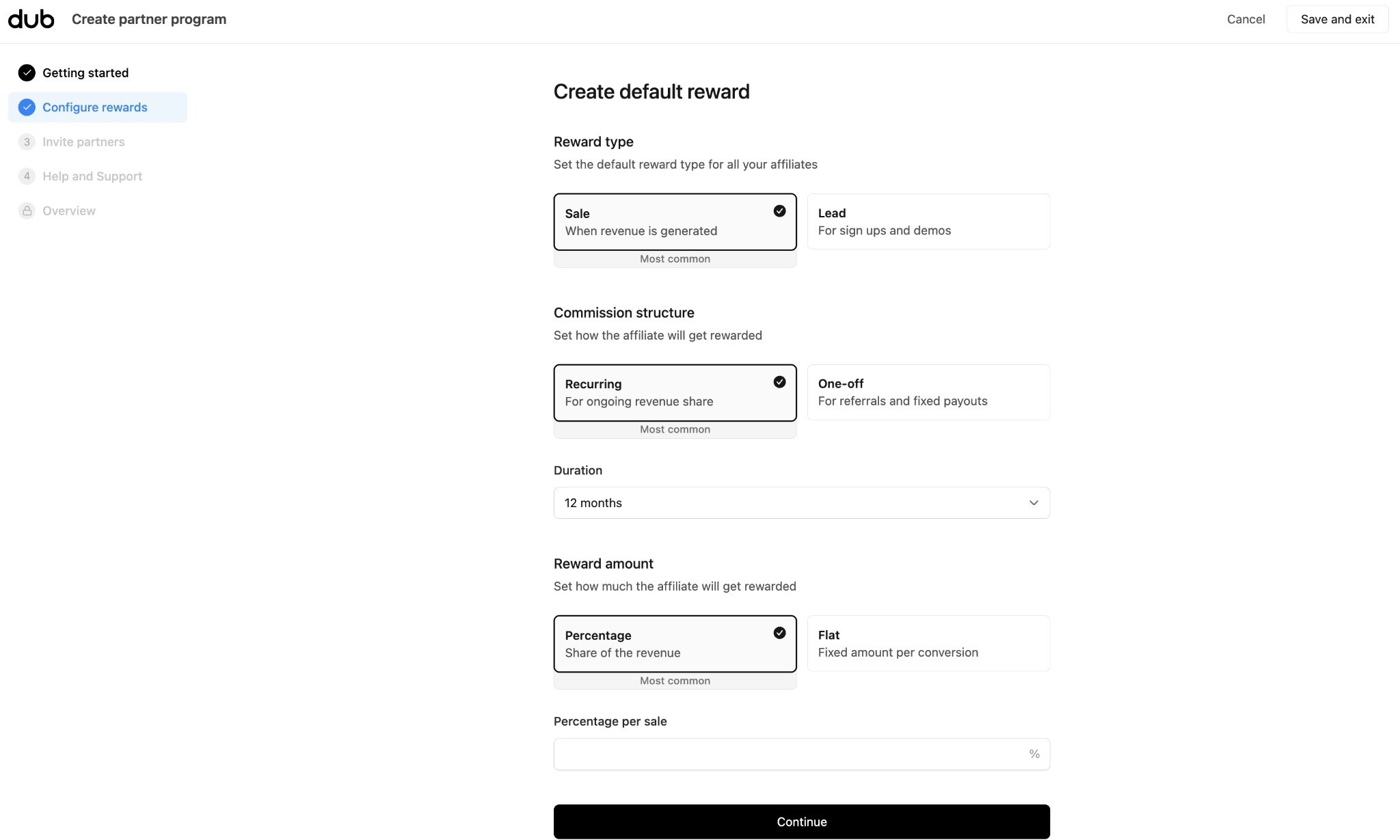
-
Reward type
- Sale: When customers subscribe to your product (most common for SaaS).
- Lead: For sign-ups and demos.
-
Commission structure (only for sale rewards)
- Recurring: Ongoing revenue share (e.g., 15% of each payment for 12 months)
- One-off: Fixed payout per conversion (e.g., $20 per sale)
- Duration (only for recurring rewards): How long partners earn (e.g., 12 months)
-
Reward amount:
- Percentage: Share of revenue (e.g., 15% per sale)
- Flat: Fixed amount per conversion (e.g., $20 per lead)
Step 3: Invite partners
Goal: Invite your first partners to your program.You can skip this step and invite partners
later from the Partners tab.
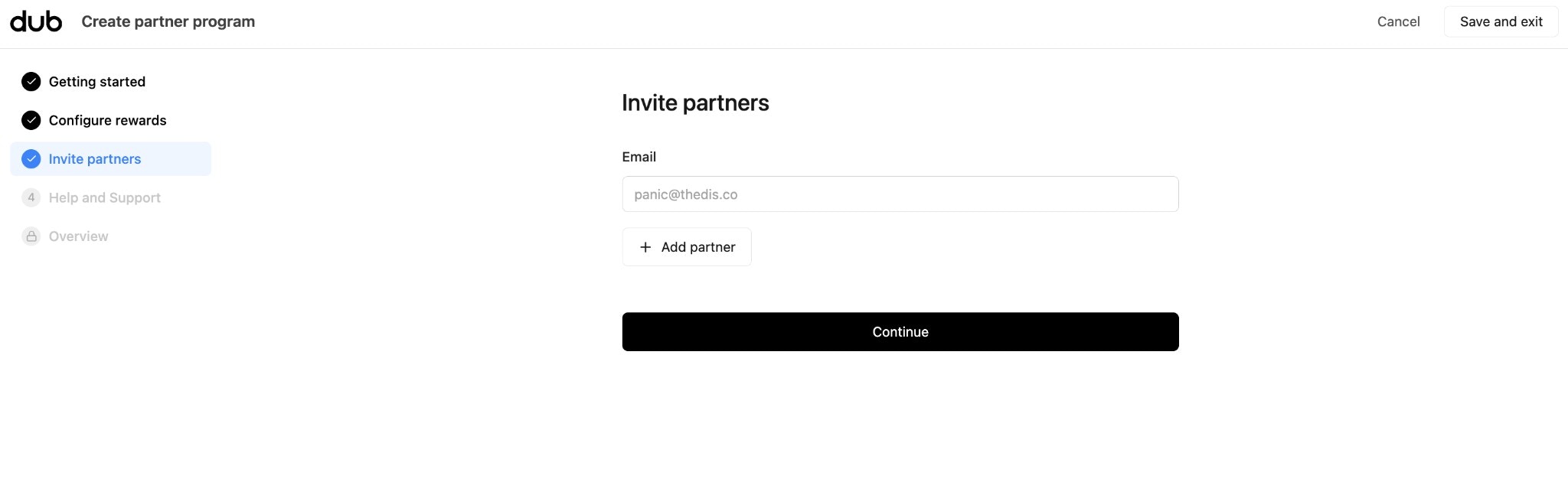
- Enter partner email addresses.
- Click + Add partner to add each one.
- Click Continue to proceed (you can also skip and invite later from the Partners tab).
Step 4: Help and Support
Goal: Add support resources (support email, terms of service, help center) that partners see on their dashboard.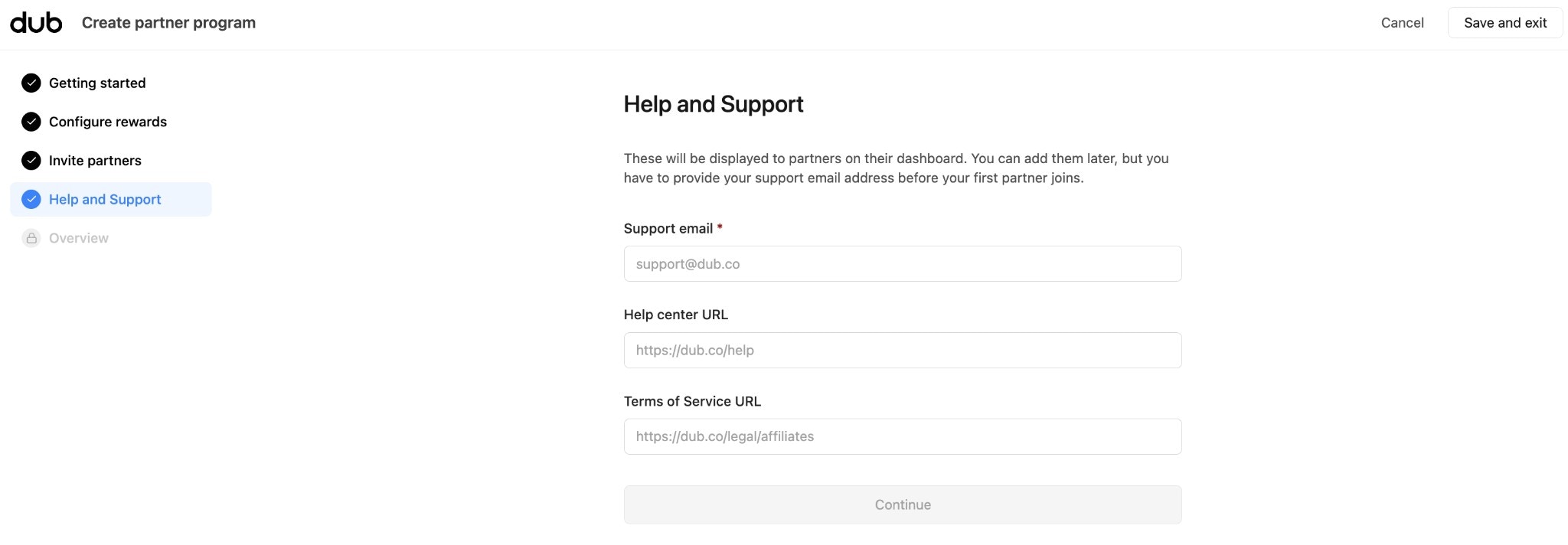
- Support email (required): Email partners can reach you for questions.
- Help center URL: Link to your help docs or FAQ (e.g.
https://yourcompany.com/help). - Terms of Service URL: Link to your affiliate/partner terms (e.g.
https://yourcompany.com/legal/affiliates).
Step 5: Overview
Goal: Review your selection and create your program.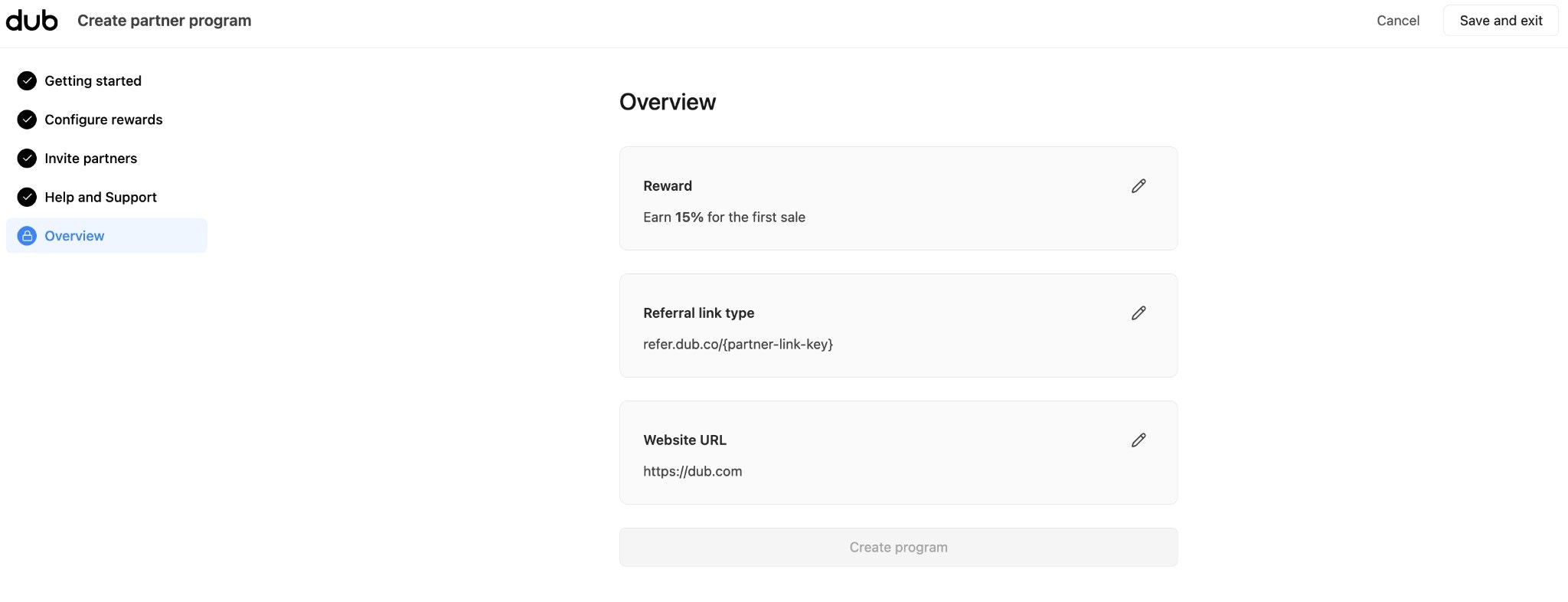
- Reward: e.g. “Earn 15% for the first sale”
- Referral link type: e.g.
refer.dub.co/{partner-link-key} - Website URL: Where partner links redirect
What’s next?
Set up conversion tracking
Track conversions and attribute sign-ups and purchases
Connect a bank account
Set up a bank account for sending partner payouts
Create partner groups
Segment partners by rewards, discounts, and performance
Invite your partners
Add partners via dashboard, API, or application form
Configure partner rewards
Create flexible reward structures for partners
Embedded referral dashboard
Enroll partners directly from wihin your app