

Example App
Before we dive in, here’s an open-source example app showing Dub’s embedded referral dashboard in action: acme.dub.shDub embedded referral dashboard demo app
View the source code for acme.dub.sh on GitHub.
Step 1: Generate embed token
First, you need to create a server API route that generates a public token, which will be used by the embedded referral dashboard to fetch real-time conversions and earnings data from the client-side.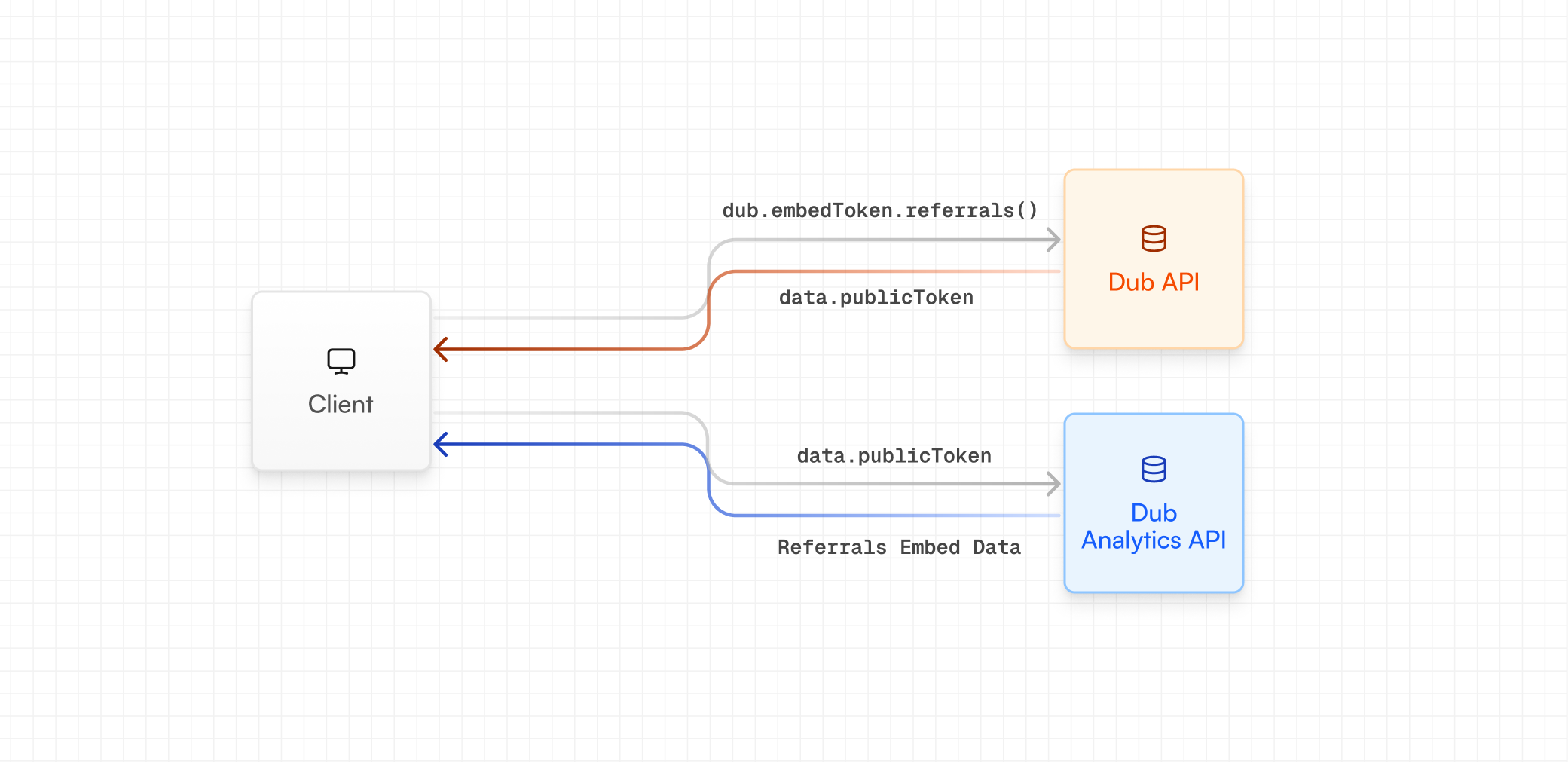
Using server-side SDKs
If you’re using our server-side SDKs, you can generate an embed token using thedub.embedTokens.referrals method.
Using REST API
If you’re not using our server-side SDKs, you can generate an embed token using our REST API instead (via thePOST /tokens/embed/referrals endpoint).
JavaScript
POST /tokens/embed/referrals endpoint.
When you call this endpoint, it first attempts to find an existing enrollment
using the provided
tenantId. If no enrollment is found, it resolves the
partner by email and creates a new enrollment automatically. This means you
don’t need to handle enrollment logic separately – the endpoint guarantees a
valid enrollment and returns a usable embed token every time.Step 2: Install the embed
Then, with thepublicToken from Step 1, you can install and initialize the embedded referral dashboard. There are two ways to do this:
React component
First, install the NPM package:Iframe embed
Alternatively, if you’re not using React (or you’re not on Reactv18.2.0 or higher), you can add the iframe directly to your HTML:
Embed options
The embedded referral dashboard supports the following options for styling and behavior:referrals | analytics
required
The type of embed to use. In this case, we’re using the
referrals type.light | dark | system
default:"light"
The theme of the embed.
JSON-stringified object
Available options:
backgroundColor: The background color of the embed.