{cta}
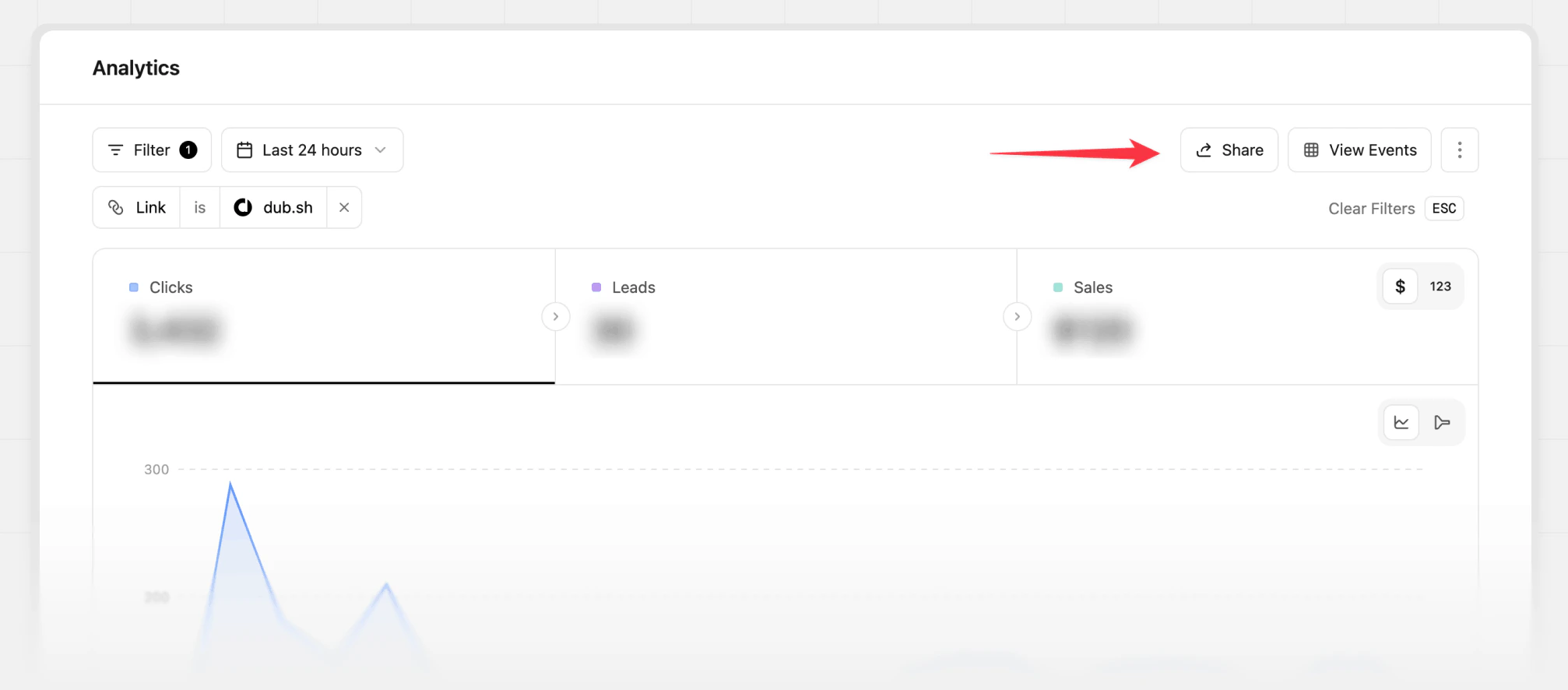
 **Option 2**: On the analytics page for a given short link, click on the **Share** button in the top right corner.
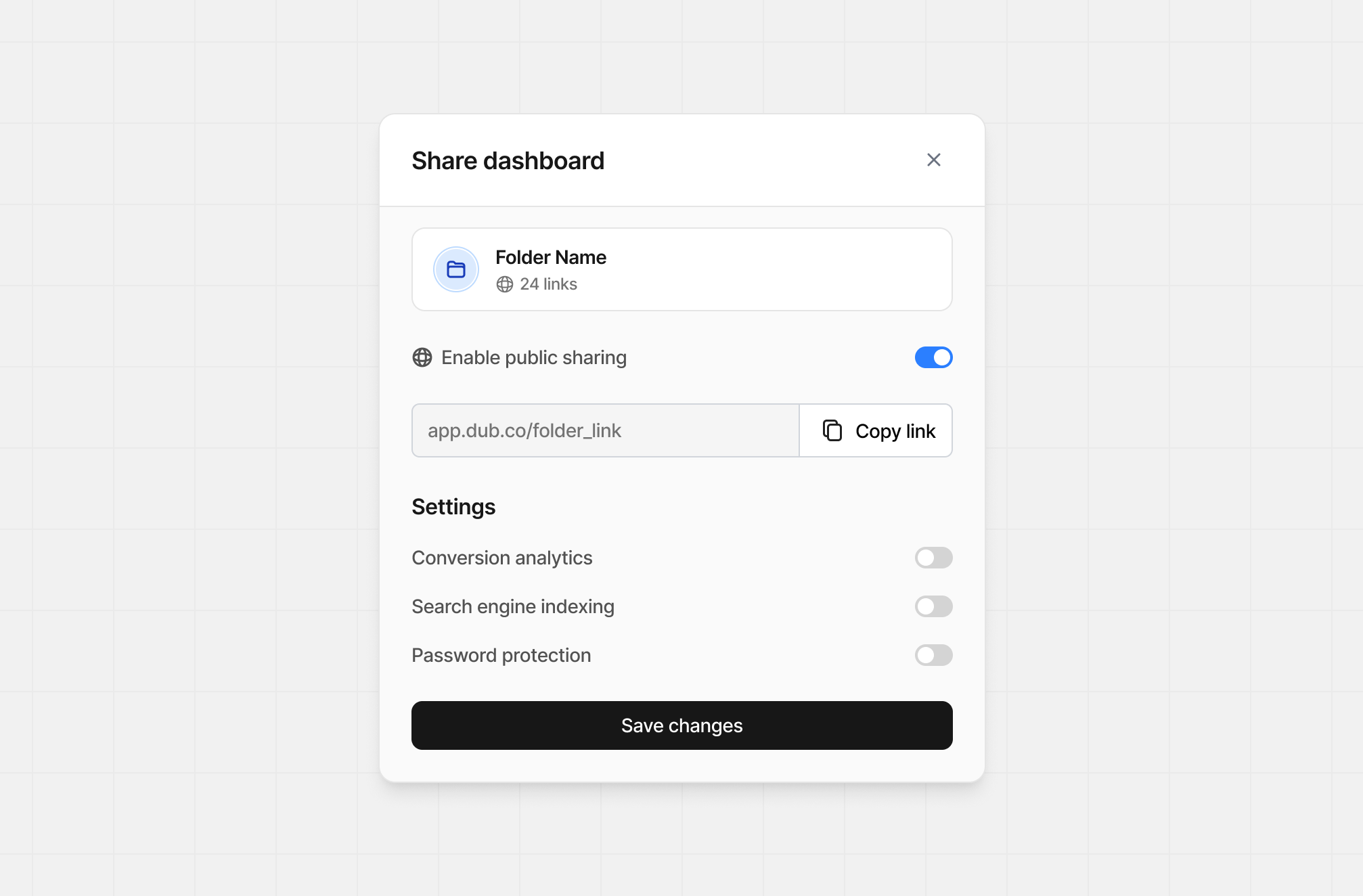
 Then, inside the **Share Dashboard** modal, toggle the **Enable public sharing** switch to **ON**.
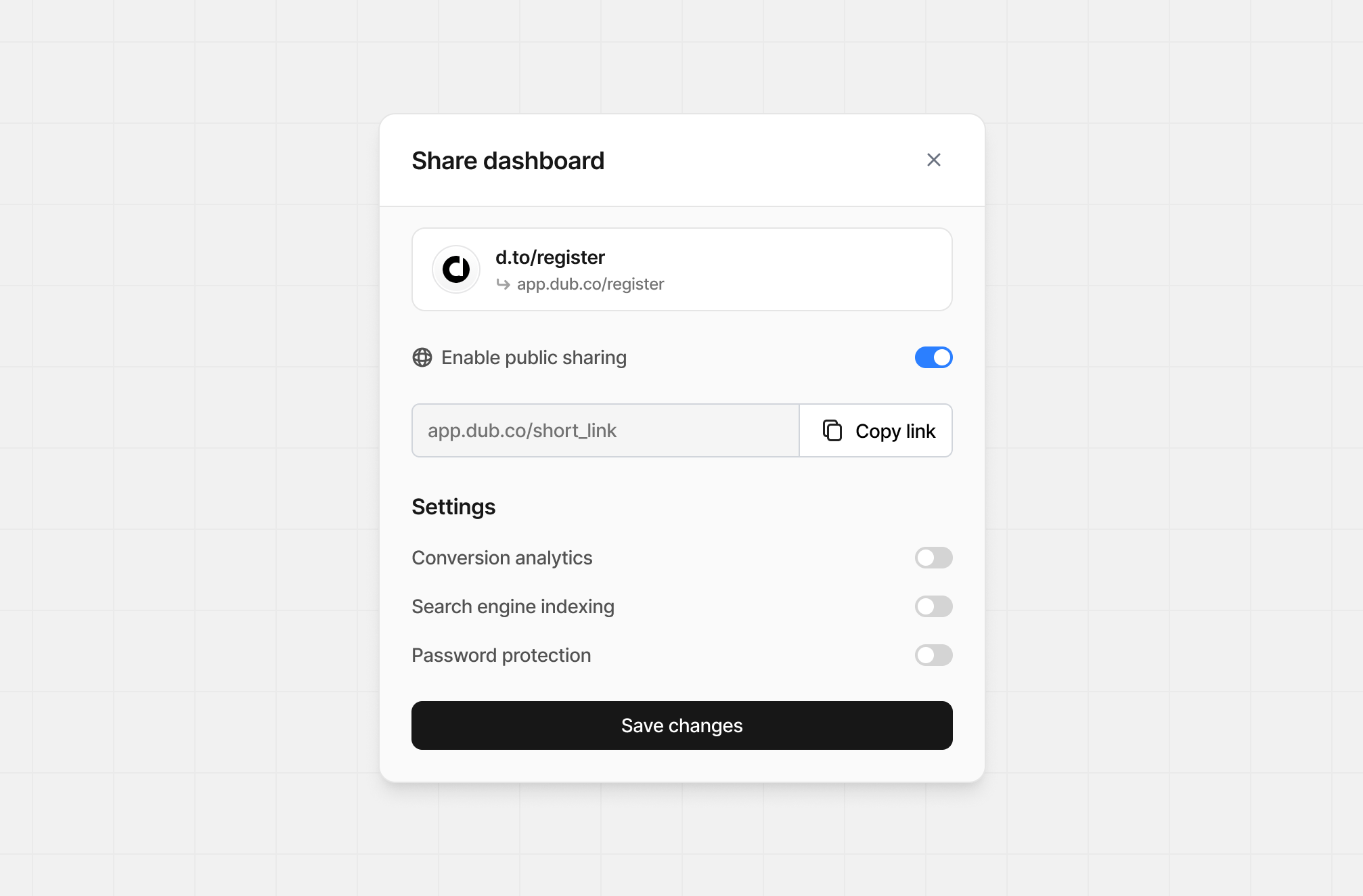 Behind the scenes, Dub creates a public page for your link's analytics and automatically copies the link to your clipboard. [Here's an example](https://d.to/stats/try).
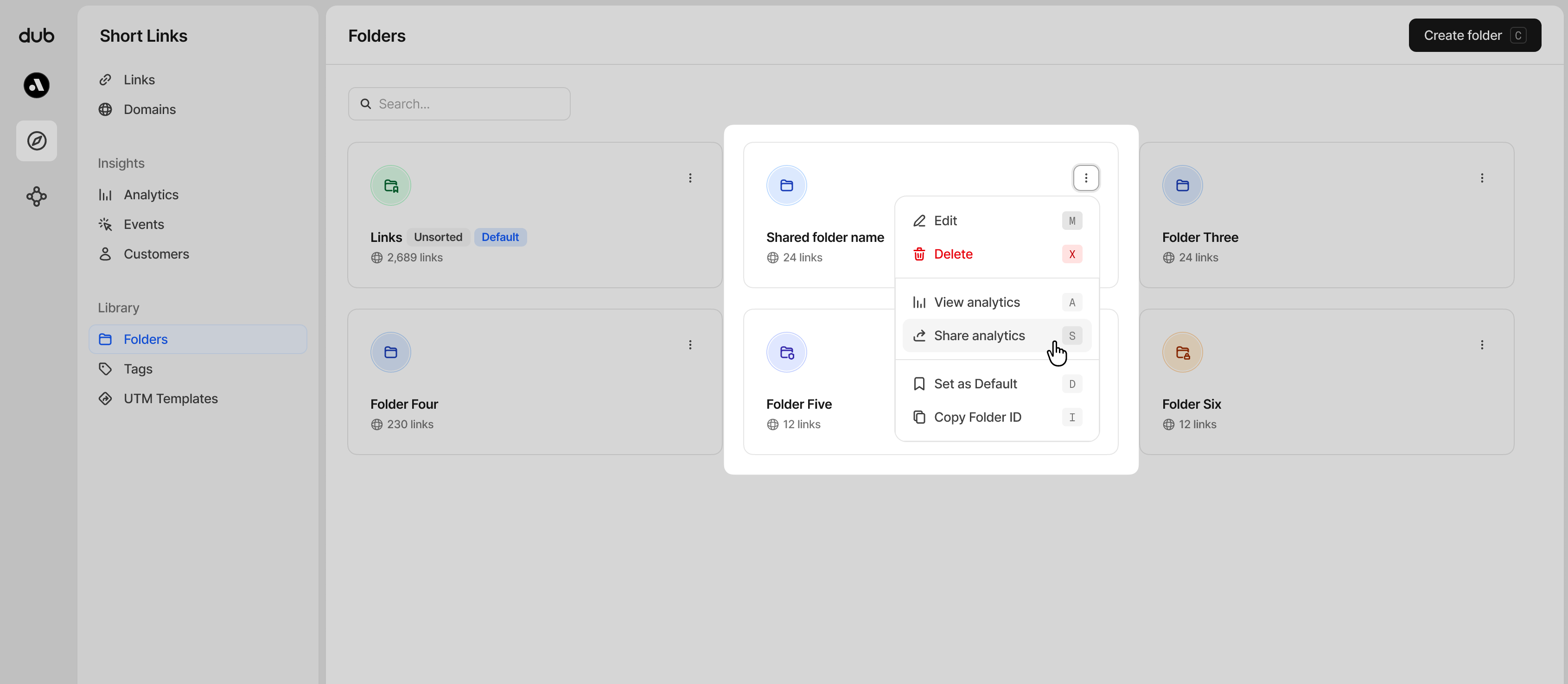 **Option 2**: On the analytics page for a given link folder, click on the **Share** button in the top right corner.
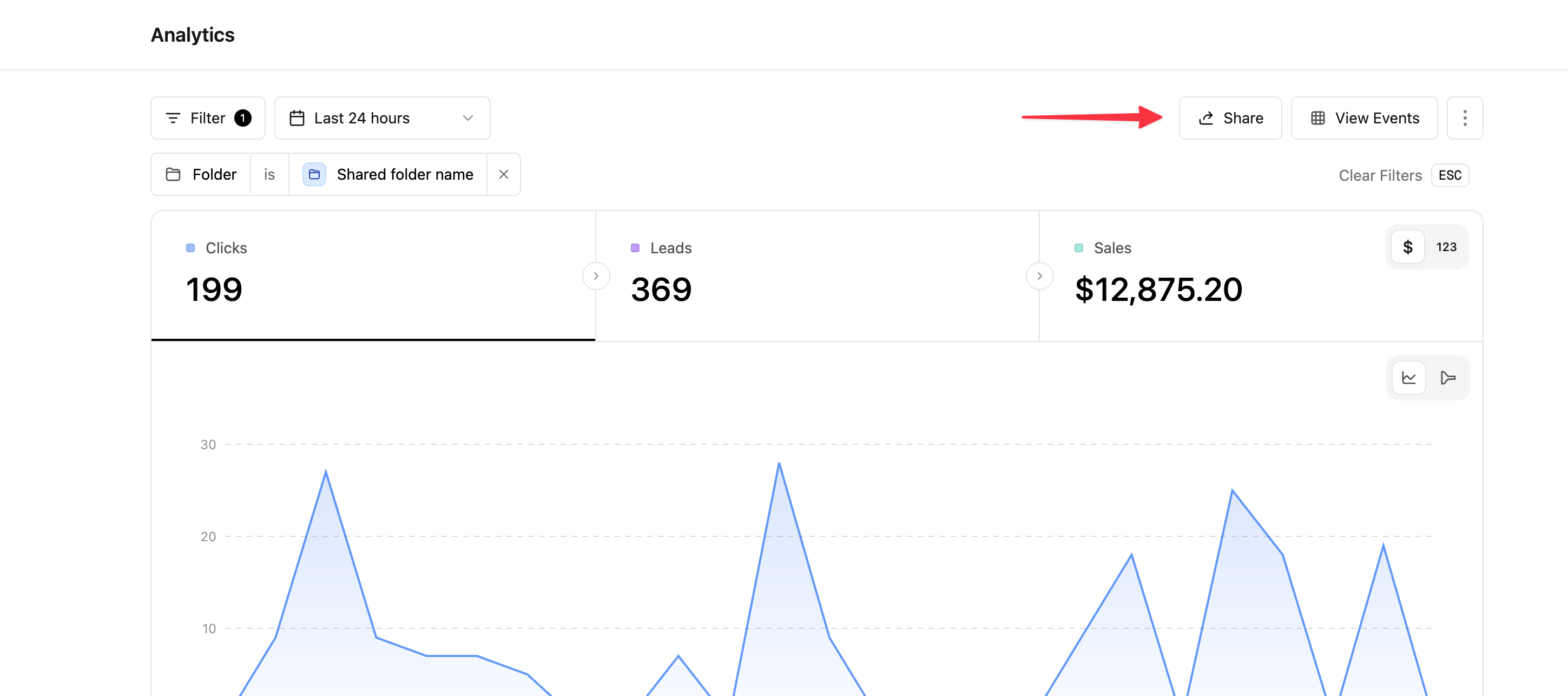 Then, inside the **Share Dashboard** modal, toggle the **Enable public sharing** switch to **ON**.
 ## Sharing settings
The following settings are available for both short links and link folders.
### Show conversion analytics
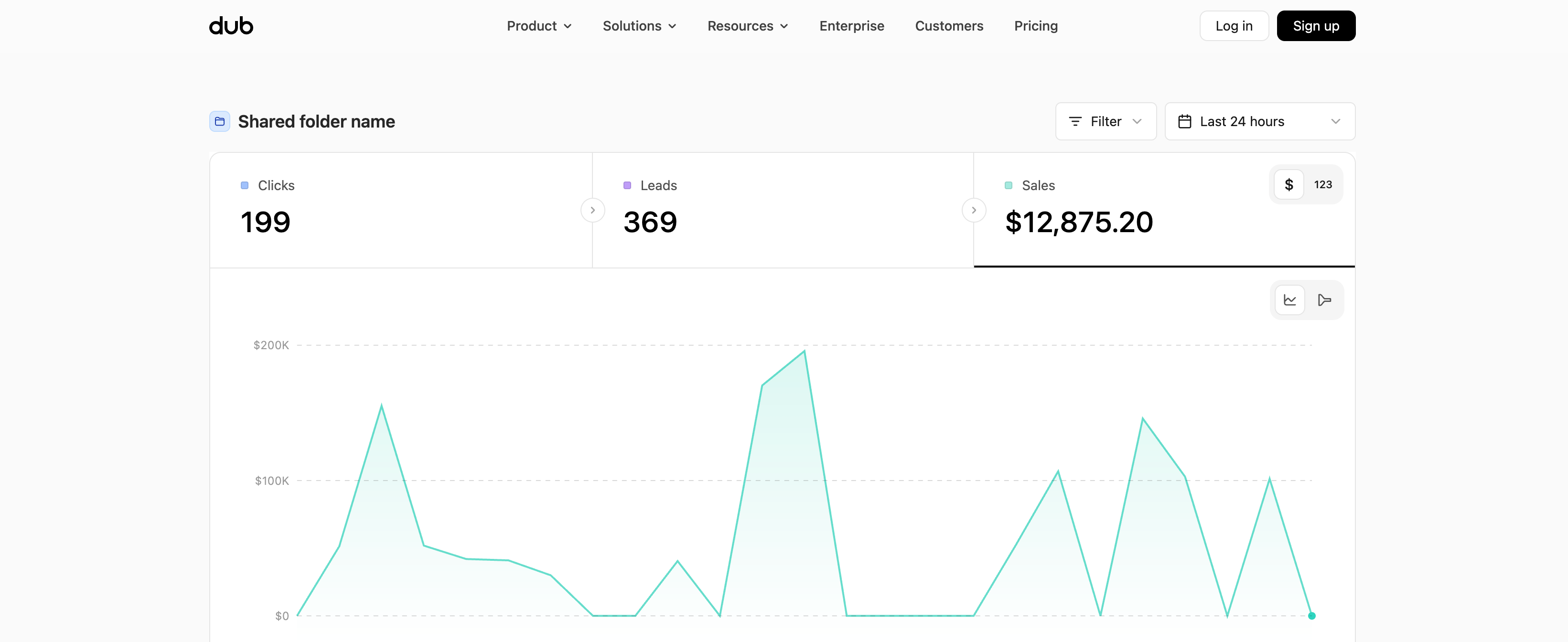
If you enable Conversions analytics, this will change what's visible on the shared dashboard to include your lead and sales analytics.
Here's how the dashboard looks with conversion analytics enabled:
## Sharing settings
The following settings are available for both short links and link folders.
### Show conversion analytics
If you enable Conversions analytics, this will change what's visible on the shared dashboard to include your lead and sales analytics.
Here's how the dashboard looks with conversion analytics enabled:
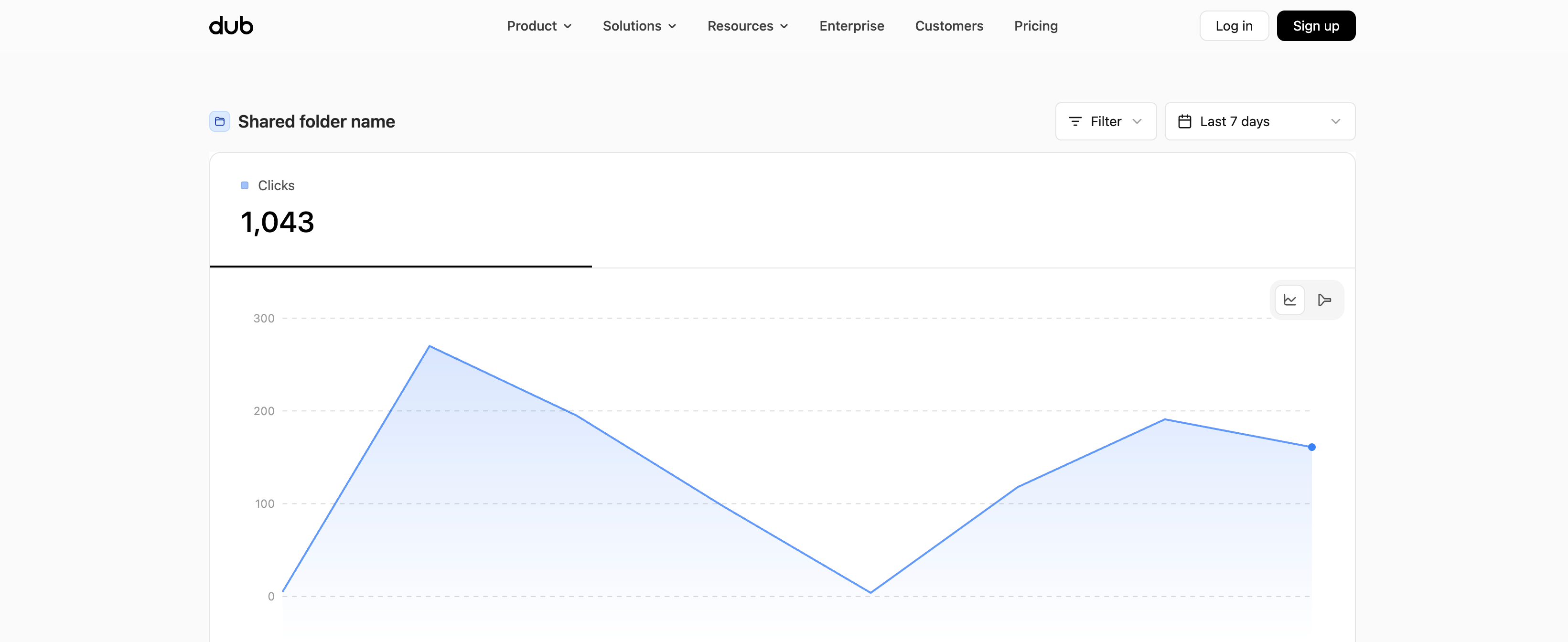
 Here's how the dashboard looks without conversion analytics enabled:
 ### Setting a password
You can also set a password for your public analytics dashboard to further secure the page. To do that, toggle the **Password protection** switch to **ON** and set a password in the field below.
### Setting a password
You can also set a password for your public analytics dashboard to further secure the page. To do that, toggle the **Password protection** switch to **ON** and set a password in the field below.
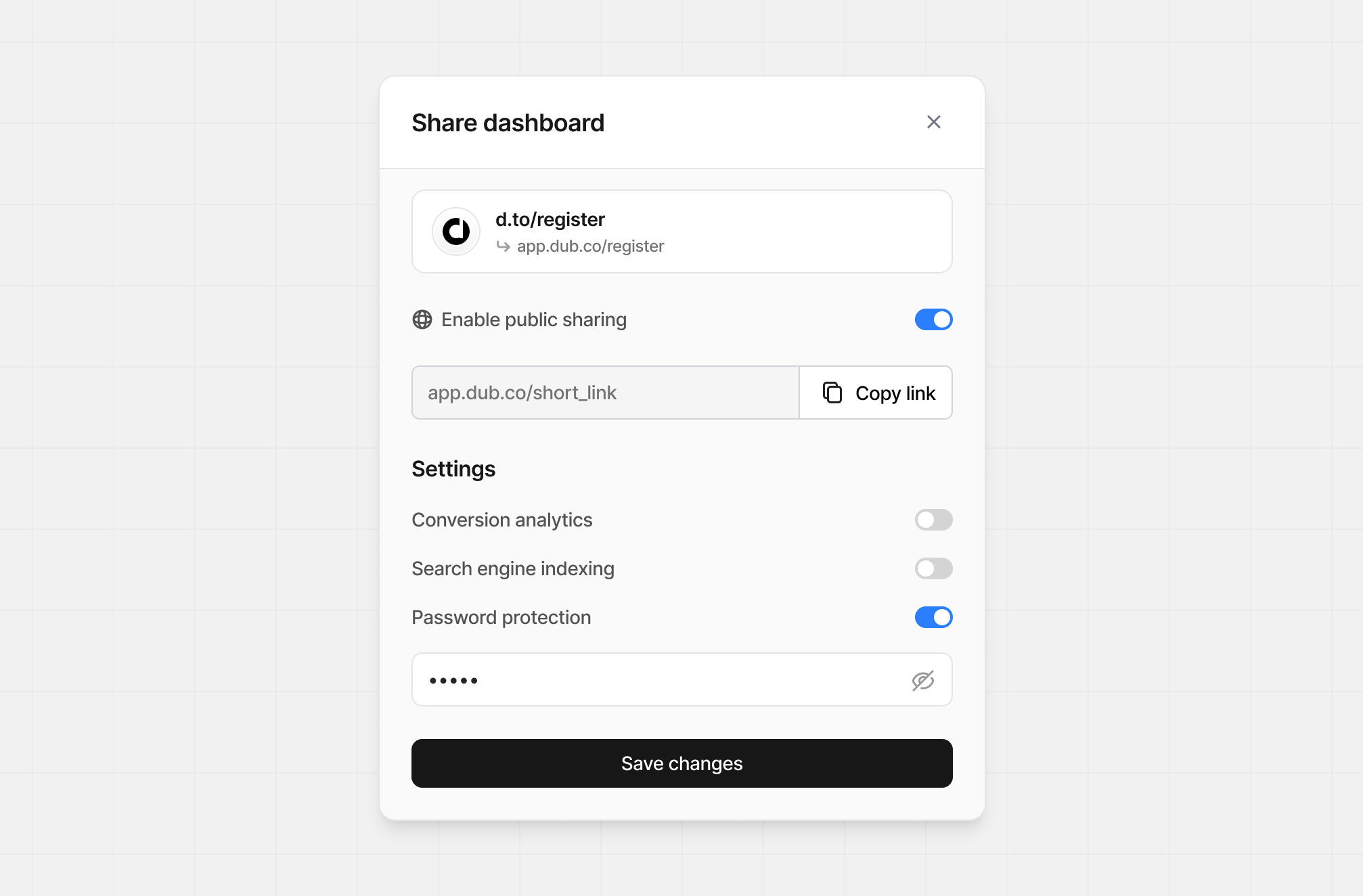 Then, when someone visits the public analytics dashboard, they will be prompted to enter the password in order to view the page.
 ### Search engine indexing
If you want to enable search engine indexing for your public analytics dashboard, toggle the **Search engine indexing** switch to **ON**.
This will make the page more discoverable by search engines like Google.
Otherwise, public analytics dashboards are served with a `noindex` meta tag by default, which tells search engines not to index the page.
`html `
## How to disable a public analytics dashboard
Follow the same steps as the ["How to create a public analytics dashboard"](#how-to-create-a-public-analytics-dashboard) section above, but toggle the **Enable public sharing** switch to **OFF**.
Dub will automatically disable the public analytics page for the given link. You will still be able to view the analytics for the link on your Dub dashboard, but the public page will no longer be accessible.
### Search engine indexing
If you want to enable search engine indexing for your public analytics dashboard, toggle the **Search engine indexing** switch to **ON**.
This will make the page more discoverable by search engines like Google.
Otherwise, public analytics dashboards are served with a `noindex` meta tag by default, which tells search engines not to index the page.
`html `
## How to disable a public analytics dashboard
Follow the same steps as the ["How to create a public analytics dashboard"](#how-to-create-a-public-analytics-dashboard) section above, but toggle the **Enable public sharing** switch to **OFF**.
Dub will automatically disable the public analytics page for the given link. You will still be able to view the analytics for the link on your Dub dashboard, but the public page will no longer be accessible.