> ## Documentation Index
> Fetch the complete documentation index at: https://dub.co/llms.txt
> Use this file to discover all available pages before exploring further.
# Partner referrals
> Learn how to reward partners when they refer other partners to your program.
This feature is only available on [Advanced plans and
above](https://dub.co/pricing/partners).
With Dub's Partner Referral feature, you can reward existing partners for referring other **influencers, affiliates, and publishers** to join your partner program.
This is exceptionally useful when your best partners already know other high quality partners who would be a good fit for your program.
## How partner referrals work
Partner referrals lets you reward partners when another partner they refer to your program meets a certain condition.
When a prospective partner visits your program application page, Dub automatically tracks where they came from (e.g. via your footer link, Google search, etc.) and displays these stats in your [Application Analytics](/help/article/application-analytics) dashboard.
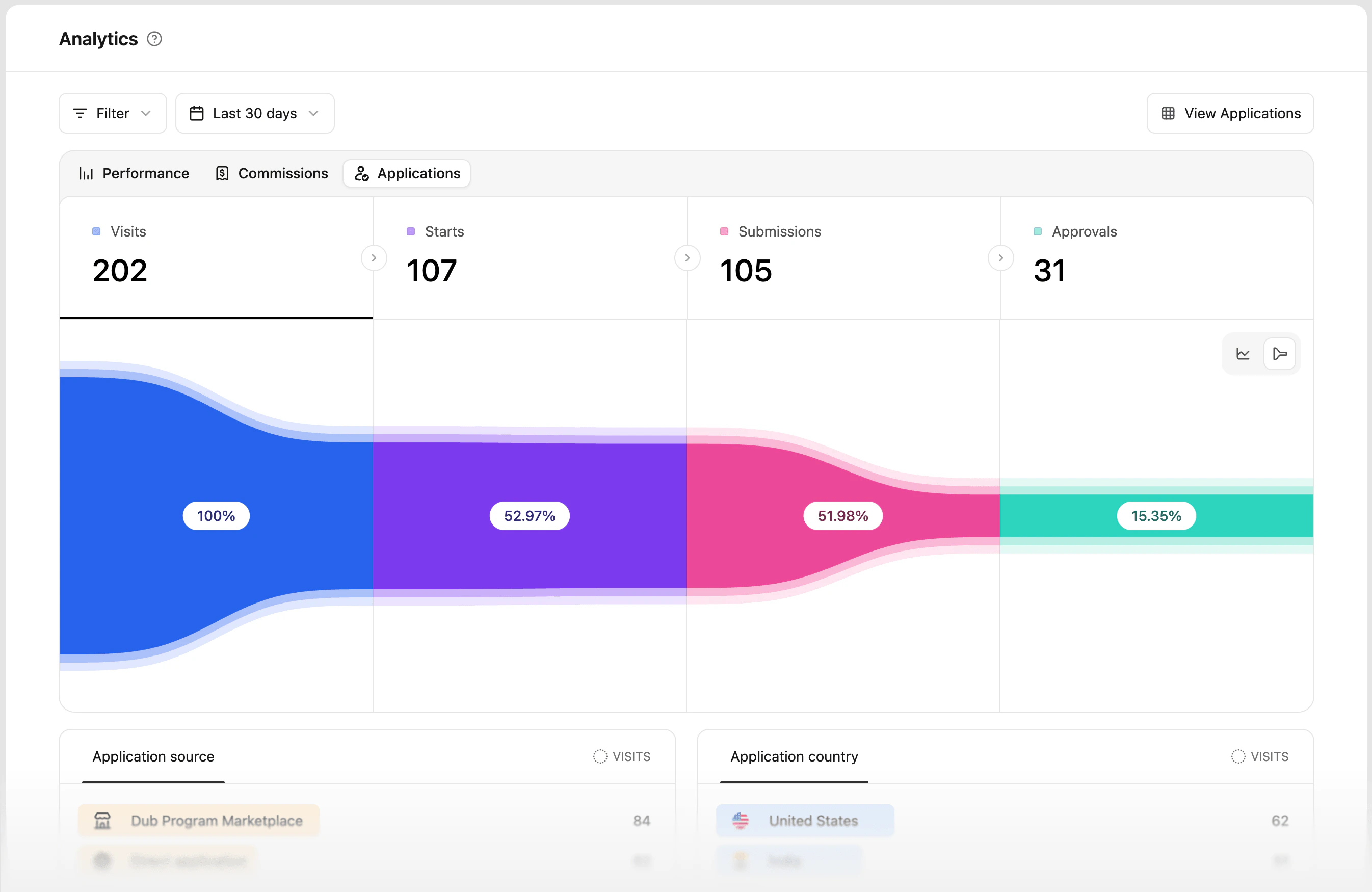 Similarly, if the referred partner visits your program application page through an existing partner's referral link, Dub tracks and attributes the application to the referring partner.
## Creating a partner referral reward
In your [group rewards](https://app.dub.co/program/groups/default/rewards) tab, you'll see the "Partner Referral" reward type. Click **Create** to set up a partner referral reward for that [partner group](https://dub.co/help/article/partner-groups).
Similarly, if the referred partner visits your program application page through an existing partner's referral link, Dub tracks and attributes the application to the referring partner.
## Creating a partner referral reward
In your [group rewards](https://app.dub.co/program/groups/default/rewards) tab, you'll see the "Partner Referral" reward type. Click **Create** to set up a partner referral reward for that [partner group](https://dub.co/help/article/partner-groups).
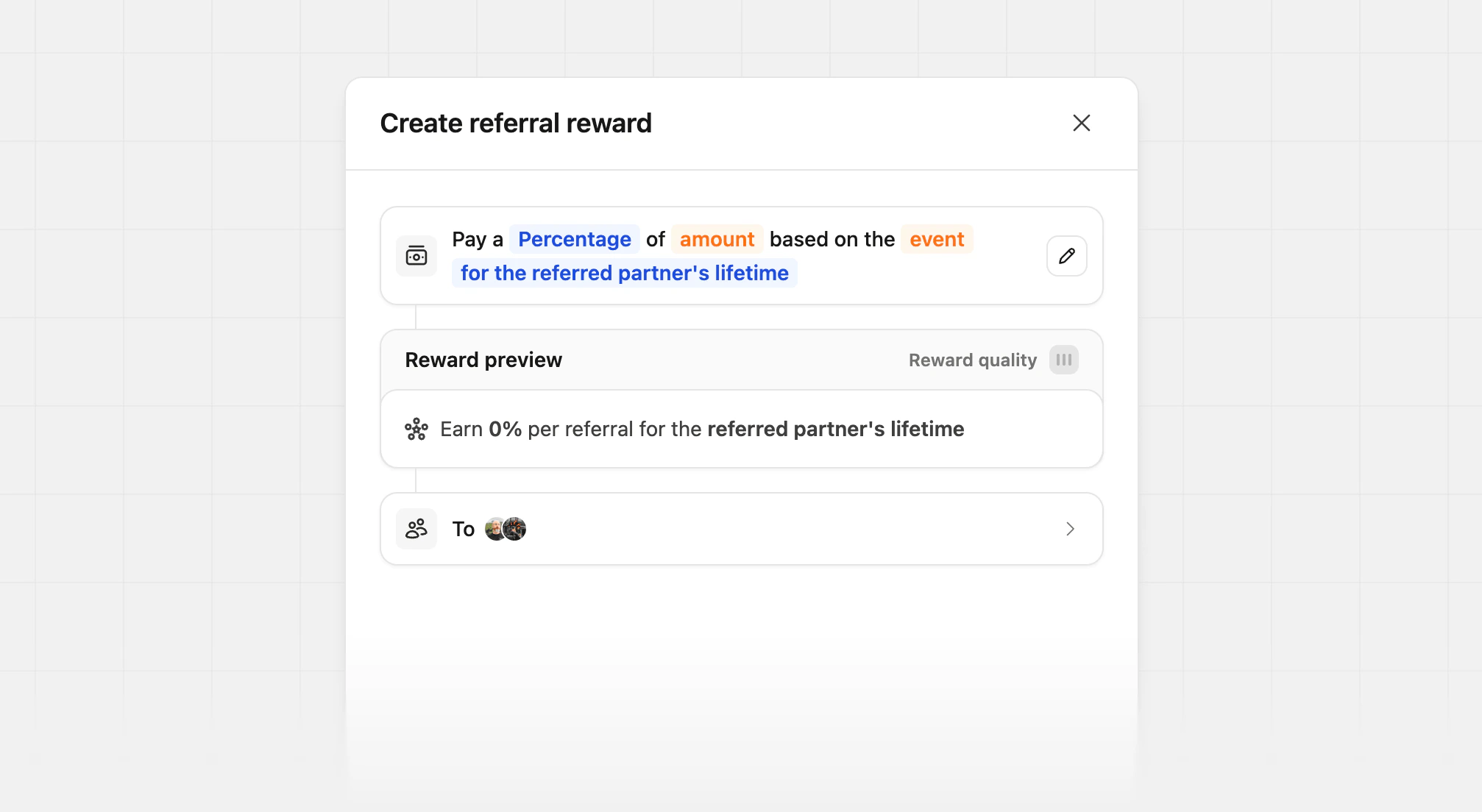
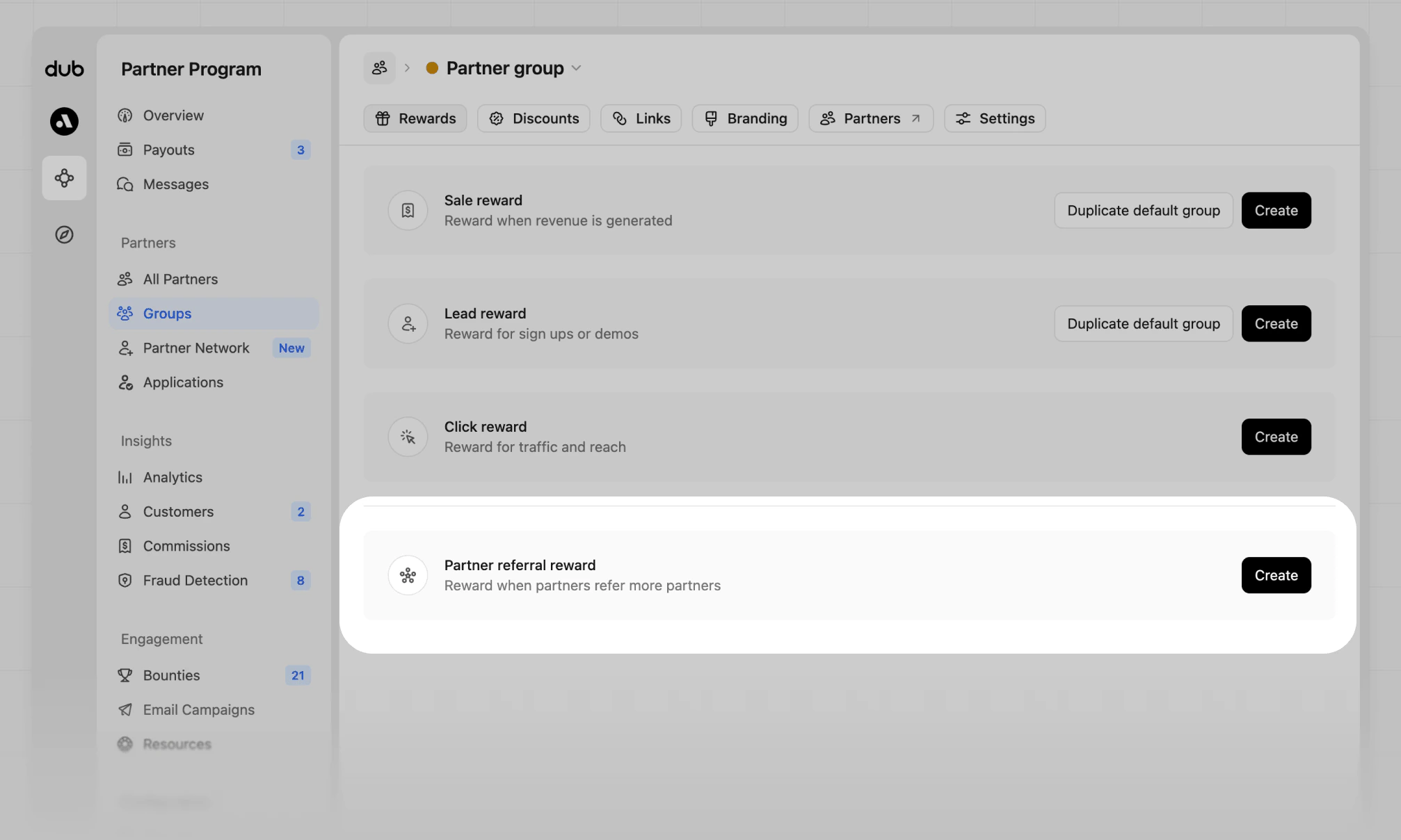 From the referral reward creation view, you can select the reward type between [percentage-based](#percentage-based-rewards) or [flat-fee](#flat-fee-rewards) – the differences between the two are explained below.
 ## Flat fee rewards
For flat fee rewards, you can set a fixed one-time amount that the referring partner will earn when the referred partner meets a condition, such as:
| Condition | Description |
| ------------------ | ---------------------------------------------------------------------------------------------------------------- |
| **Is approved** | The referring partner earns a reward when their referred partner is approved to your program. |
| **Earns at least** | The referring partner earns a reward when their referred partner earns at least a certain amount in commissions. |
### When the referred partner is approved to your program
When you select the **is approved** option, the referring partner will earn a fixed reward amount when the referred partner is approved to your program.
## Flat fee rewards
For flat fee rewards, you can set a fixed one-time amount that the referring partner will earn when the referred partner meets a condition, such as:
| Condition | Description |
| ------------------ | ---------------------------------------------------------------------------------------------------------------- |
| **Is approved** | The referring partner earns a reward when their referred partner is approved to your program. |
| **Earns at least** | The referring partner earns a reward when their referred partner earns at least a certain amount in commissions. |
### When the referred partner is approved to your program
When you select the **is approved** option, the referring partner will earn a fixed reward amount when the referred partner is approved to your program.
 ### When the referred partner earns at least a certain amount in commissions
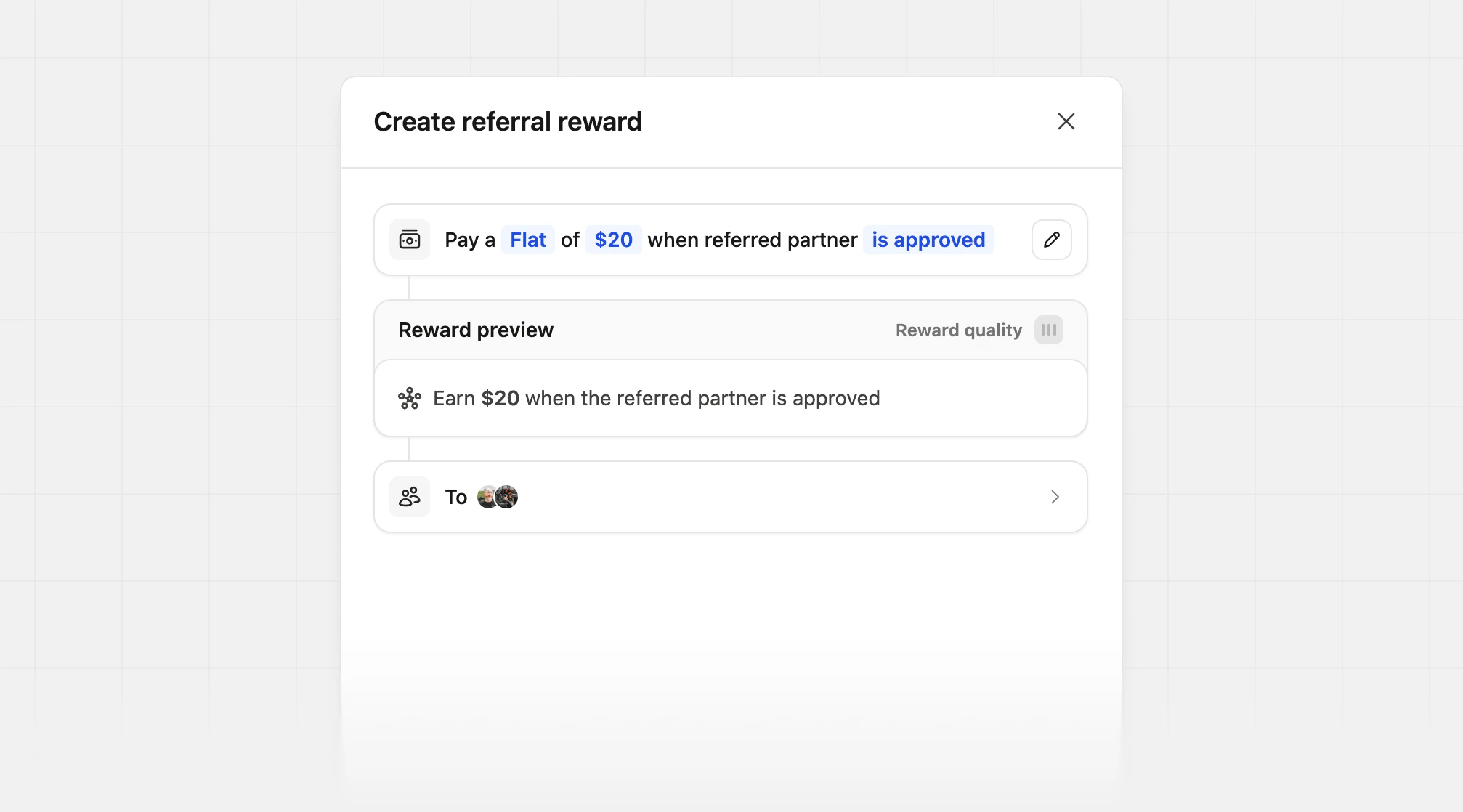
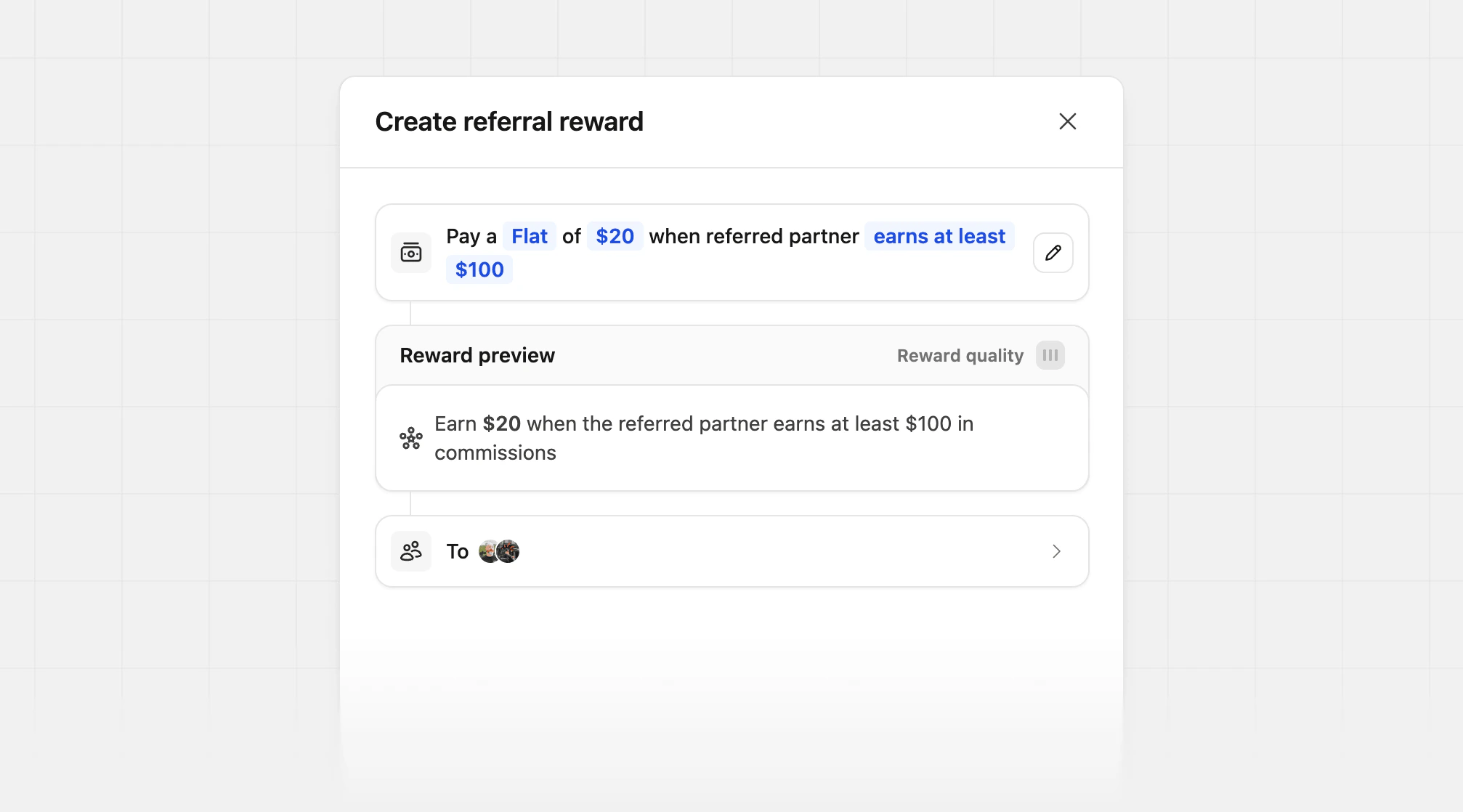
When you select the **earns at least** option, the referring partner will earn a fixed reward amount when the referred partner earns at least a certain amount in commissions.
For example, if you set the condition to **earns at least** \$100 and the reward amount to \$20, the referring partner will earn a \$20 referral reward when the referred partner earns at least \$100 in commissions.
### When the referred partner earns at least a certain amount in commissions
When you select the **earns at least** option, the referring partner will earn a fixed reward amount when the referred partner earns at least a certain amount in commissions.
For example, if you set the condition to **earns at least** \$100 and the reward amount to \$20, the referring partner will earn a \$20 referral reward when the referred partner earns at least \$100 in commissions.
 ## Percentage-based rewards
For percentage-based rewards, you can select between two options:
| Condition | Description |
| --------------------------------- | ---------------------------------------------------------------------------------------- |
| **Original sale amount** | The referring partner earns a percentage of the referred partner's original sale amount. |
| **Referred partner's commission** | The referring partner earns a percentage of the referred partner's commission. |
### Original sale amount
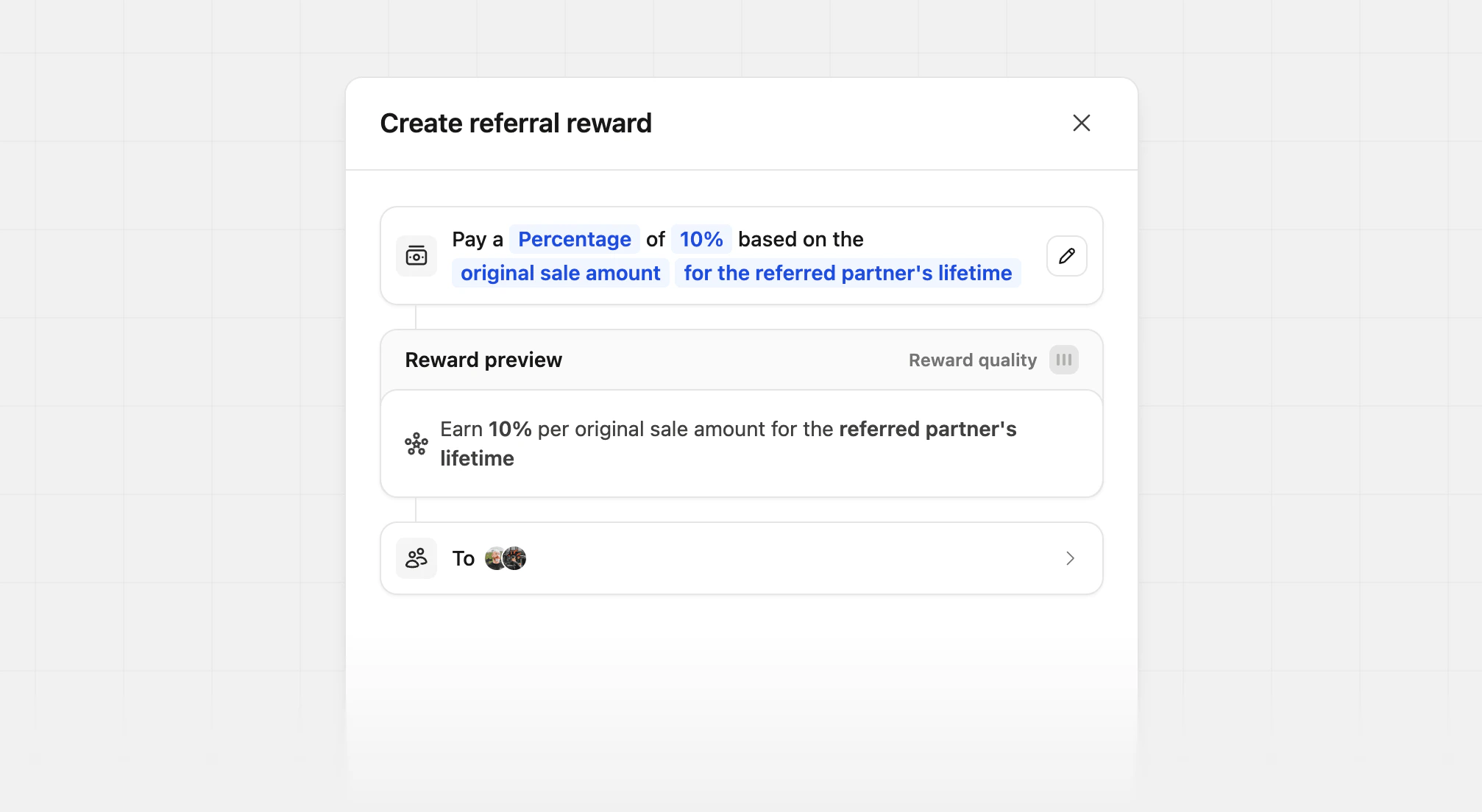
When you select the **original sale amount** option, the referring partner will earn a percentage of the total sale amount that the referred partner generates.
For example, if a partner group has a 20% sale reward + 10% partner referral reward (based on the original sale amount), and the referred partner generates a **\$100 sale**:
* The referred partner will earn a **\$20 commission** (20% sale reward \* \$100 = \$20).
* The referring partner will earn a **\$10 referral** reward (10% partner referral reward \* \$100 = \$10).
## Percentage-based rewards
For percentage-based rewards, you can select between two options:
| Condition | Description |
| --------------------------------- | ---------------------------------------------------------------------------------------- |
| **Original sale amount** | The referring partner earns a percentage of the referred partner's original sale amount. |
| **Referred partner's commission** | The referring partner earns a percentage of the referred partner's commission. |
### Original sale amount
When you select the **original sale amount** option, the referring partner will earn a percentage of the total sale amount that the referred partner generates.
For example, if a partner group has a 20% sale reward + 10% partner referral reward (based on the original sale amount), and the referred partner generates a **\$100 sale**:
* The referred partner will earn a **\$20 commission** (20% sale reward \* \$100 = \$20).
* The referring partner will earn a **\$10 referral** reward (10% partner referral reward \* \$100 = \$10).
 ### Referred partner's commission
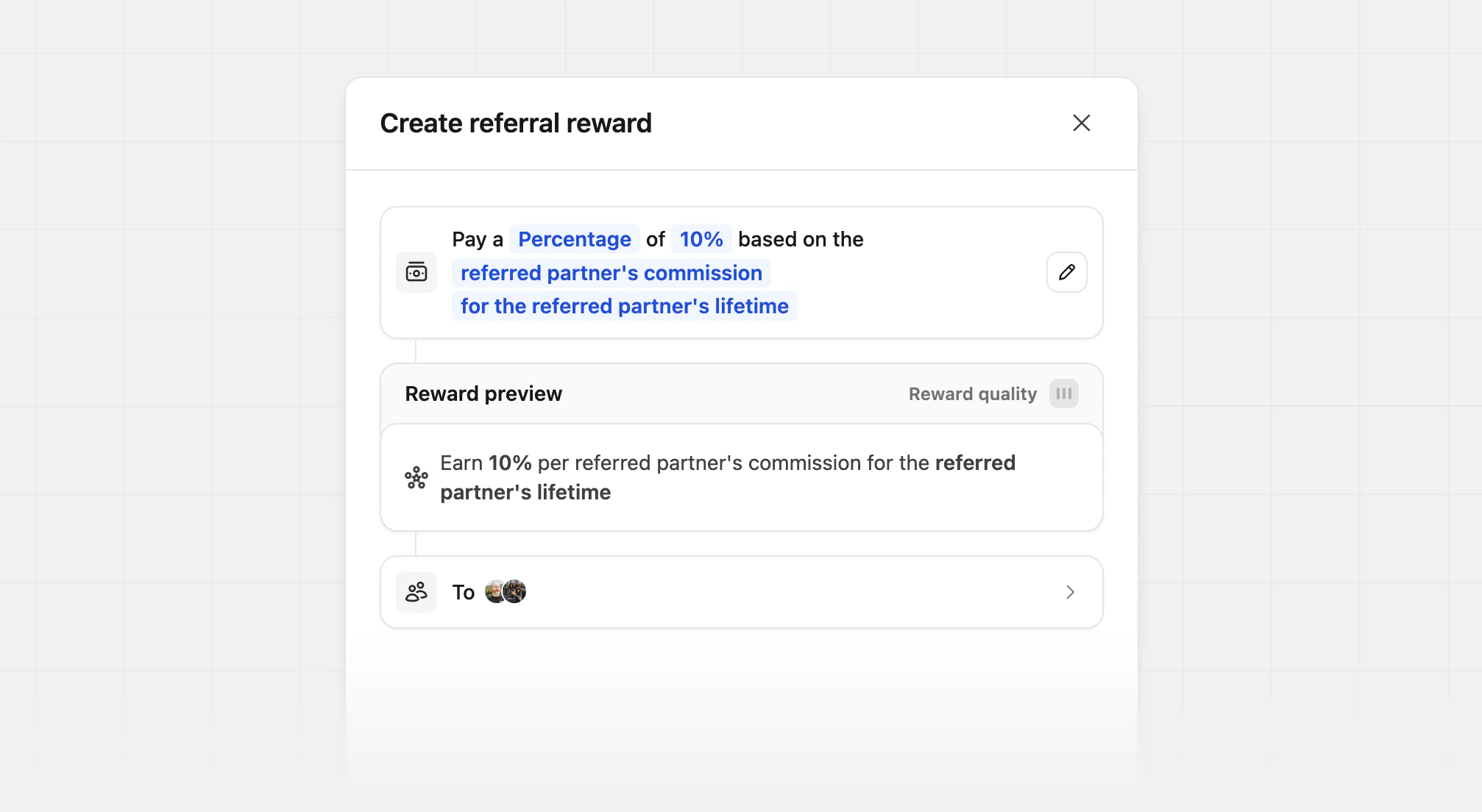
When you select the **referred partner's commission** option, the referring partner will earn a percentage of the commission that the referred partner earns.
For example, if a partner group has a 20% sale reward + a 10% partner referral reward (based on the referred partner's commission), and the referred partner generates a **\$100 sale**:
* The referred partner will earn a **\$20 commission** (20% sale reward \* \$100 = \$20).
* The referring partner will earn a **\$2 referral** reward (10% partner referral reward \* \$20 commission = \$2).
### Referred partner's commission
When you select the **referred partner's commission** option, the referring partner will earn a percentage of the commission that the referred partner earns.
For example, if a partner group has a 20% sale reward + a 10% partner referral reward (based on the referred partner's commission), and the referred partner generates a **\$100 sale**:
* The referred partner will earn a **\$20 commission** (20% sale reward \* \$100 = \$20).
* The referring partner will earn a **\$2 referral** reward (10% partner referral reward \* \$20 commission = \$2).
 ## Partner view
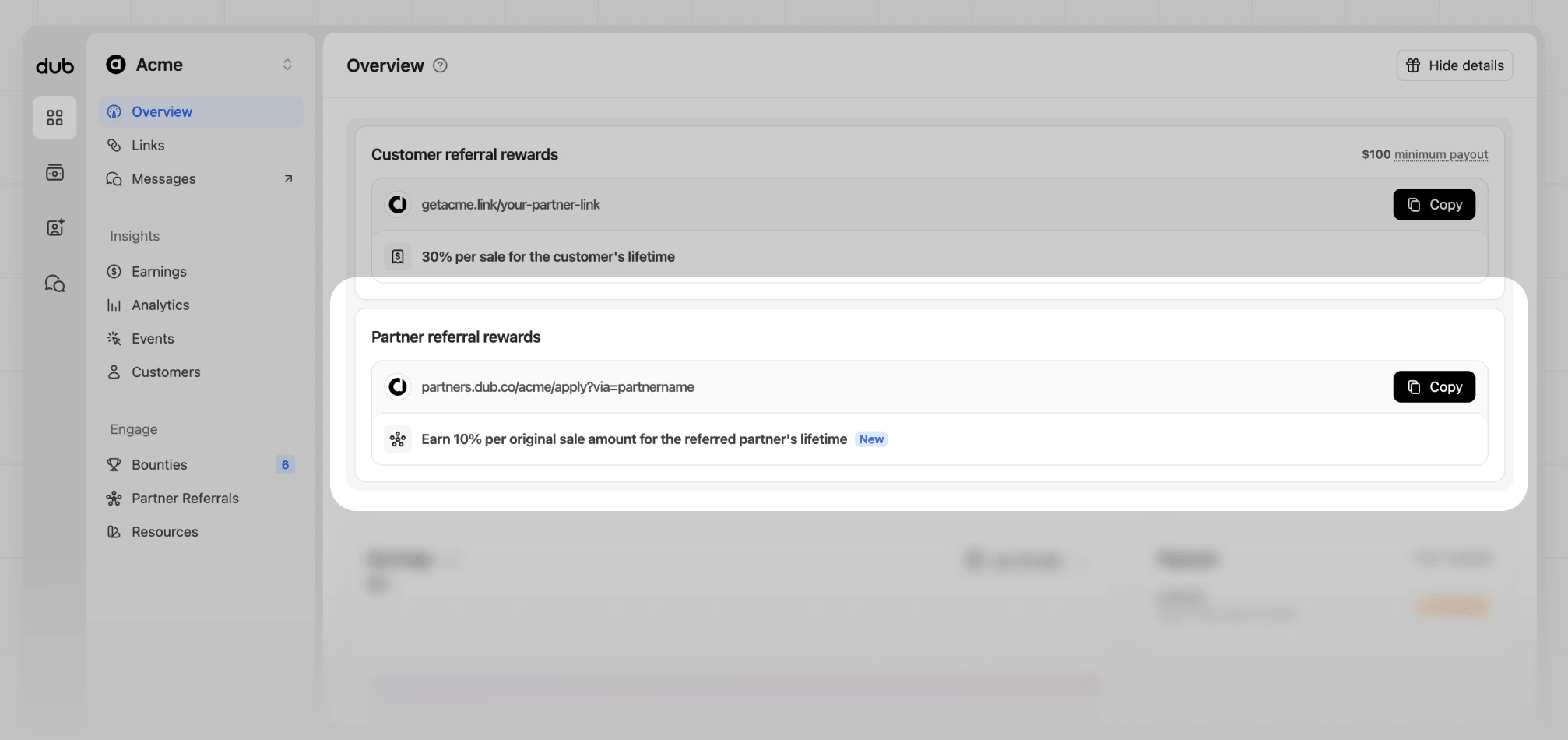
When your program has a partner referral reward set up, partners will see a **Partner referral rewards** section in the program overview page.
Here they'll find their reward details, and a link to your program's [application form](/help/article/program-application-form) with their referral tracking parameter automatically added.
## Partner view
When your program has a partner referral reward set up, partners will see a **Partner referral rewards** section in the program overview page.
Here they'll find their reward details, and a link to your program's [application form](/help/article/program-application-form) with their referral tracking parameter automatically added.
 ## Manually attribute referring partner
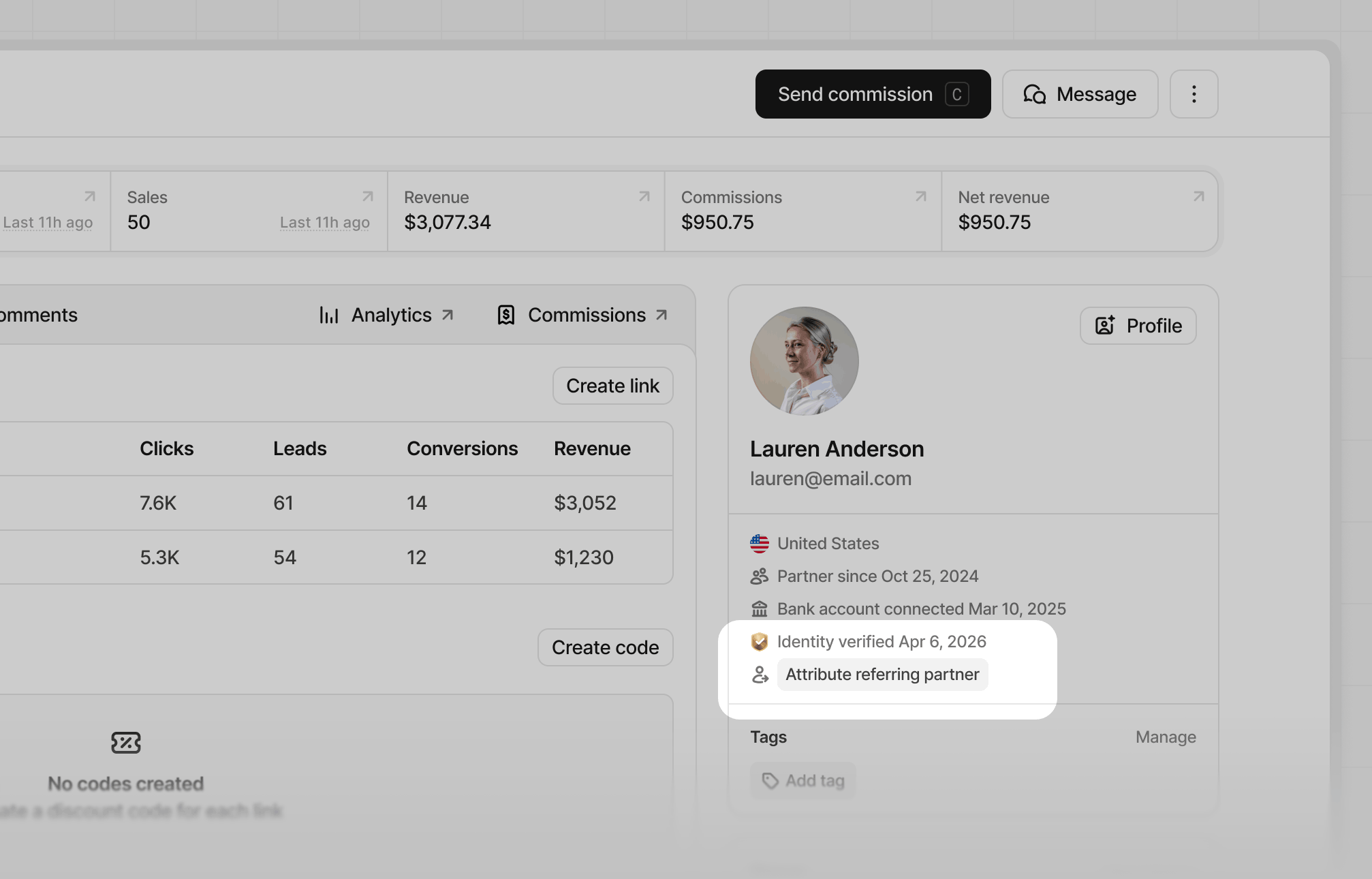
If a partner is not attributed to a referring partner, you can assign them manually through the partner's profile page. To assign a referring partner, click **Attribute referring partner** from their profile details section.
## Manually attribute referring partner
If a partner is not attributed to a referring partner, you can assign them manually through the partner's profile page. To assign a referring partner, click **Attribute referring partner** from their profile details section.
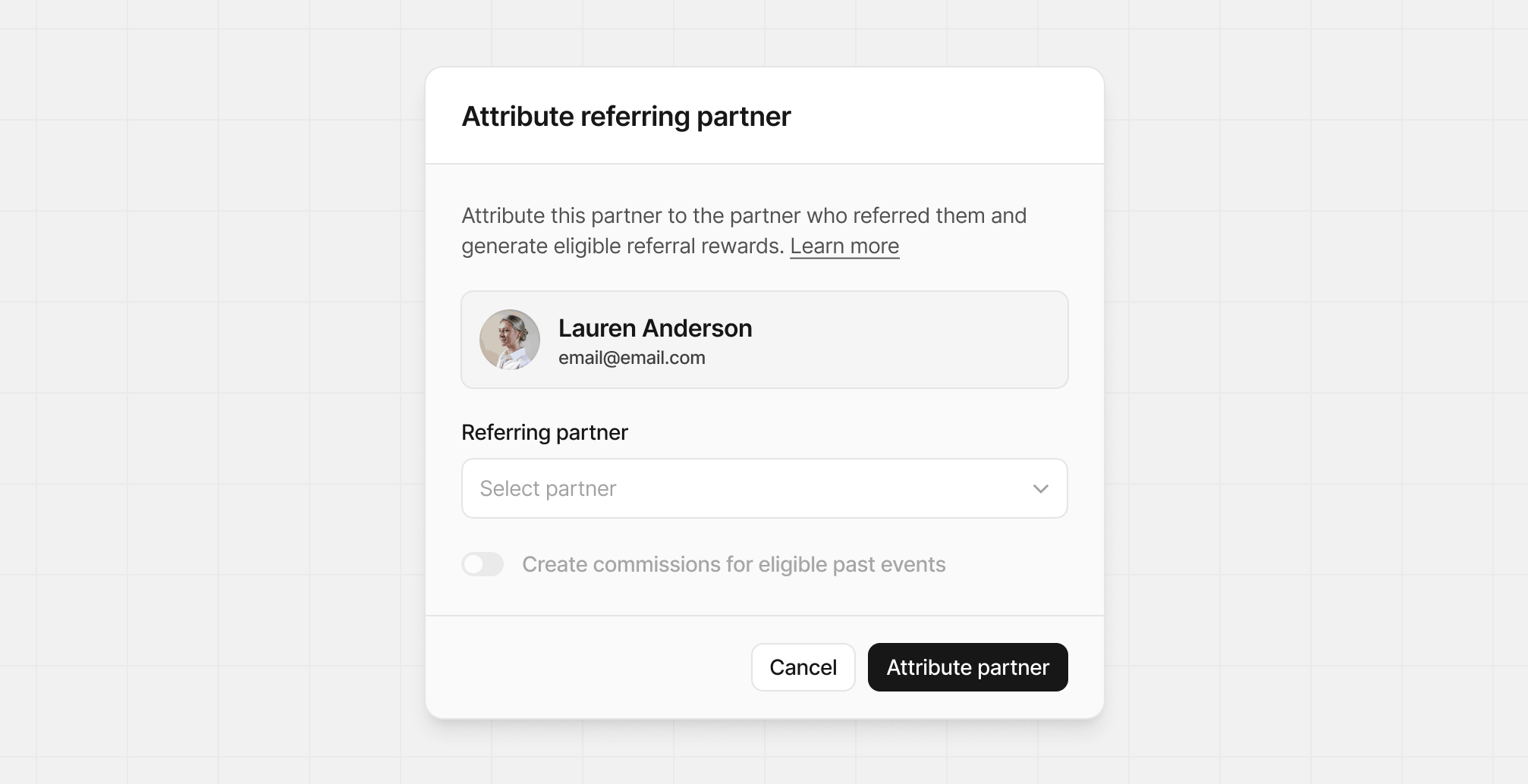
 From the **Attribute referring partner** modal, select the partner you want to attribute as the referring partner.
 After selecting the referring partner, you can also select to create commissions for eligible past events. This will generate partner referral commissions for the referring partner based on the referred partner's historical commissions.
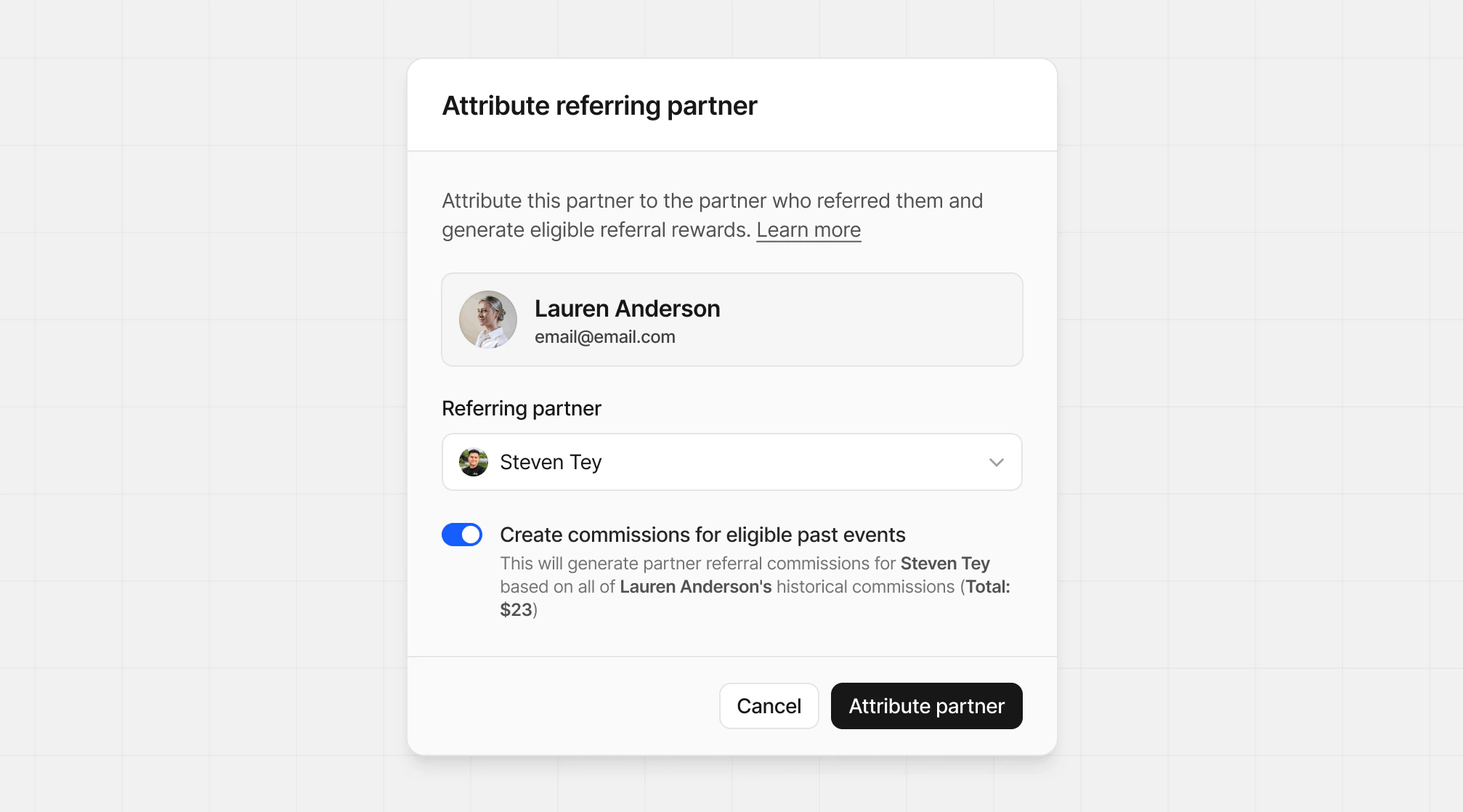 Be sure to confirm your changes, as this action cannot be undone. Click **Attribute partner** to save your changes.