setSearchQuery(e.target.value)} className="w-full rounded-lg border border-neutral-200 bg-white px-3 py-1.5 text-sm text-neutral-900 placeholder:text-neutral-400 focus:border-neutral-400 focus:outline-none focus:ring-1 focus:ring-neutral-400 dark:border-neutral-700 dark:bg-neutral-800 dark:text-neutral-100 dark:placeholder:text-neutral-500 dark:focus:border-neutral-600 dark:focus:ring-neutral-600" aria-label="Search countries" />
{PAYOUT_METHODS.map(({value, label}) => )}
{displayed.map(({code, name, methods = []}) => {
const methodLabels = PAYOUT_METHODS.filter(m => methods.includes(m.value)).map(m => m.label).join(" · ");
return
}.svg`}) ;
})}
;
})}
{filtered.length === 0 ?
{name}
{methodLabels ?
{methodLabels}
: null}
No countries match your filters.
: filtered.length > showCount && } At the top of the page, you'll see a summary of your pending and completed payouts:
 **Pending payouts**
This shows the total amount of commissions that are eligible for payment.
Hovering over the total will show you:
* **Eligible payouts** – due commissions for partners that have [configured their payout method](/help/article/receiving-payouts)).
* **Ineligible payouts** – due commissions for partners that have not [configured their payout methods yet](/help/article/receiving-payouts)).
Once you have at least one pending payout on Dub, you can click the **Confirm payouts** button to [review and confirm them](/help/article/partner-payouts#how-to-pay-your-partners).
**Total paid**
This shows the total amount of all commissions you've paid out to your partners.
Hovering over the total will show you:
* **Completed payouts** - Payouts that have been sent and confirmed
* **Processing payouts** - Payouts that are in progress (timing may vary based on the [selected payout method](/help/article/partner-payouts#payout-fees-and-timing))
Click **View invoices** to access past payout invoices.
In the payout table below, you can track and manage your payouts, confirm pending ones, and review past activity.
**Pending payouts**
This shows the total amount of commissions that are eligible for payment.
Hovering over the total will show you:
* **Eligible payouts** – due commissions for partners that have [configured their payout method](/help/article/receiving-payouts)).
* **Ineligible payouts** – due commissions for partners that have not [configured their payout methods yet](/help/article/receiving-payouts)).
Once you have at least one pending payout on Dub, you can click the **Confirm payouts** button to [review and confirm them](/help/article/partner-payouts#how-to-pay-your-partners).
**Total paid**
This shows the total amount of all commissions you've paid out to your partners.
Hovering over the total will show you:
* **Completed payouts** - Payouts that have been sent and confirmed
* **Processing payouts** - Payouts that are in progress (timing may vary based on the [selected payout method](/help/article/partner-payouts#payout-fees-and-timing))
Click **View invoices** to access past payout invoices.
In the payout table below, you can track and manage your payouts, confirm pending ones, and review past activity.
 | Column | Description |
| ------- | --------------------------------------------------------------------------------------------------------------------------- |
| Period | The payout range, starting from the date of the partner’s first commission to the end of the month of their last commission |
| Partner | The partner receiving the payout |
| Status | The current payout [status](/help/article/partner-payouts#payout-statuses) |
| Paid | The date the payout was confirmed, and by whom |
| Amount | The total amount paid to the partner |
## Payout statuses
A payout can have one of the following statuses:
| Status | Description |
| ---------- | ------------------------------------------------------------------------------------------------------------------------------------------------------------------------------------------------------------------------------------------------------------------------------------------------------ |
| Pending | Payouts that have not been processed yet, which can either be currently due or remain in pending status (in cases where the partner has not [configured their payout method](/help/article/receiving-payouts), or the payout has not yet reached the [minimum payout amount](#minimum-payout-amount)). |
| Processing | Payouts that have been [confirmed](#how-to-pay-your-partners) – depending on your [payout method](#payout-fees-and-timing), this step can take up to 4 business days. |
| Sent | When the funds have been sent to the partner's connected bank account. |
| Completed | When the payout has been fully paid out to the partner. |
| Failed | This is an edge case that happens with PayPal payouts, where the partner's PayPal is not set up to receive payouts. No action is required from your end in these cases – the partner will need to sort out their PayPal account and retry the payout from their end. |
| Canceled | For payouts that have been canceled – usually when a partner is banned from the program. |
## Payout holding period
On Dub, you can also set a "payout holding period" to specify how long your commissions will be held in "pending" status before becoming eligible for payout.
This is useful for safeguarding against potential refunds, chargebacks, or fraudulent transactions.
| Column | Description |
| ------- | --------------------------------------------------------------------------------------------------------------------------- |
| Period | The payout range, starting from the date of the partner’s first commission to the end of the month of their last commission |
| Partner | The partner receiving the payout |
| Status | The current payout [status](/help/article/partner-payouts#payout-statuses) |
| Paid | The date the payout was confirmed, and by whom |
| Amount | The total amount paid to the partner |
## Payout statuses
A payout can have one of the following statuses:
| Status | Description |
| ---------- | ------------------------------------------------------------------------------------------------------------------------------------------------------------------------------------------------------------------------------------------------------------------------------------------------------ |
| Pending | Payouts that have not been processed yet, which can either be currently due or remain in pending status (in cases where the partner has not [configured their payout method](/help/article/receiving-payouts), or the payout has not yet reached the [minimum payout amount](#minimum-payout-amount)). |
| Processing | Payouts that have been [confirmed](#how-to-pay-your-partners) – depending on your [payout method](#payout-fees-and-timing), this step can take up to 4 business days. |
| Sent | When the funds have been sent to the partner's connected bank account. |
| Completed | When the payout has been fully paid out to the partner. |
| Failed | This is an edge case that happens with PayPal payouts, where the partner's PayPal is not set up to receive payouts. No action is required from your end in these cases – the partner will need to sort out their PayPal account and retry the payout from their end. |
| Canceled | For payouts that have been canceled – usually when a partner is banned from the program. |
## Payout holding period
On Dub, you can also set a "payout holding period" to specify how long your commissions will be held in "pending" status before becoming eligible for payout.
This is useful for safeguarding against potential refunds, chargebacks, or fraudulent transactions.
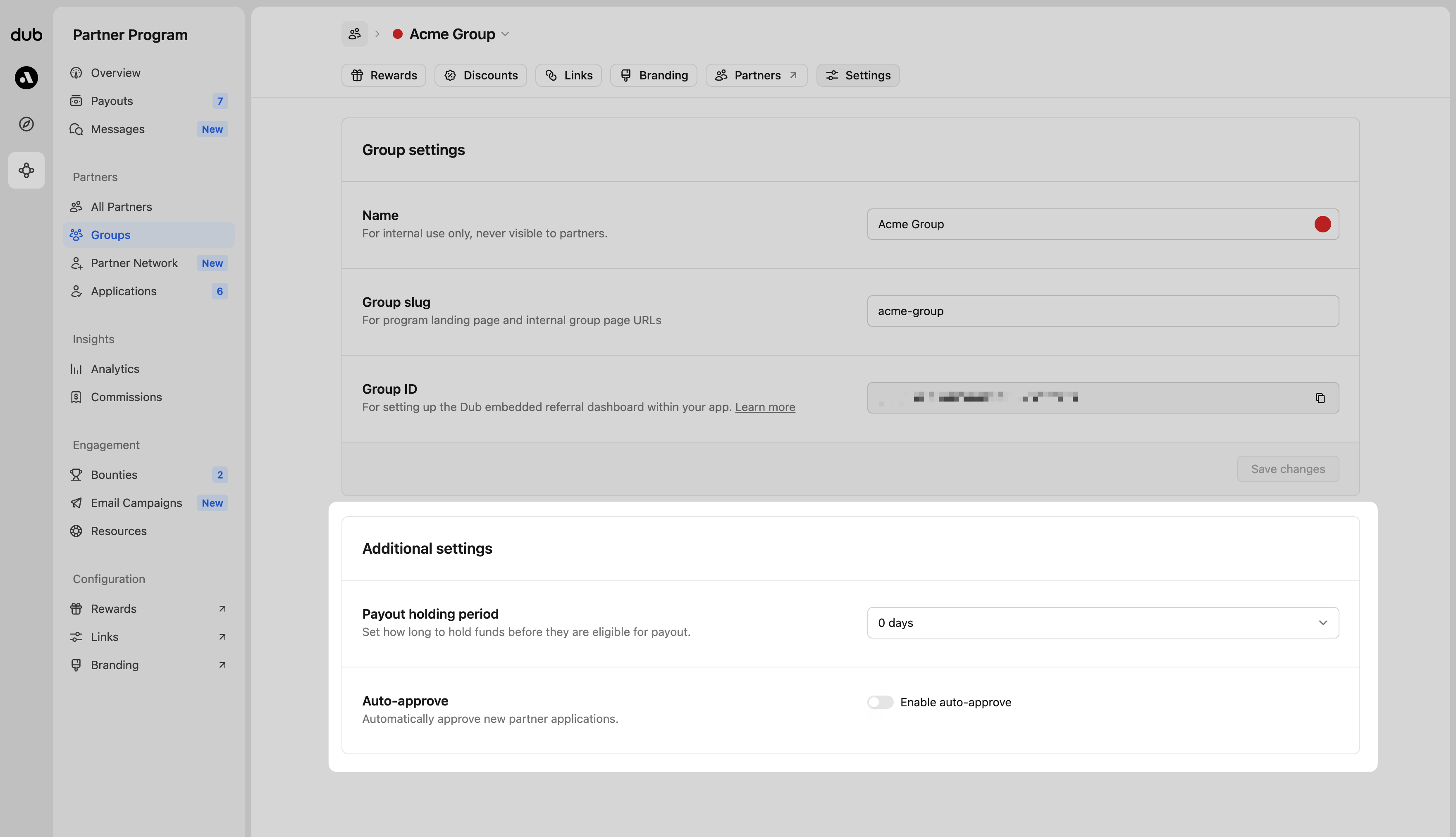 Your options include the following:
* 0 days (default)
* 7 days
* 14 days
* 30 days
* 60 days
* 90 days
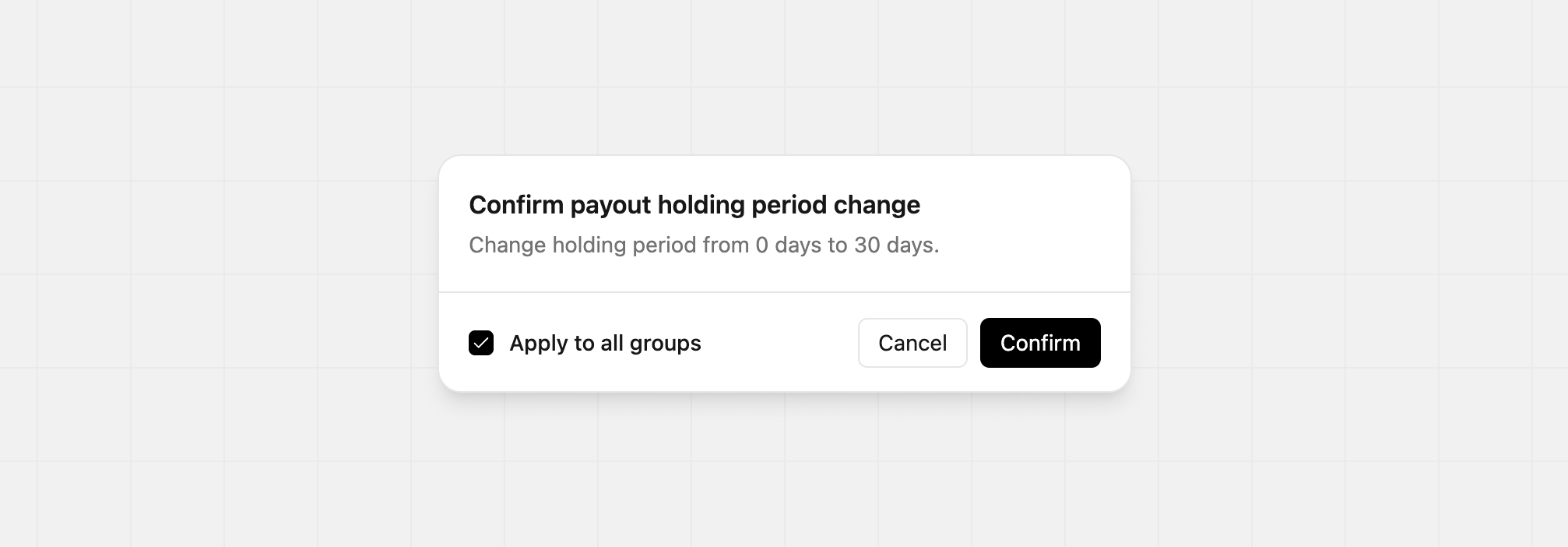
When you update the payout holding period, you can apply the new setting to every group at once. Just select the box labelled `Apply to all groups` before confirming. The change will take effect right away.
Your options include the following:
* 0 days (default)
* 7 days
* 14 days
* 30 days
* 60 days
* 90 days
When you update the payout holding period, you can apply the new setting to every group at once. Just select the box labelled `Apply to all groups` before confirming. The change will take effect right away.
 ## Minimum payout amount
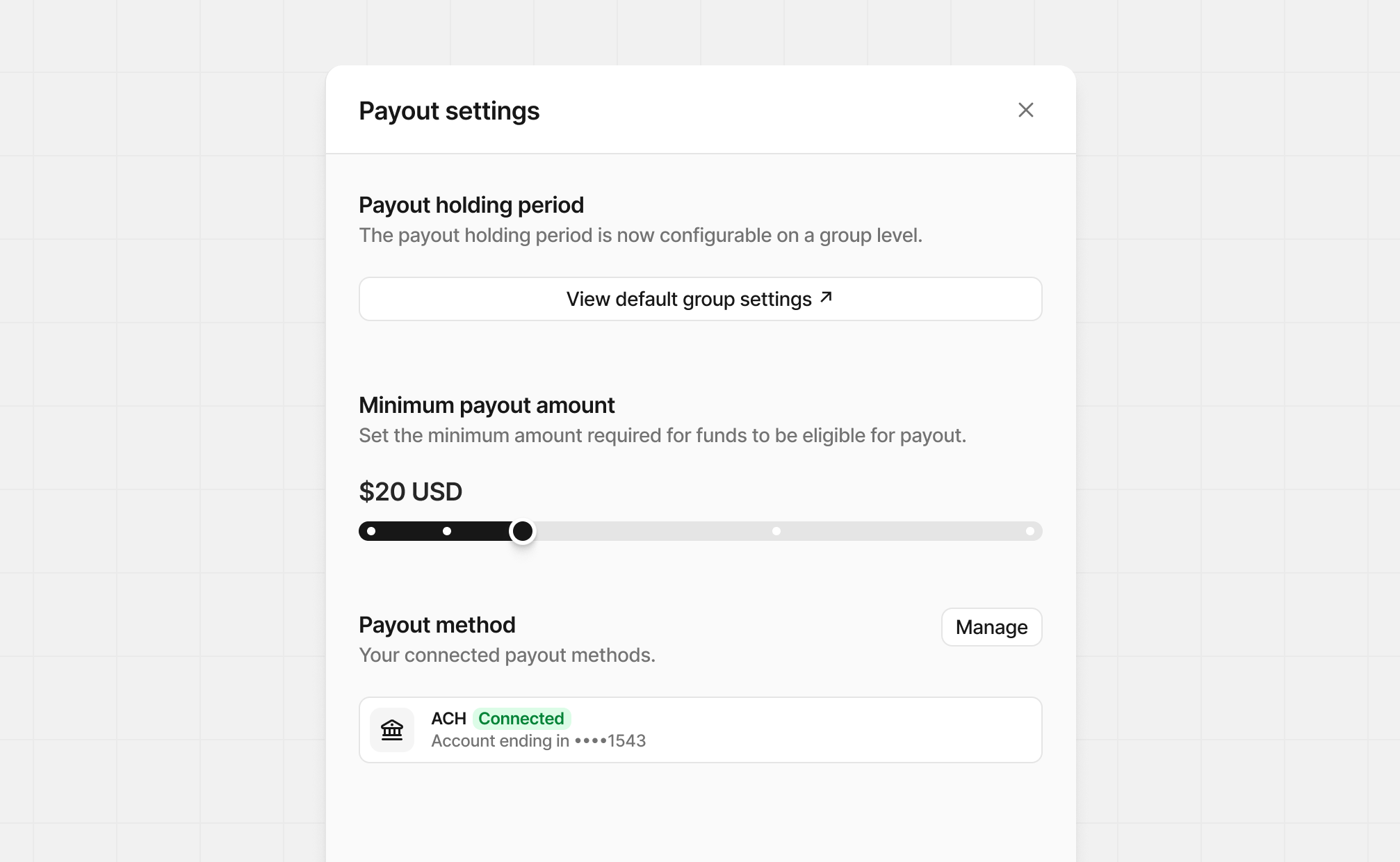
You can also set an optional "minimum payout amount" (e.g. \$100). When this is set, partners with earnings below the minimum payout amount won't be eligible for payout until they reach the specific threshold set.
Click the button in the top right to show the **Payout settings**. Unlike the payout holding period, this setting is program-wide.
## Minimum payout amount
You can also set an optional "minimum payout amount" (e.g. \$100). When this is set, partners with earnings below the minimum payout amount won't be eligible for payout until they reach the specific threshold set.
Click the button in the top right to show the **Payout settings**. Unlike the payout holding period, this setting is program-wide.
 Your options include the following:
* \$0 (default)
* \$10
* \$20
* \$50
* \$100
Your options include the following:
* \$0 (default)
* \$10
* \$20
* \$50
* \$100
 ## How to pay your partners
When one or more of your partners have earned more than the minimum payout amount, click **Confirm payouts** from the [summary header](/help/article/partner-payouts#summary-header) to open the payout details.
* **Payout method:** Choose your payout method based on the accounts you’ve connected. Click the gear icon to manage [connected payment methods](https://app.dub.co/settings/billing).
* **Cutoff Period:** If set, only commissions earned on or before this date will be paid. Useful for reconciliation payouts for a specific fiscal period (e.g. last month, last quarter) without including newer commissions.
If everything looks right, click **Confirm payout** to trigger a new payout to your partners.
### Selecting payouts
When confirming payouts, it will include all pending payouts, but there are times you only want to payout certain partners.
To do this, select the `Pending` status payouts and click **Confirm selected** at the top of the table. This will allow to review andconfirm payouts for the selected partners only.
## How to pay your partners
When one or more of your partners have earned more than the minimum payout amount, click **Confirm payouts** from the [summary header](/help/article/partner-payouts#summary-header) to open the payout details.
* **Payout method:** Choose your payout method based on the accounts you’ve connected. Click the gear icon to manage [connected payment methods](https://app.dub.co/settings/billing).
* **Cutoff Period:** If set, only commissions earned on or before this date will be paid. Useful for reconciliation payouts for a specific fiscal period (e.g. last month, last quarter) without including newer commissions.
If everything looks right, click **Confirm payout** to trigger a new payout to your partners.
### Selecting payouts
When confirming payouts, it will include all pending payouts, but there are times you only want to payout certain partners.
To do this, select the `Pending` status payouts and click **Confirm selected** at the top of the table. This will allow to review andconfirm payouts for the selected partners only.
 ### Excluding payouts
If you need to exclude specific partners when confirming payouts, hover over the partner row in the payouts table and click **Exclude**. This excludes the partner from the current payout batch.
### Excluding payouts
If you need to exclude specific partners when confirming payouts, hover over the partner row in the payouts table and click **Exclude**. This excludes the partner from the current payout batch.
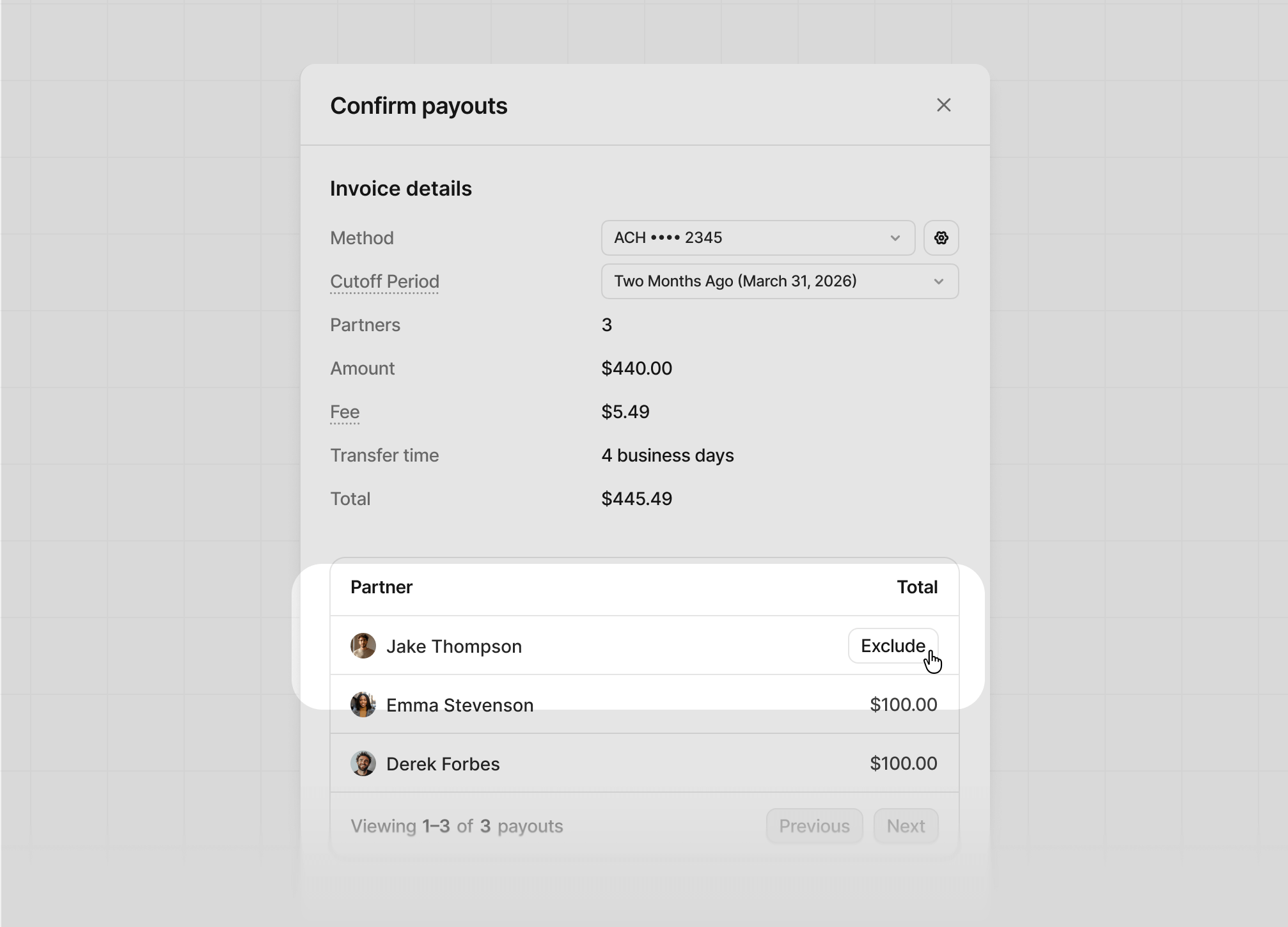 If you need to include the partner again, hover over their row and click **Include**.
## Payout fees and timing
On Dub, you can send payouts using various payment methods such as ACH, credit card, and more. Depending on your Dub plan and the payment method you choose, your payout fees and timing will vary:
| Payment method | Fee | Timing |
| --------------------------------------------------------------------- | ---------------------------------------------------------------------------------------------------- | --------------------- |
| [ACH](/help/article/how-to-set-up-bank-account) | [Business / Advanced](https://dub.co/pricing): 5%
If you need to include the partner again, hover over their row and click **Include**.
## Payout fees and timing
On Dub, you can send payouts using various payment methods such as ACH, credit card, and more. Depending on your Dub plan and the payment method you choose, your payout fees and timing will vary:
| Payment method | Fee | Timing |
| --------------------------------------------------------------------- | ---------------------------------------------------------------------------------------------------- | --------------------- |
| [ACH](/help/article/how-to-set-up-bank-account) | [Business / Advanced](https://dub.co/pricing): 5%