> ## Documentation Index
> Fetch the complete documentation index at: https://dub.co/llms.txt
> Use this file to discover all available pages before exploring further.
# Managing your partners with groups
> Learn how you can create partner groups to segment partners by rewards, discounts, performance, location, and more.
This feature is only available on [Business plans and
above](https://dub.co/pricing/partners).
Partner groups help you organize your program so it runs more efficiently. You can segment partners by rewards, discounts, performance, location, and more, making it easier to tailor incentives and track results.
You can also filter your [program analytics](/help/article/program-analytics#filtering-your-data) and [commission analytics](/help/article/commission-analytics#filtering-commission-analytics) by partner group, or use [partner tags](/help/article/partner-tags) for more flexible labeling.
 ## What types of partner groups can I create?
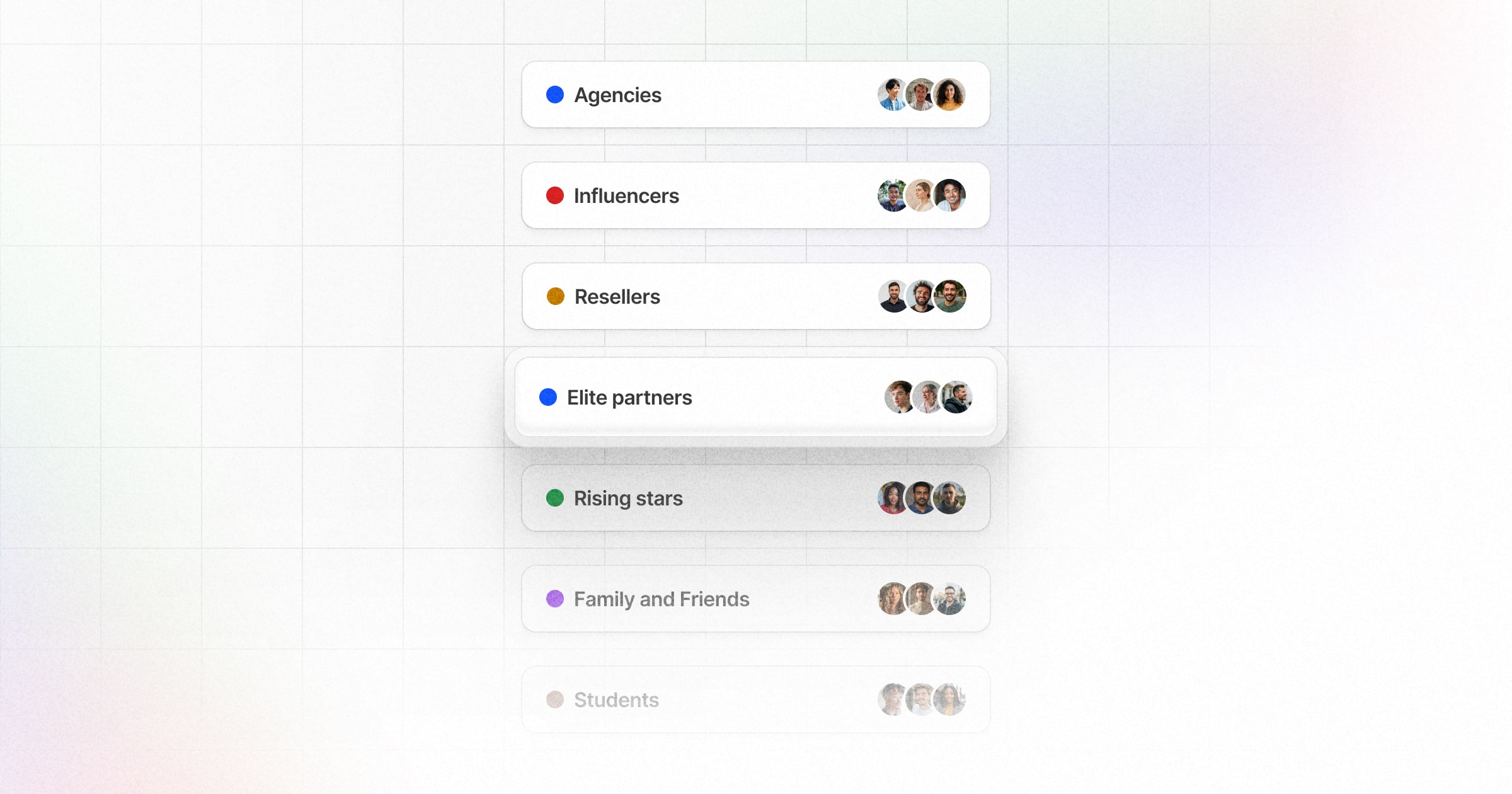
Here are some examples of partner groups you can create on Dub:
**By persona**
* **Agencies** – Marketing or creative agencies promoting your product for their clients.
* **Content creators** – Bloggers, podcasters, or YouTubers producing relevant content.
* **Media publishers** – Websites, magazines, or networks with aligned audiences.
**By vertical**
* **Students** – University clubs, campus ambassadors, or student-led initiatives.
* **Finance** – Partners in banking, fintech, or investment sectors.
* **Tech** – Developers, SaaS providers, or technology-focused communities.
**By performance tier**
* **Rising stars** – New partners showing strong growth potential.
* **Top performers** – Consistently exceeding sales or referral targets.
* **Elite partners** – Highest earners driving significant revenue and strategic wins.
## Where can I view my partner groups?
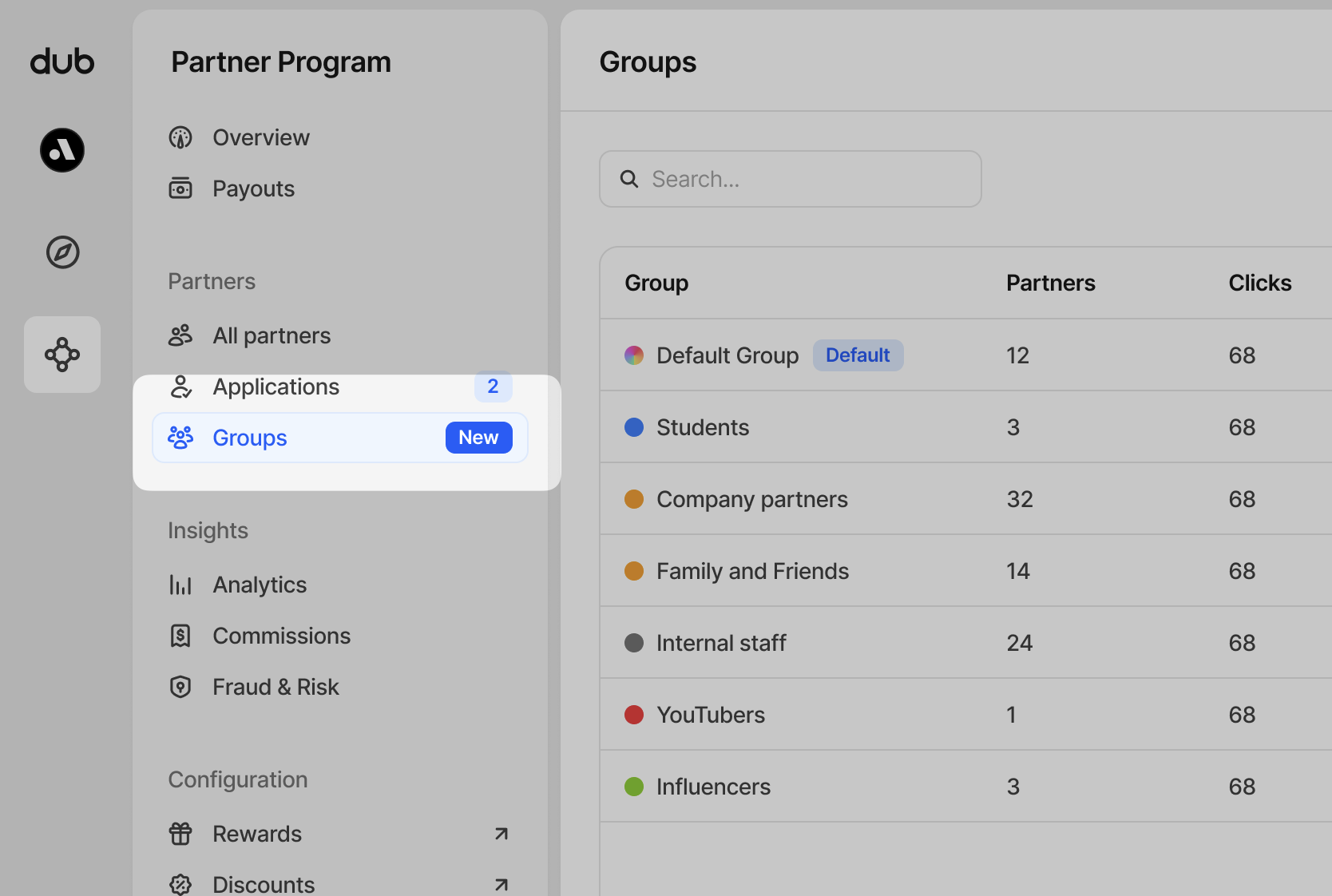
In your **Partner Program** menu, click **Groups** in the Partners section to view your partner groups
## What types of partner groups can I create?
Here are some examples of partner groups you can create on Dub:
**By persona**
* **Agencies** – Marketing or creative agencies promoting your product for their clients.
* **Content creators** – Bloggers, podcasters, or YouTubers producing relevant content.
* **Media publishers** – Websites, magazines, or networks with aligned audiences.
**By vertical**
* **Students** – University clubs, campus ambassadors, or student-led initiatives.
* **Finance** – Partners in banking, fintech, or investment sectors.
* **Tech** – Developers, SaaS providers, or technology-focused communities.
**By performance tier**
* **Rising stars** – New partners showing strong growth potential.
* **Top performers** – Consistently exceeding sales or referral targets.
* **Elite partners** – Highest earners driving significant revenue and strategic wins.
## Where can I view my partner groups?
In your **Partner Program** menu, click **Groups** in the Partners section to view your partner groups
 ## What is the default partner group?
Your program will always have a group labelled `Default Group` and it can be renamed at any time.
## What is the default partner group?
Your program will always have a group labelled `Default Group` and it can be renamed at any time.
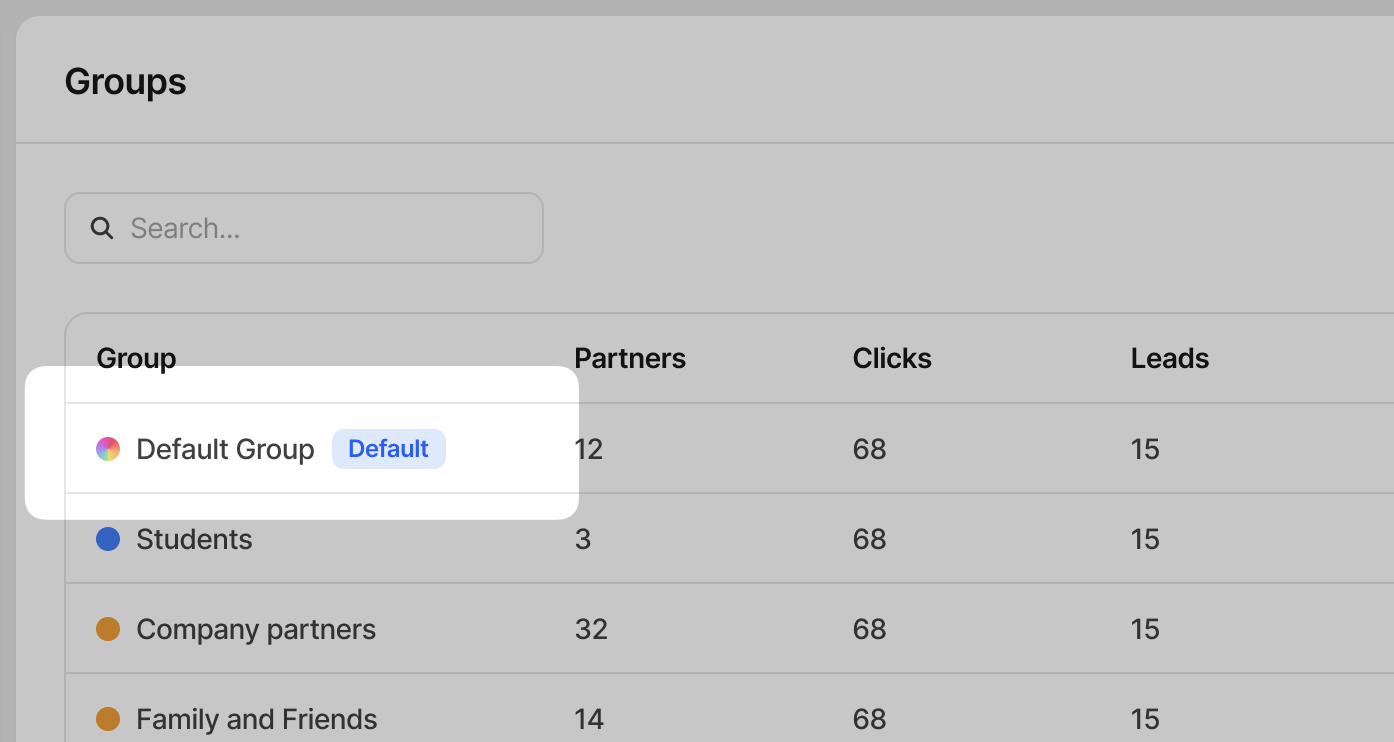 You cannot delete your default partner group. This group will also be the
group that your partners will be reassigned to whenever you delete another
partner group.
## Creating a group
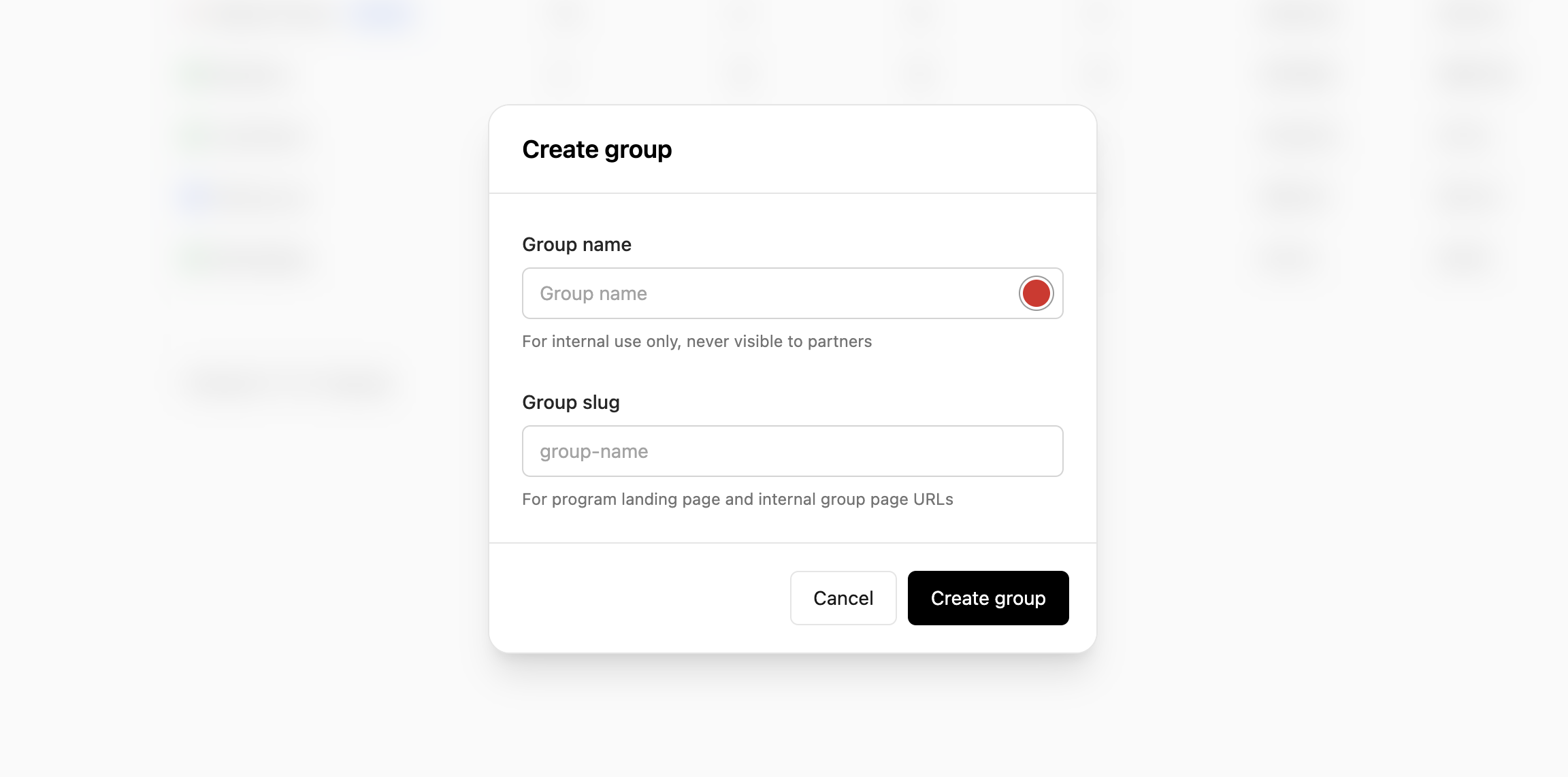
To create a group, click **Create group** in the top right corner or press `C` on your keyboard.
You cannot delete your default partner group. This group will also be the
group that your partners will be reassigned to whenever you delete another
partner group.
## Creating a group
To create a group, click **Create group** in the top right corner or press `C` on your keyboard.
 | Field | Description |
| ----------- | ------------------------------------------------------------------------------------------------------------------------------------------------------------------------------------------------------------------------------------------------------------------------------------------------------------ |
| Group name | Add a name to your group to help easily identify it later.
| Field | Description |
| ----------- | ------------------------------------------------------------------------------------------------------------------------------------------------------------------------------------------------------------------------------------------------------------------------------------------------------------ |
| Group name | Add a name to your group to help easily identify it later.
**This name is for internal use only and is never visible to your partners.** |
| Group color | Set the color of the group with our simple color picker. |
| Group slug | Each partner group uses a unique application landing page, which you can use to share with partners you want to automatically add to that group when they apply.
**This name is for internal and external use**, so anyone you share the application link with can see the slug name provided. |
| Group ID | This non-editable item is used for embedding the Dub white-labeled referral dashboard within your app. [Learn more](/docs/partners/embedded-referrals). |
## Group rewards
Every partner group can have one of each of the following:
| Reward type | Description |
| --------------------------- | -------------------------------------------------------------------------------------------------------------------------------------------------- |
| Click-based (pay-per-click) | Rewarding partners for driving clicks to your product – similar to how Google Ads' pay-per-click works. |
| Lead-based (pay-per-lead) | A more effective alternative to pay-per-click, where you reward partners for leads generated (e.g. demo requests, free trial signups, etc.) |
| Sale-based (pay-per-sale) | This is the most common reward type, where you reward partners for driving sales to your product either via a rev-share or fixed-price commission. |
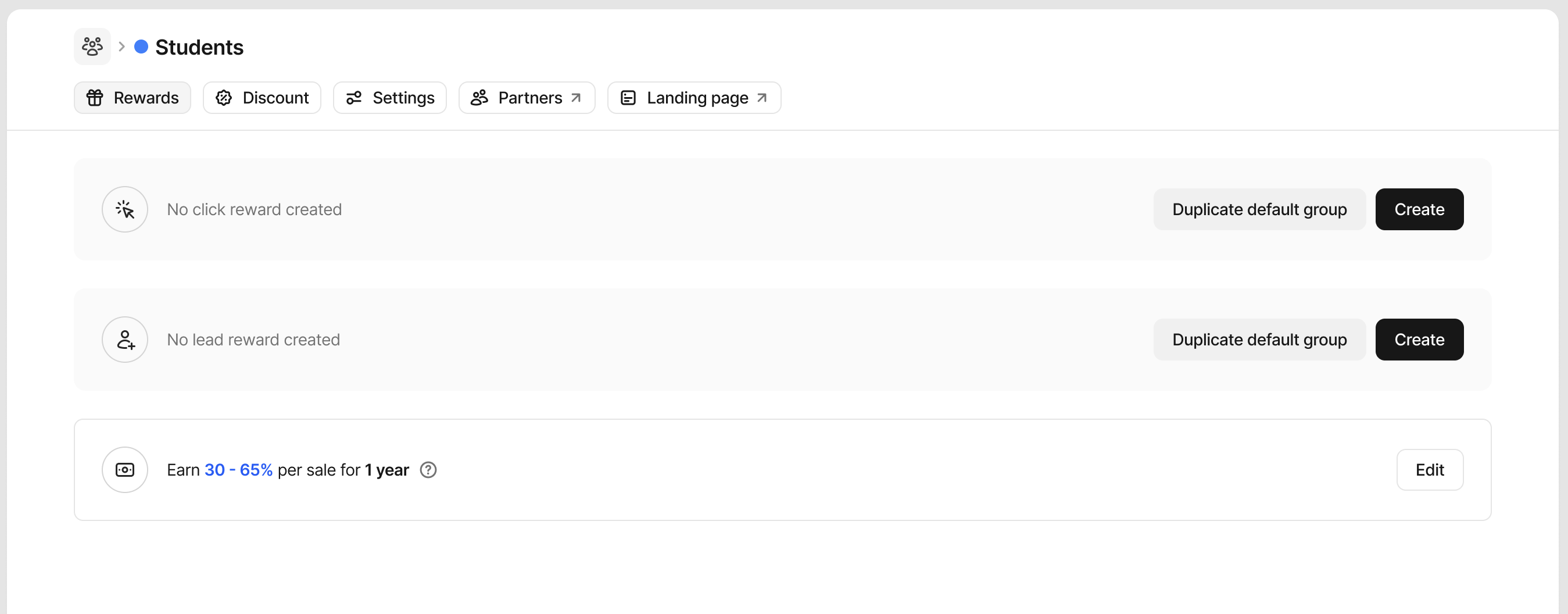 To create a reward, click **Create** on any of the reward types. Learn more about [creating rewards here](/help/article/partner-rewards).
If you want to duplicate your default group rewards on other groups, click **Duplicate default group** to copy over the parameters to save time.
## Group discounts
You can also create dual-sided incentives for your affiliate/referral programs, which give special discounts to customers who sign up via a referral link.
Some examples include:
* 25% discount for the first 12 months
* 30% lifetime discount
* \$50 one-off discount
This can drive powerful word-of-mouth growth as partners are more likely to share their link if it gives their audience/user base additional discounts, and on the other hand, their users are more likely to click on their links as well if they're getting a special deal.
To create a reward, click **Create** on any of the reward types. Learn more about [creating rewards here](/help/article/partner-rewards).
If you want to duplicate your default group rewards on other groups, click **Duplicate default group** to copy over the parameters to save time.
## Group discounts
You can also create dual-sided incentives for your affiliate/referral programs, which give special discounts to customers who sign up via a referral link.
Some examples include:
* 25% discount for the first 12 months
* 30% lifetime discount
* \$50 one-off discount
This can drive powerful word-of-mouth growth as partners are more likely to share their link if it gives their audience/user base additional discounts, and on the other hand, their users are more likely to click on their links as well if they're getting a special deal.
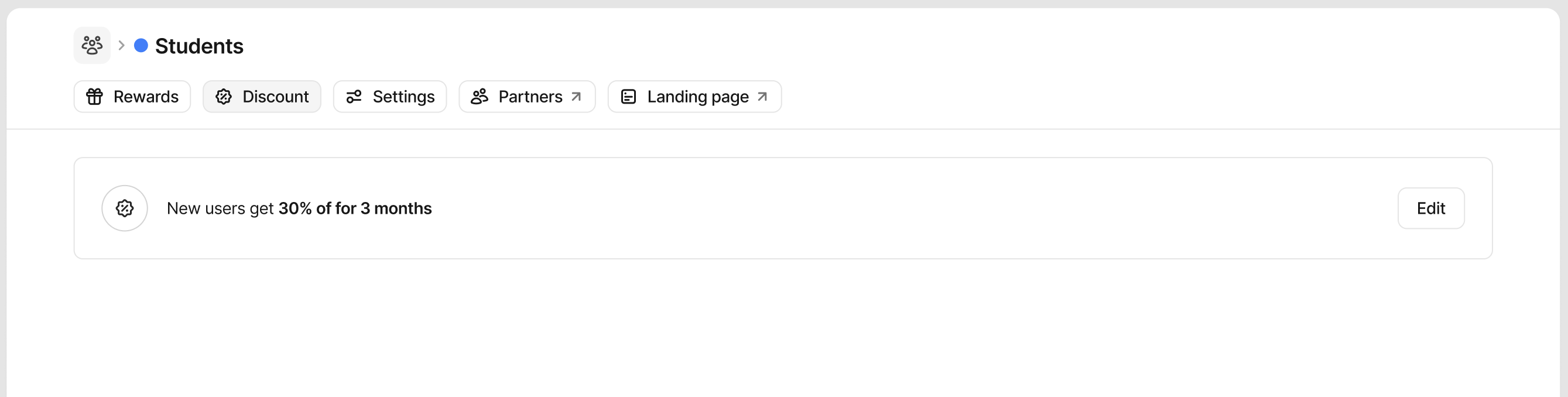 You can create only one discount per group. To create a discount, click **Create** on the discount block.
Learn more about [creating discounts here](/help/article/dual-sided-incentives).
## Group settings
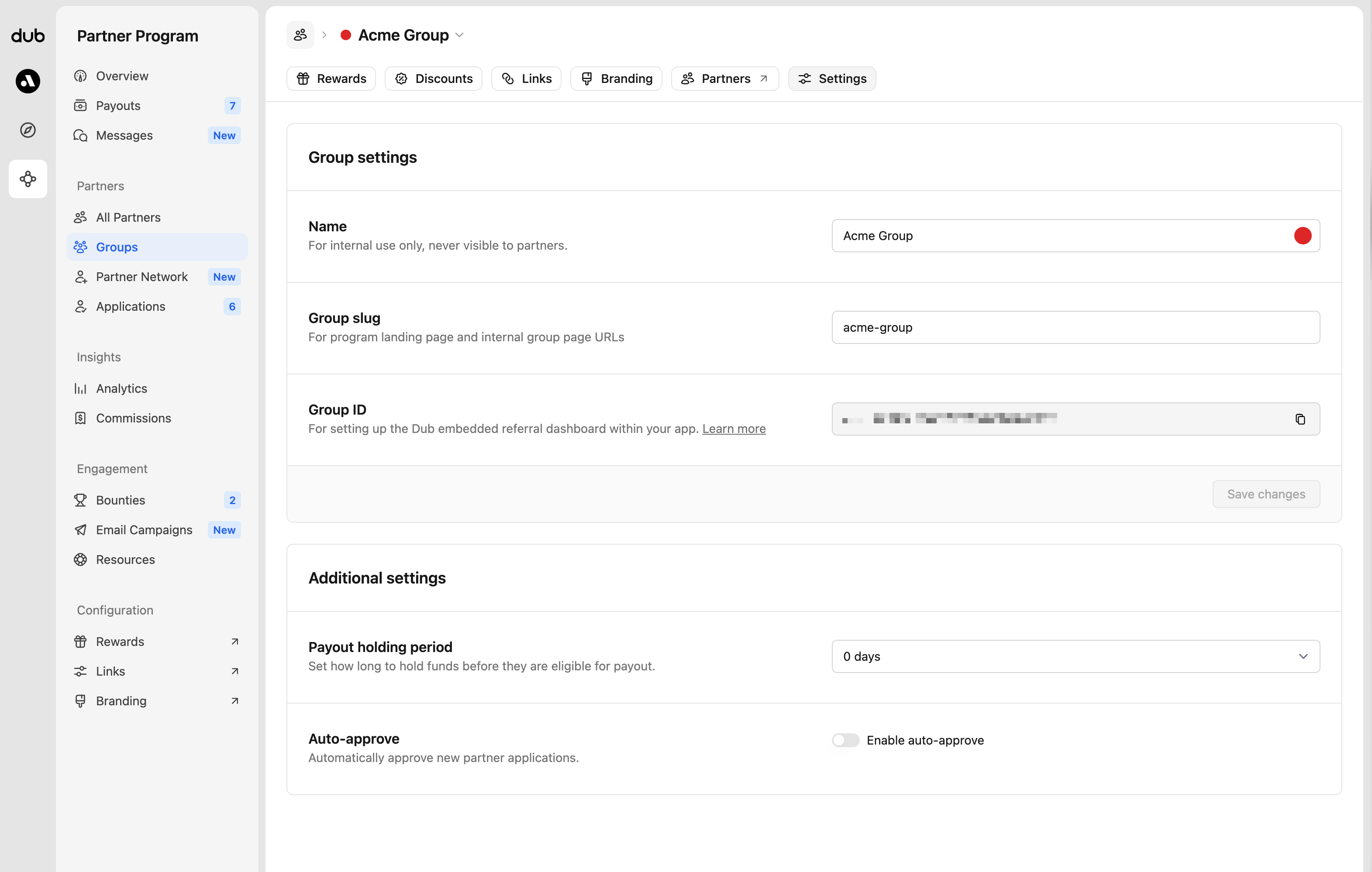
Each group has individual settings that allow you to customize the name and additional settings.
You can create only one discount per group. To create a discount, click **Create** on the discount block.
Learn more about [creating discounts here](/help/article/dual-sided-incentives).
## Group settings
Each group has individual settings that allow you to customize the name and additional settings.
 ### Group name
The name of the partner group can be changed at any time. It's for internal use only and is never visible to your partners.
### Group slug
By default, the group slug will auto-generate based on the group name, but you're able to change this at any time. For program landing pages and internal group page URLs.
The default group slug cannot be changed.
### Group ID
When setting up the [Dub embedded referral dashboard](/docs/partners/embedded-referrals), you'll use this group ID. The ID cannot be changed.
### Payout holding period
Specify how long your commissions will be held in "pending" status before becoming eligible for payout. [Learn more.](/help/article/partner-payouts#payout-holding-period)
### Auto-approve
Enable or disable auto-approving new applicants to this group. [Learn more](/help/article/program-applications#auto-approve).
### Group move rules
Automatically move partners into a selected group when they meet specific criteria. This is useful when you want partners to earn higher rewards as they progress in your program, without needing to manage groups manually.
### Group name
The name of the partner group can be changed at any time. It's for internal use only and is never visible to your partners.
### Group slug
By default, the group slug will auto-generate based on the group name, but you're able to change this at any time. For program landing pages and internal group page URLs.
The default group slug cannot be changed.
### Group ID
When setting up the [Dub embedded referral dashboard](/docs/partners/embedded-referrals), you'll use this group ID. The ID cannot be changed.
### Payout holding period
Specify how long your commissions will be held in "pending" status before becoming eligible for payout. [Learn more.](/help/article/partner-payouts#payout-holding-period)
### Auto-approve
Enable or disable auto-approving new applicants to this group. [Learn more](/help/article/program-applications#auto-approve).
### Group move rules
Automatically move partners into a selected group when they meet specific criteria. This is useful when you want partners to earn higher rewards as they progress in your program, without needing to manage groups manually.
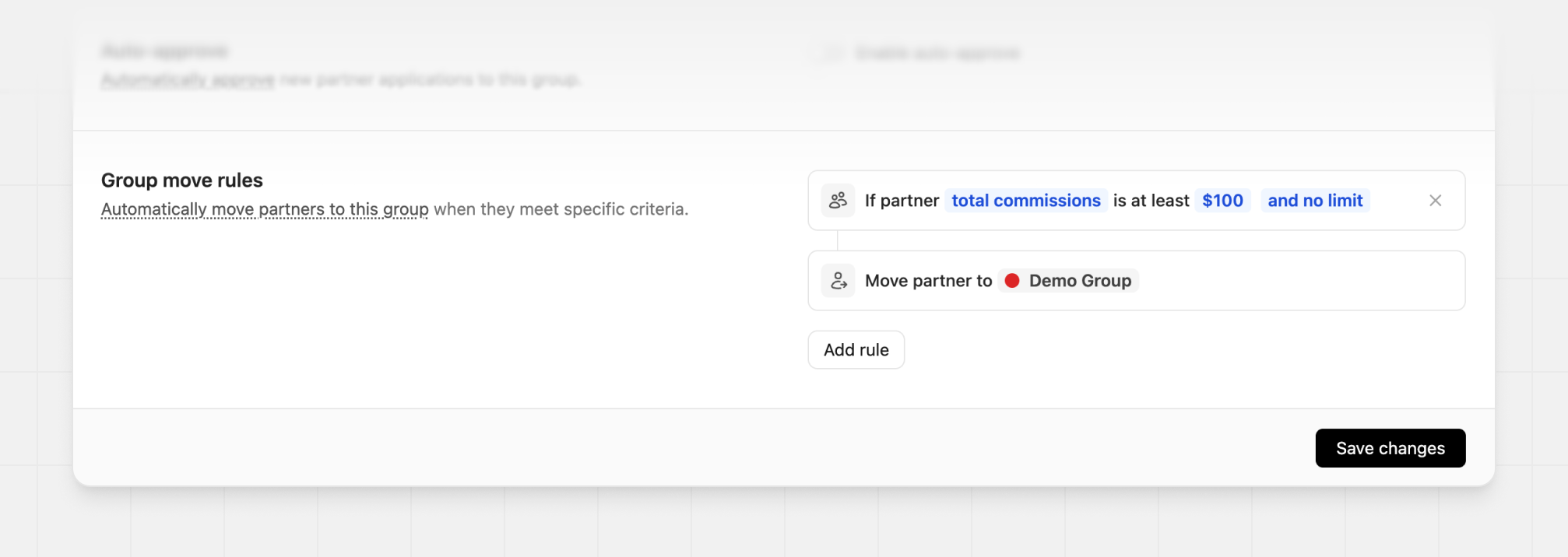 You can move partners based on performance metrics like total leads, conversions, revenue, or commissions. Multiple conditions can be combined so only partners who meet your exact requirements are moved into the selected group.
**Example:** Move partners to the `VIP Group` once their total commissions reach \$100.
Group move rules are only available on the [Advanced plan and
above](https://dub.co/pricing/partners).
## Adding partners to a group
There are many ways to add partners to a group, depending on whether they're already enrolled or haven't joined your program yet.
### Inviting partners to apply
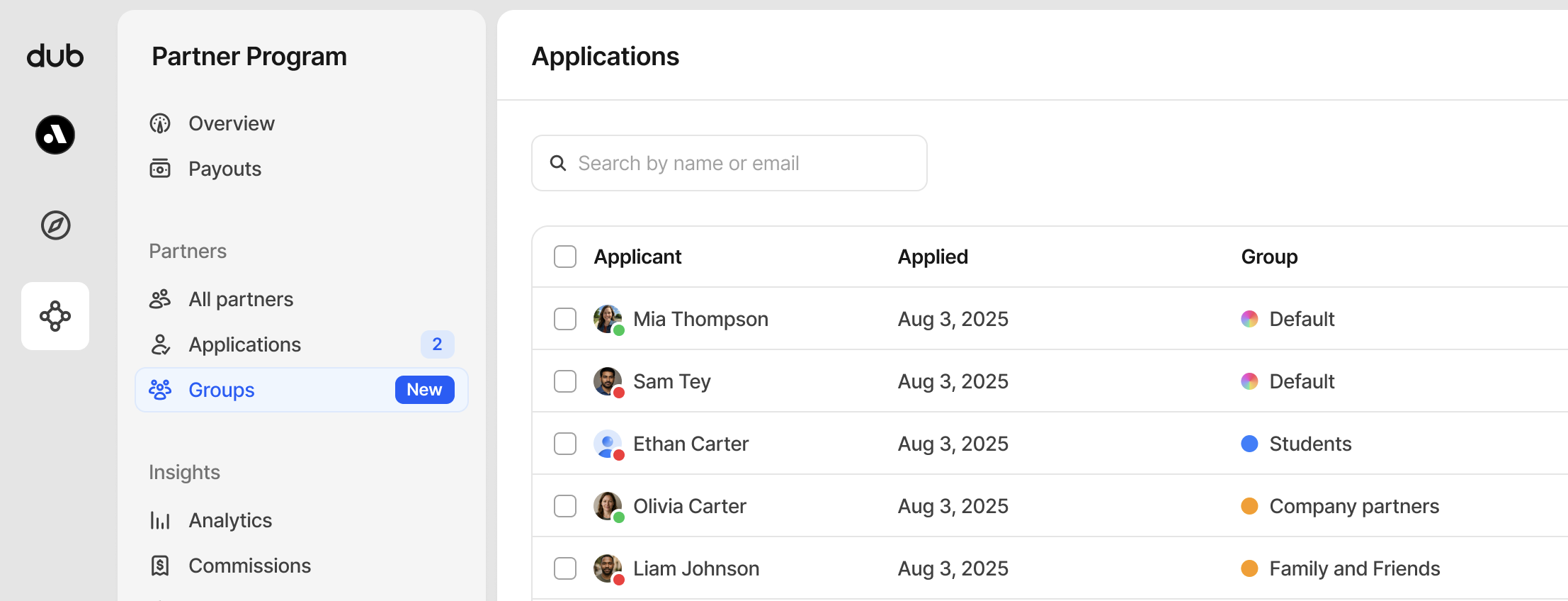
After your group is created, when you share the unique application URL, all new applicants who applied through that page will be assigned to that group.
You can move partners based on performance metrics like total leads, conversions, revenue, or commissions. Multiple conditions can be combined so only partners who meet your exact requirements are moved into the selected group.
**Example:** Move partners to the `VIP Group` once their total commissions reach \$100.
Group move rules are only available on the [Advanced plan and
above](https://dub.co/pricing/partners).
## Adding partners to a group
There are many ways to add partners to a group, depending on whether they're already enrolled or haven't joined your program yet.
### Inviting partners to apply
After your group is created, when you share the unique application URL, all new applicants who applied through that page will be assigned to that group.
 ### Approving applications
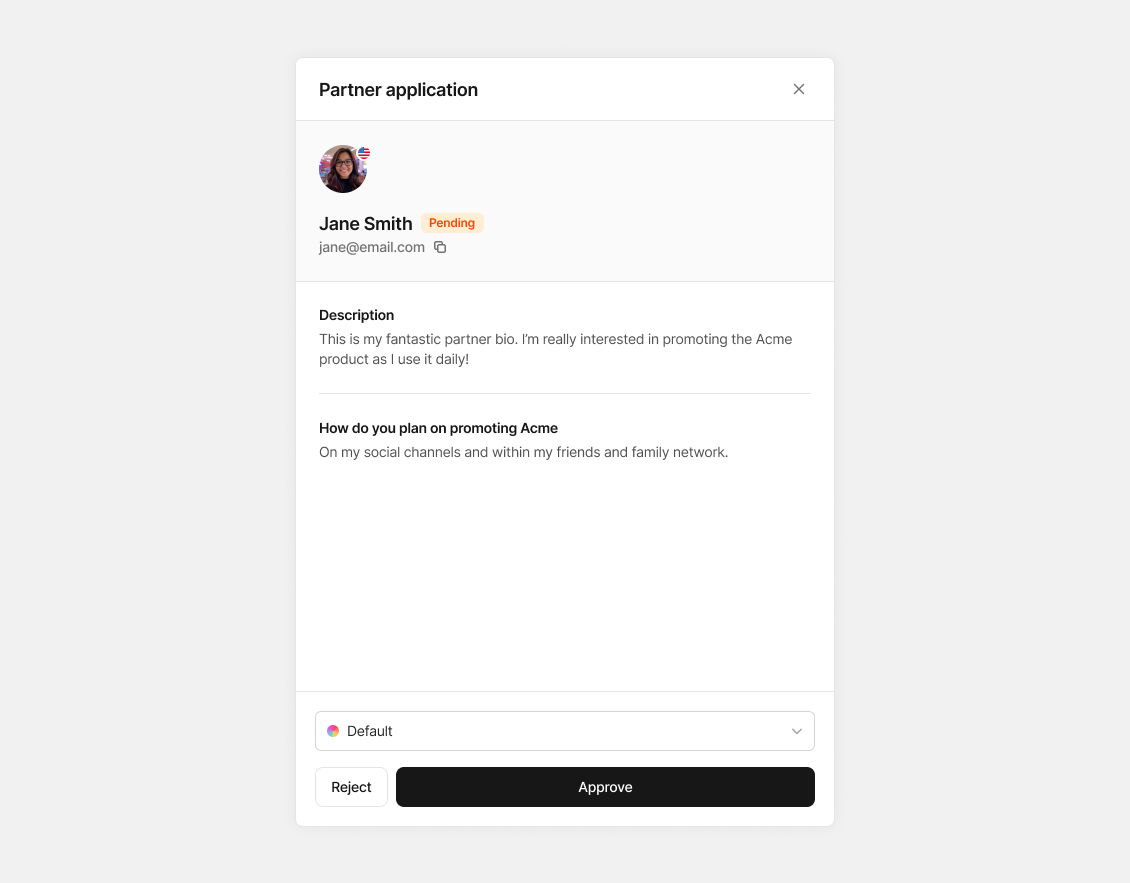
When reviewing new applications, you'll be asked to confirm their assigned group, and you can also change their assigned group if you need to.
### Approving applications
When reviewing new applications, you'll be asked to confirm their assigned group, and you can also change their assigned group if you need to.
 ### Adding multiple partners to a group
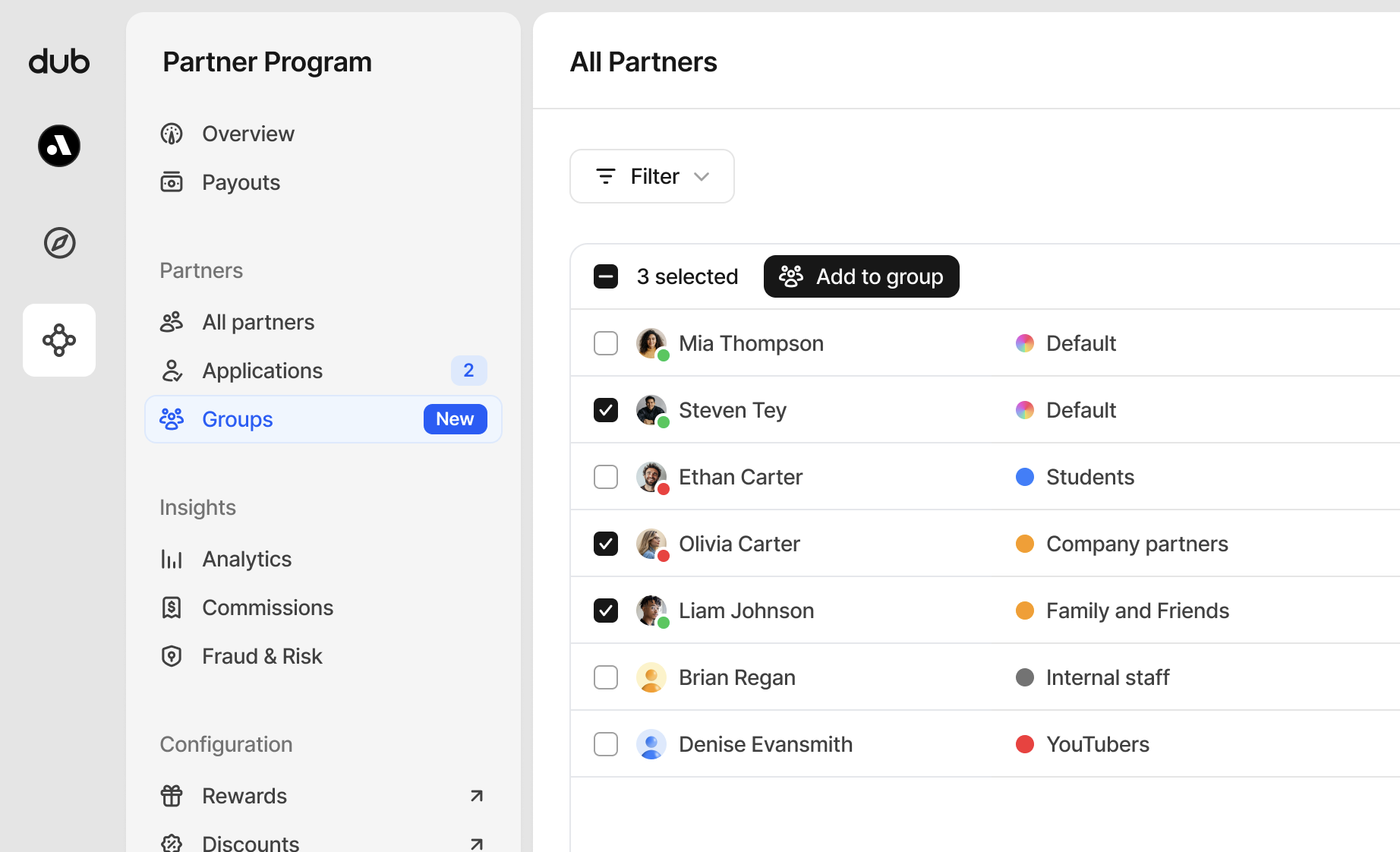
When [viewing all your partners](http://app.dub.co/program/partners), you can use the multi-select function to add one or many partners at a time to any group.
Simply click the checkbox beside their name and click **Add to group** to move them to your desired partner group.
### Adding multiple partners to a group
When [viewing all your partners](http://app.dub.co/program/partners), you can use the multi-select function to add one or many partners at a time to any group.
Simply click the checkbox beside their name and click **Add to group** to move them to your desired partner group.
 ## Moving partners between groups
There are a few ways to move partners between groups:
**Via the partner details page**
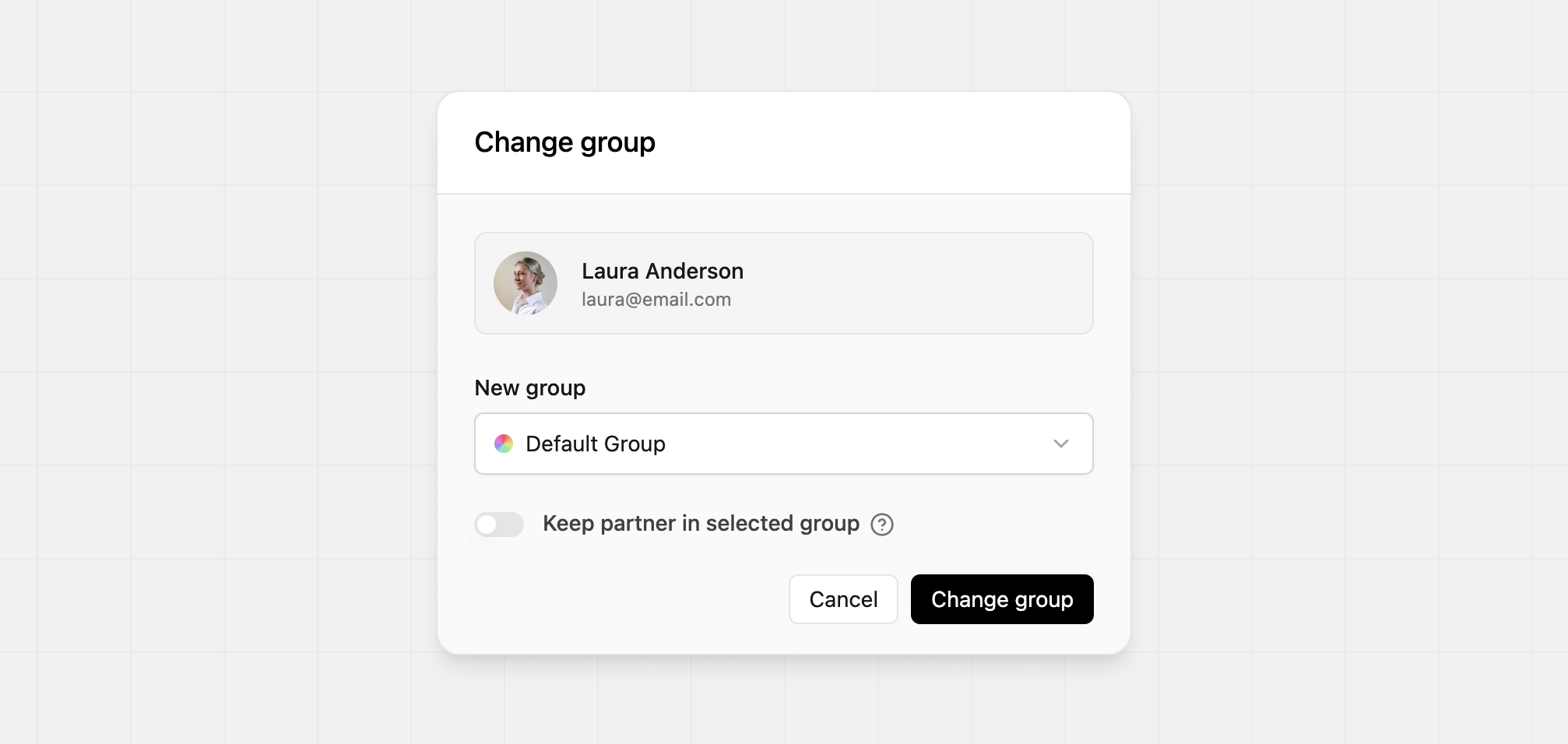
You can move a partner to a new group from their [partner details page](/help/article/managing-program-partners#viewing-partner-details):
## Moving partners between groups
There are a few ways to move partners between groups:
**Via the partner details page**
You can move a partner to a new group from their [partner details page](/help/article/managing-program-partners#viewing-partner-details):
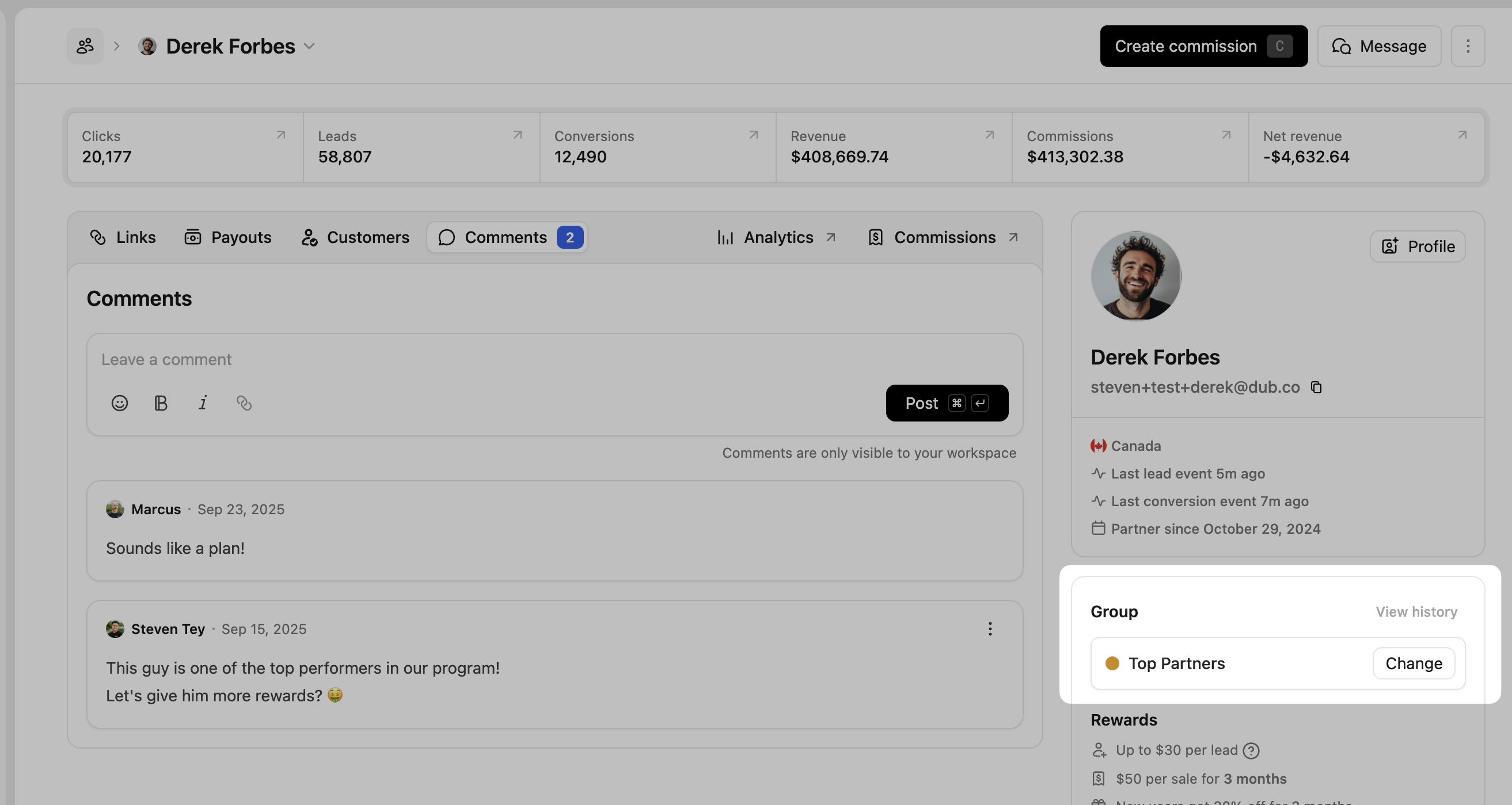 Anytime you're changing a partner's group, you can enable **keep partner in selected group** to ignore any group move rules. This setting is also available from the partner's [advanced settings](/help/article/managing-program-partners#advanced-settings).
 **Via the partner table**
As mentioned above, you can also use the multi-select function in the [partners table](http://app.dub.co/program/partners) to move one or many partners at a time to any group.
Simply click the checkbox beside their name and click **Add to group** to move them to your desired partner group.
**Via group move rules**
You can also automatically move partners to a new group based on their performance metrics. This is useful when you want partners to earn higher rewards as they progress in your program, without needing to manage groups manually.
Partners that have [ignore group move rules](/help/article/managing-program-partners#ignore-group-move-rules) enabled will stay within their current group and not be affected by any move rules.
### Partner notification emails
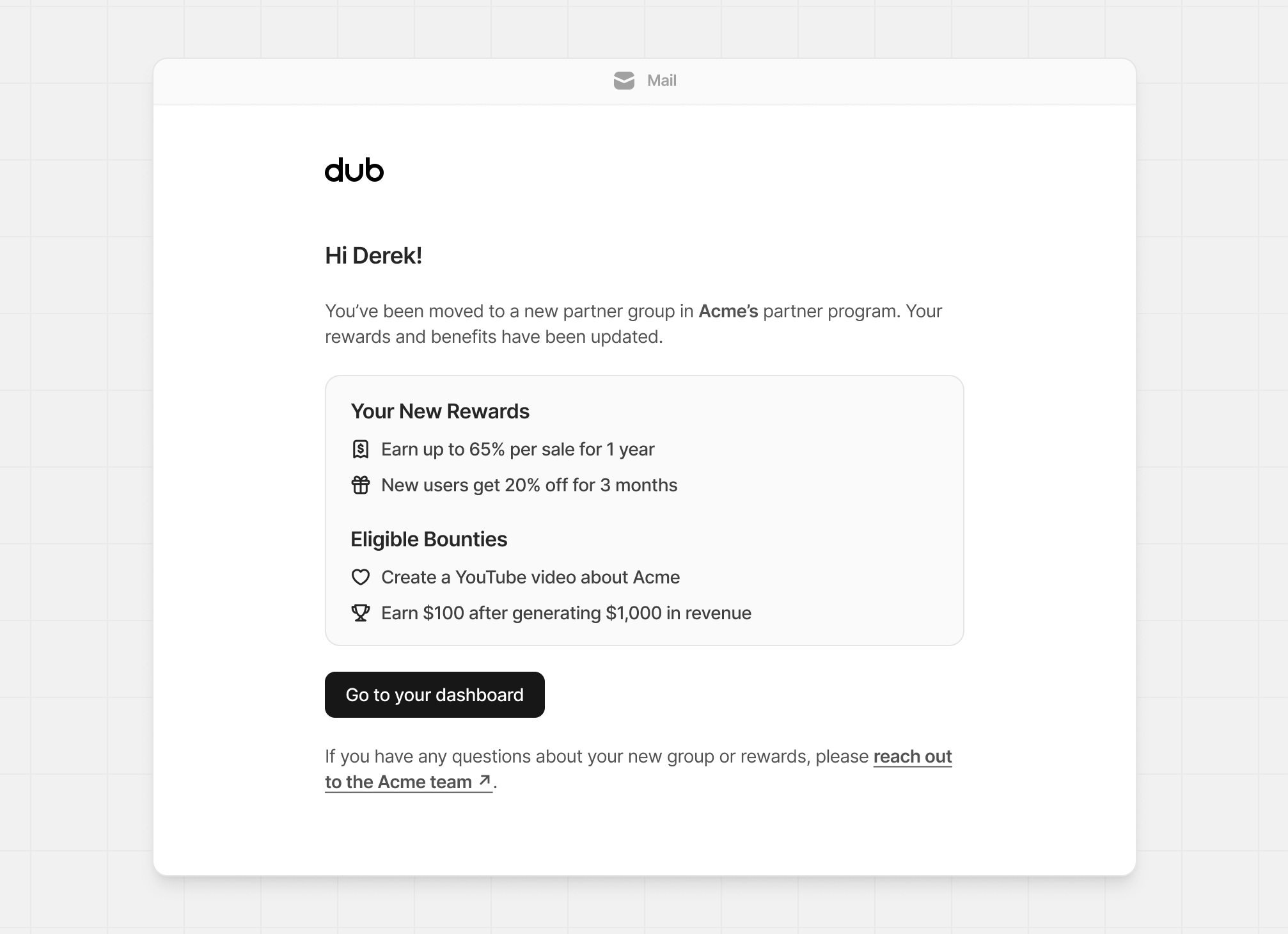
When partners are moved to another group, they'll receive an email like the one below, informing them of any reward and bounty changes associated with the move.
**Via the partner table**
As mentioned above, you can also use the multi-select function in the [partners table](http://app.dub.co/program/partners) to move one or many partners at a time to any group.
Simply click the checkbox beside their name and click **Add to group** to move them to your desired partner group.
**Via group move rules**
You can also automatically move partners to a new group based on their performance metrics. This is useful when you want partners to earn higher rewards as they progress in your program, without needing to manage groups manually.
Partners that have [ignore group move rules](/help/article/managing-program-partners#ignore-group-move-rules) enabled will stay within their current group and not be affected by any move rules.
### Partner notification emails
When partners are moved to another group, they'll receive an email like the one below, informing them of any reward and bounty changes associated with the move.
 ### Group move logs
For transparency and auditability, we also keep a history of all group moves for each partner – both from manual moves and via group move rules:
### Group move logs
For transparency and auditability, we also keep a history of all group moves for each partner – both from manual moves and via group move rules:
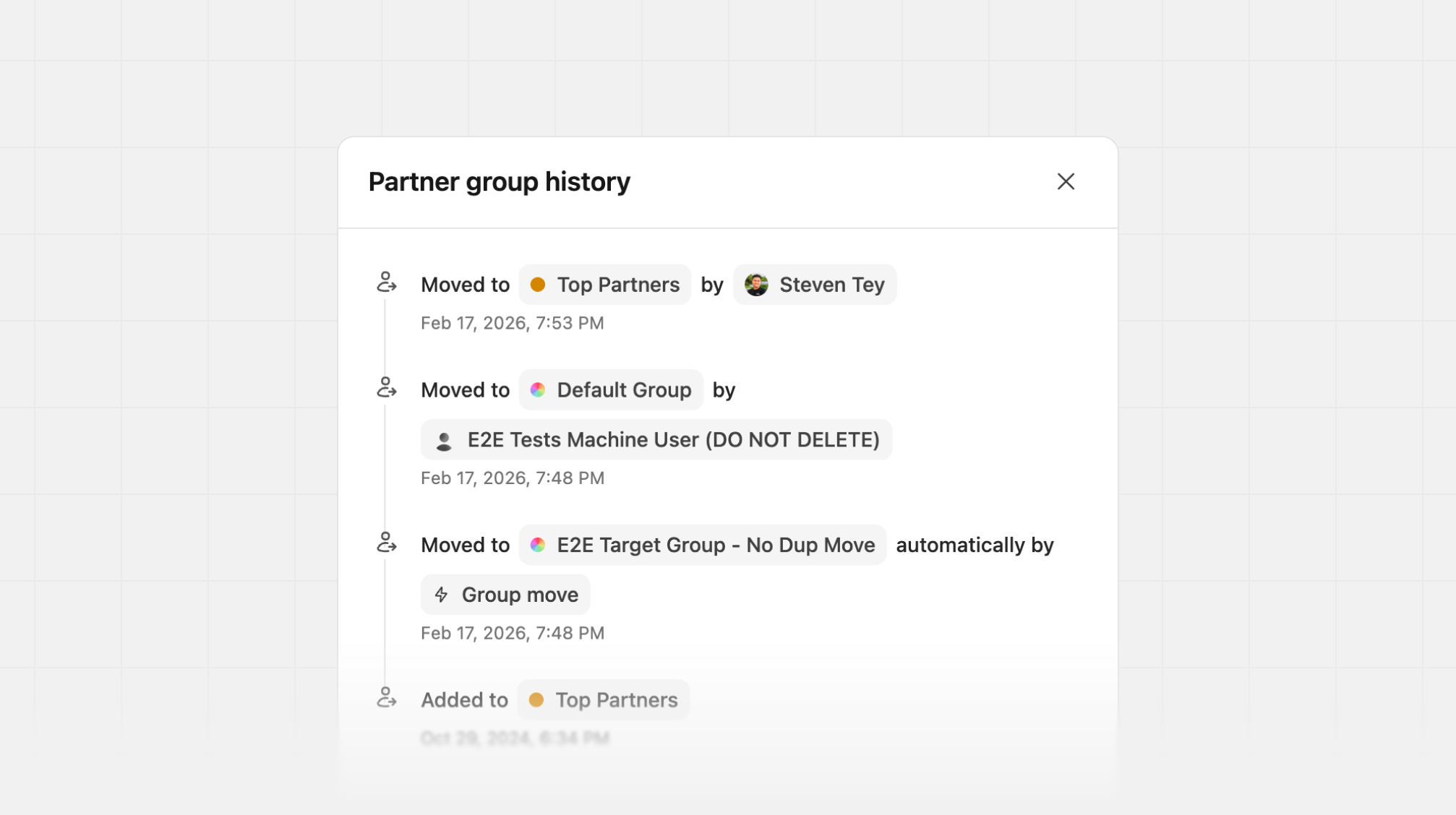 This gives you a complete history of a given partner's group membership changes, which can affect their [rewards](/help/article/partner-rewards), [discounts](/help/article/dual-sided-incentives), and [referral links](/help/article/partner-link-settings).
## How many partner groups can I create?
All Dub Partners customers can create partner groups, with the number allowed based on your plan.
| Plan | Partner groups |
| ------------------------------------------- | ---------------------------------------- |
| [Business](https://dub.co/pricing/partners) | Up to 3 groups (including Default group) |
| [Advanced](https://dub.co/pricing/partners) | Unlimited groups |
| [Enterprise](https://dub.co/enterprise) | Unlimited groups |
This gives you a complete history of a given partner's group membership changes, which can affect their [rewards](/help/article/partner-rewards), [discounts](/help/article/dual-sided-incentives), and [referral links](/help/article/partner-link-settings).
## How many partner groups can I create?
All Dub Partners customers can create partner groups, with the number allowed based on your plan.
| Plan | Partner groups |
| ------------------------------------------- | ---------------------------------------- |
| [Business](https://dub.co/pricing/partners) | Up to 3 groups (including Default group) |
| [Advanced](https://dub.co/pricing/partners) | Unlimited groups |
| [Enterprise](https://dub.co/enterprise) | Unlimited groups |