> ## Documentation Index
> Fetch the complete documentation index at: https://dub.co/llms.txt
> Use this file to discover all available pages before exploring further.
# How to set a primary domain on Dub?
> Learn what a primary domain is on Dub and how to set it up.
Dub is the only link management platform that allows you to [add custom domains](/help/article/how-to-add-custom-domain) for free. On Dub, you can add up to 3 domains on the free plan, and 10+ domains on the [Pro plan](https://dub.co/pricing) and above.
When you add multiple domains to your Dub account, the first domain you add will automatically be set as the primary domain. This domain will be the default domain in the Dub link builder:
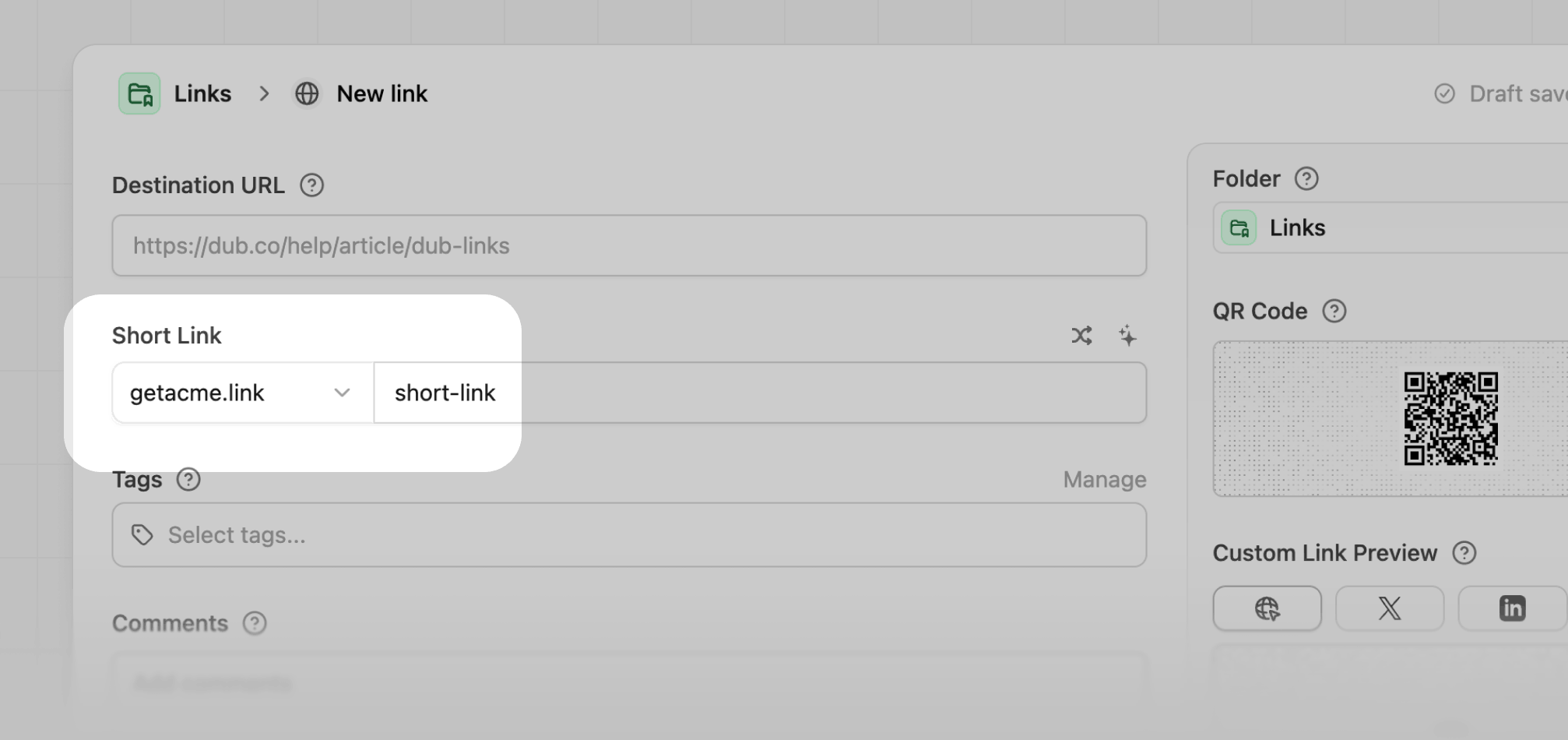 It will also be the default domain if when using the [Dub API](/docs/api-reference/introduction). Here's an example of how it works with our [TypeScript SDK](https://d.to/sdk):
```typescript title="config.js" theme={null}
import { Dub } from "dub";
const dub = new Dub();
async function main() {
const link = await dub.links.create({
url: "string",
domain: "dub.sh", // (optional - defaults to primary domain) // [!code highlight]
});
console.log(link);
}
main();
```
If you want, you can change the primary domain to another domain that you have added to your Dub account.
Here's how you can set a primary domain on Dub:
1. Go to the [Dub dashboard](https://d.to/register).
2. Click on the **Domains** tab on the top navigation bar.
3. Click on the `⋮` button of domain that you want to set as the primary domain, which will open a dropdown menu.
4. In the dropdown menu, click on the **Set as Primary** button, which will open the primary domain modal.
It will also be the default domain if when using the [Dub API](/docs/api-reference/introduction). Here's an example of how it works with our [TypeScript SDK](https://d.to/sdk):
```typescript title="config.js" theme={null}
import { Dub } from "dub";
const dub = new Dub();
async function main() {
const link = await dub.links.create({
url: "string",
domain: "dub.sh", // (optional - defaults to primary domain) // [!code highlight]
});
console.log(link);
}
main();
```
If you want, you can change the primary domain to another domain that you have added to your Dub account.
Here's how you can set a primary domain on Dub:
1. Go to the [Dub dashboard](https://d.to/register).
2. Click on the **Domains** tab on the top navigation bar.
3. Click on the `⋮` button of domain that you want to set as the primary domain, which will open a dropdown menu.
4. In the dropdown menu, click on the **Set as Primary** button, which will open the primary domain modal.
 5. Click on the **Set as primary domain** button in the modal.
 Voilà! You have successfully set a primary domain on Dub. Now, the domain you have set as the primary domain will be the default domain in your Dub link builder and when using the [Dub API](/docs/api-reference/introduction).