> ## Documentation Index
> Fetch the complete documentation index at: https://dub.co/llms.txt
> Use this file to discover all available pages before exploring further.
# How to delete my Dub account?
> Learn how to delete your account on Dub
First of all, if you're reading this article and are looking to delete your Dub account, we're sorry to see you go!
We would appreciate any feedback on how we could improve our platform – feel free to [reach out to us](https://dub.co/contact/support) to let us know.
You can delete your Dub account by following the steps below:
1. Navigate to your [account settings](https://app.dub.co/account/settings) on Dub.
2. Scroll down to the bottom of the Settings page, where you will find the **Delete Account** option.
3. Click on the **Delete Account** button. You will be prompted to enter the words **confirm delete account** in the input field.
4. After confirming, your account will be permanently deleted. Please note that this action is irreversible.
**You cannot delete your account if you're an owner of a workspace.** You can
either delete the workspace or transfer ownership to another user before
deleting your account.
## How to delete my workspace?
You can delete your workspace by following these steps below:
1. Navigate to your workspace settings:
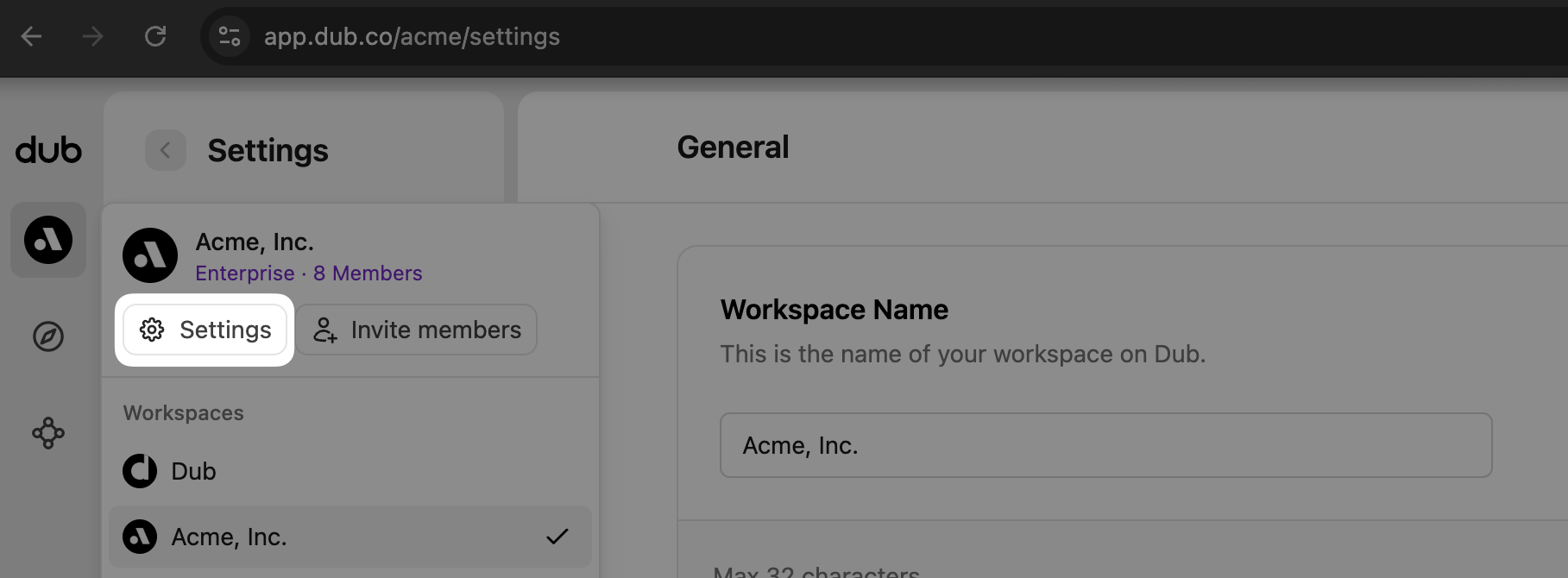 2. Scroll down to the bottom of the Settings page, where you will find the
Delete Workspace option. 3. Click on the Delete Workspace button. You will be
prompted to enter the words confirm delete workspace in the input field.
You can access your workspace settings by inserting your workspace slug into
this link:
[https://app.dub.co/Your-Workspace-Slug/settings](https://app.dub.co/Your-Workspace-Slug/settings)
If you have any questions or need further assistance, please [contact our support team](https://dub.co/contact/support).
We hope to see you back someday!
## When I delete my account, do you remove all my data?
Yes, when you delete your Dub account, all of your data will be permanently removed from our systems. This includes your Dub workspace, all of your data within the workspace, and any other data that is associated with your account.
Your email address will also be removed from our mailing list, and you will no longer receive any emails from Dub.
2. Scroll down to the bottom of the Settings page, where you will find the
Delete Workspace option. 3. Click on the Delete Workspace button. You will be
prompted to enter the words confirm delete workspace in the input field.
You can access your workspace settings by inserting your workspace slug into
this link:
[https://app.dub.co/Your-Workspace-Slug/settings](https://app.dub.co/Your-Workspace-Slug/settings)
If you have any questions or need further assistance, please [contact our support team](https://dub.co/contact/support).
We hope to see you back someday!
## When I delete my account, do you remove all my data?
Yes, when you delete your Dub account, all of your data will be permanently removed from our systems. This includes your Dub workspace, all of your data within the workspace, and any other data that is associated with your account.
Your email address will also be removed from our mailing list, and you will no longer receive any emails from Dub.