> ## Documentation Index
> Fetch the complete documentation index at: https://dub.co/llms.txt
> Use this file to discover all available pages before exploring further.
# Application analytics
> Use application analytics to understand where partner applications come from and how applicants move from visit to approval.
This feature is only available on [Business plans and
above](https://dub.co/pricing/partners).
Application analytics helps you understand how people discover your partner program and where applicants drop off before becoming approved partners.
Use it to compare application sources, measure conversion through each step of the application funnel, and see which channels are bringing in applicants who are most likely to be approved.
## Where to find application analytics?
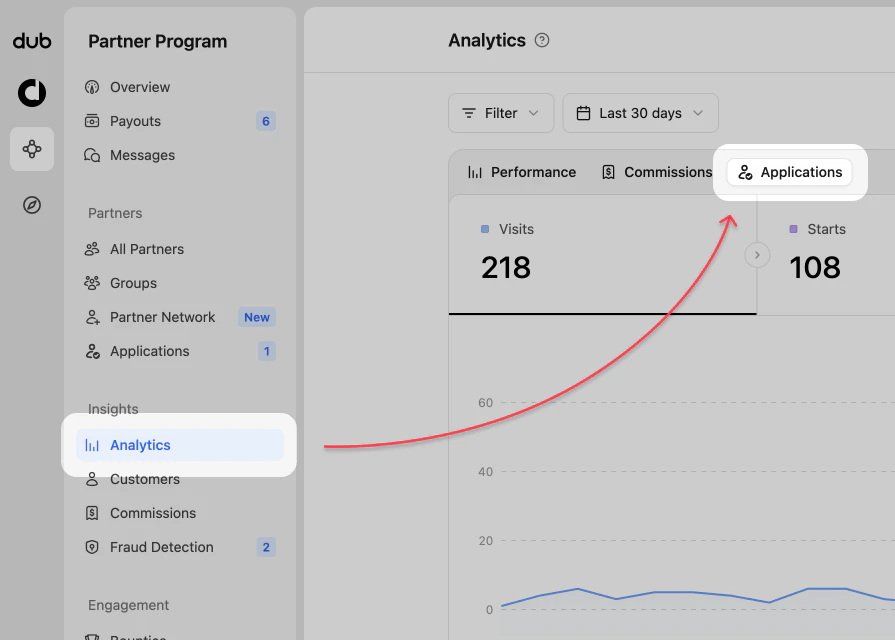
When viewing your Partner Program navigation, click on the **Analytics** page in the **Insights** group.
In the analytics chart, select **Applications** from the top data selector.
 ## Application analytics views
The application analytics dashboard uses filtering and date range controls like the [program analytics](/help/article/program-analytics), but focuses the chart on application acquisition and approval flow.
### 1. Application chart
The application chart shows application activity across the selected date range. You can use it to identify spikes, dips, and trends in how potential partners move through the application process.
| Step | Description |
| ----------- | ------------------------------------------------ |
| Visits | People who visited your program application page |
| Starts | Visitors who started the application form |
| Submissions | Applicants who submitted the application form |
| Approvals | Submitted applications that were approved |
## Application analytics views
The application analytics dashboard uses filtering and date range controls like the [program analytics](/help/article/program-analytics), but focuses the chart on application acquisition and approval flow.
### 1. Application chart
The application chart shows application activity across the selected date range. You can use it to identify spikes, dips, and trends in how potential partners move through the application process.
| Step | Description |
| ----------- | ------------------------------------------------ |
| Visits | People who visited your program application page |
| Starts | Visitors who started the application form |
| Submissions | Applicants who submitted the application form |
| Approvals | Submitted applications that were approved |
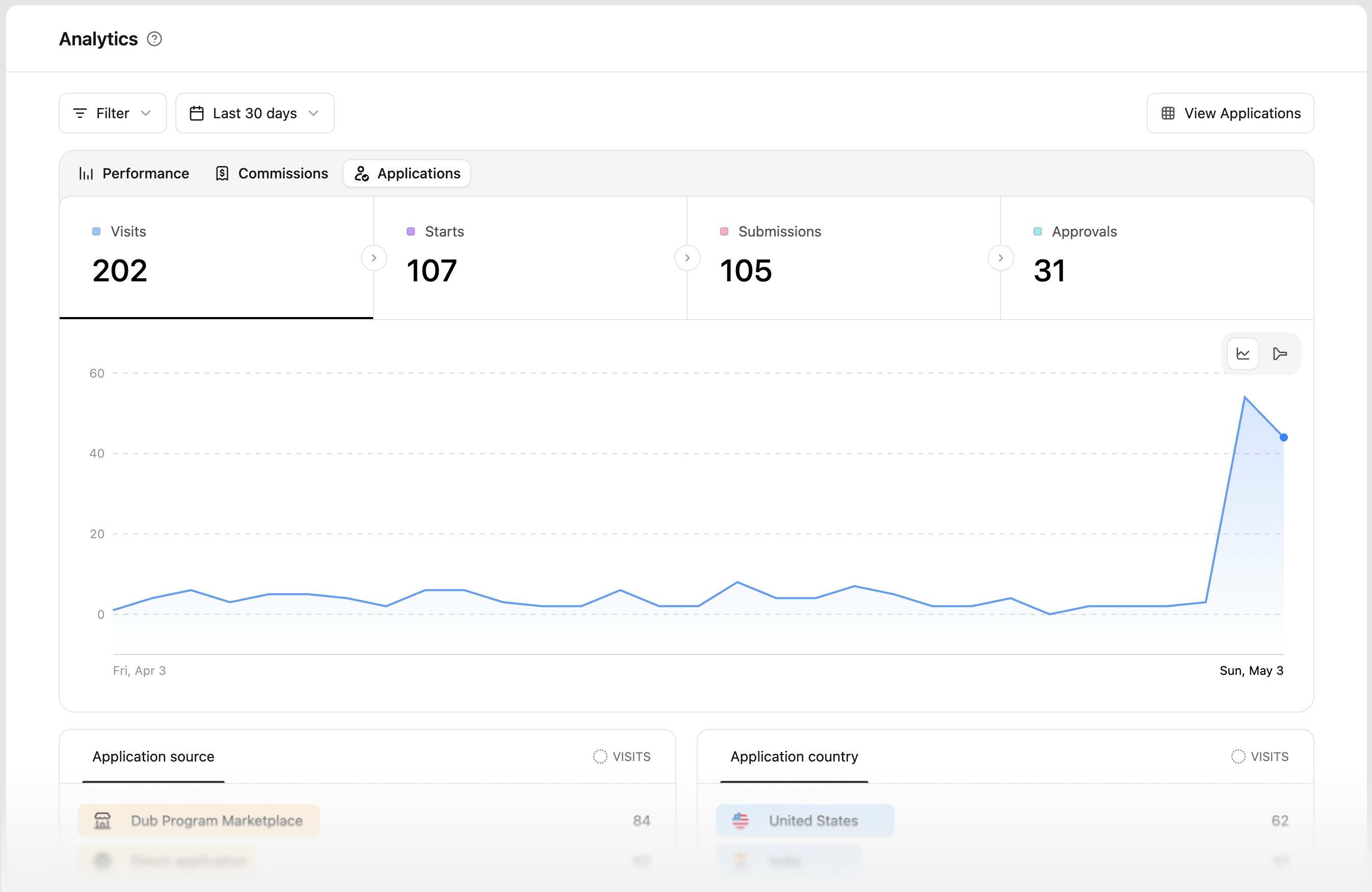 **Chart toggle**
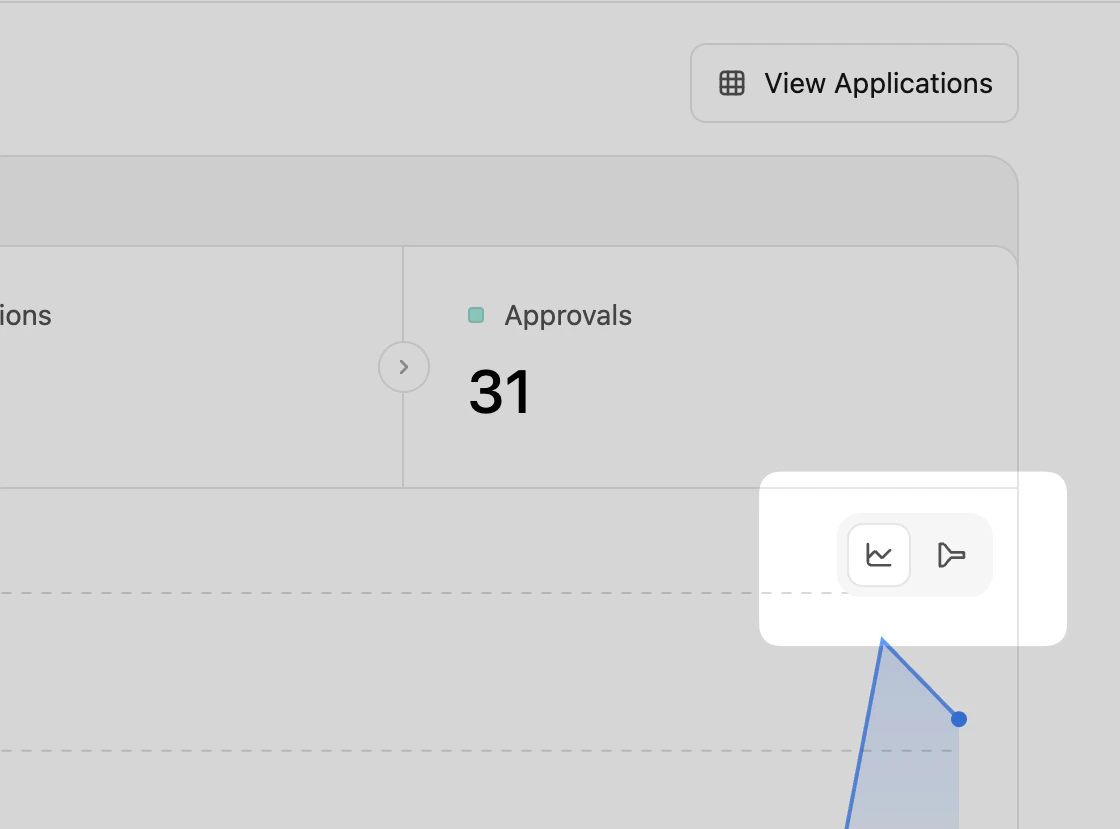
You can change the chart type displayed by clicking the `time-chart | application funnel` toggle in the top right of the chart area.
**Chart toggle**
You can change the chart type displayed by clicking the `time-chart | application funnel` toggle in the top right of the chart area.
 When the chart type is switched to **application funnel**, you can view the percentage of visitors that complete each stage of the application process.
**Application funnel**
The application funnel shows how potential partners progress through each step of the application process. Each step shows the total count for the selected date range and the conversion rate from the first visit.
When the chart type is switched to **application funnel**, you can view the percentage of visitors that complete each stage of the application process.
**Application funnel**
The application funnel shows how potential partners progress through each step of the application process. Each step shows the total count for the selected date range and the conversion rate from the first visit.
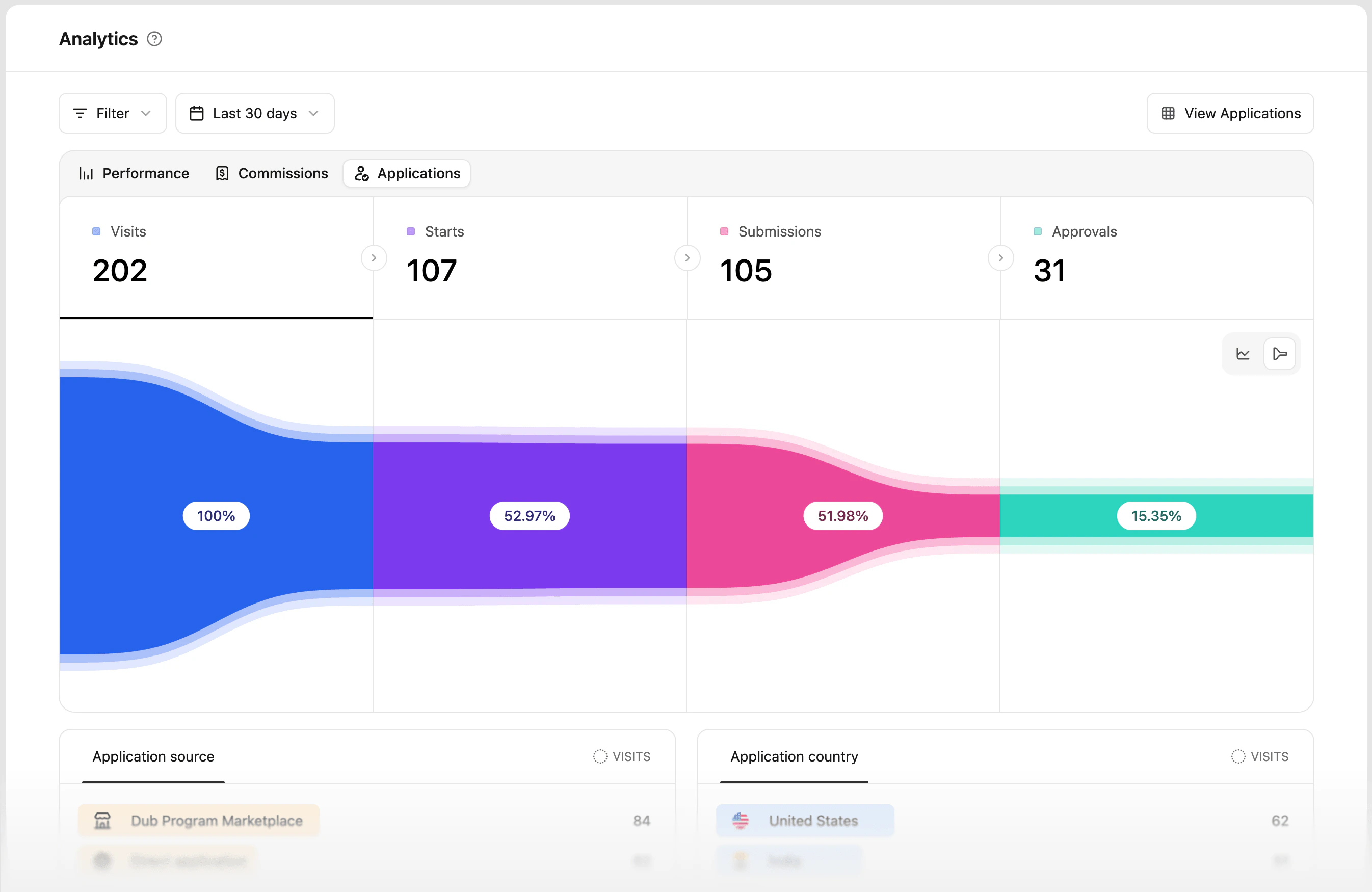 This helps you understand whether applicants are dropping off before starting, before submitting, or during review.
### 2. Aggregated data for different facets (top views)
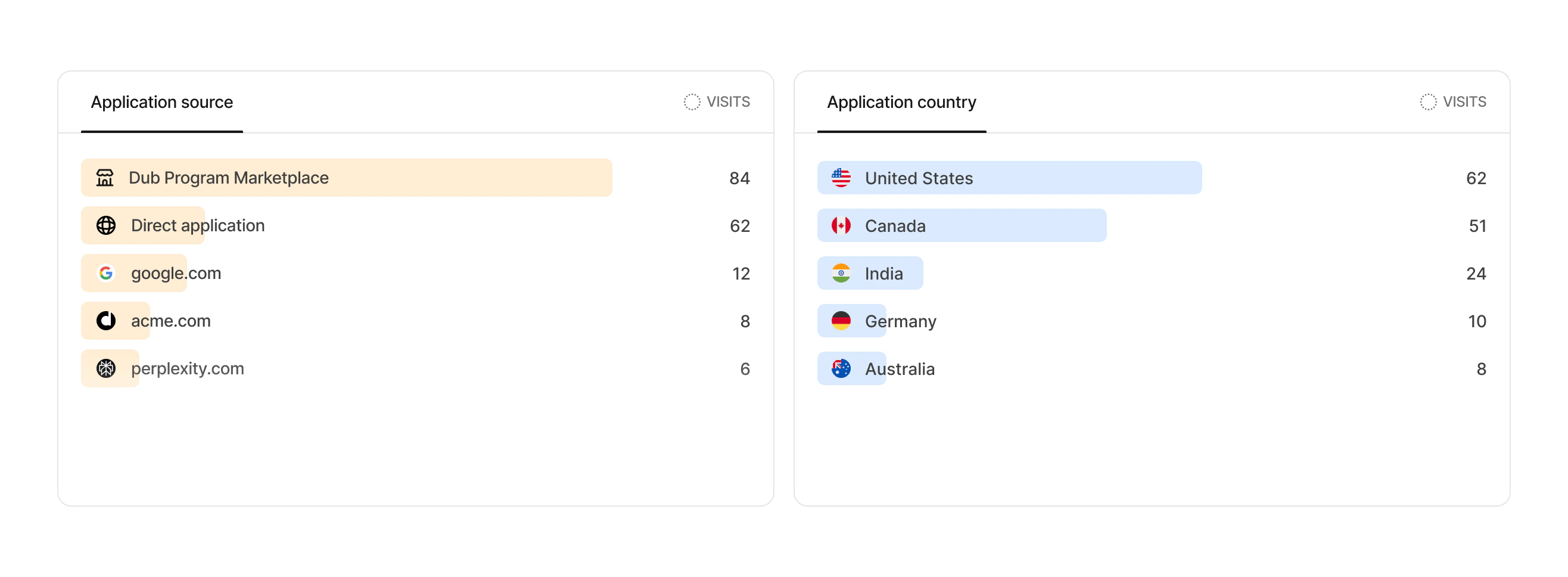
These are more commonly known as the "Top Views" in Dub Analytics. These views show your top application **Sources** and **Countries**, and allow you to explore your program data further.
Use **Application source** to identify which sources are driving application interest, such as the Dub Program Marketplace, direct applications, referrers, and other websites that send traffic to your program.
Use **Application country** to compare application demand across countries, understand where your program is attracting partners, and decide whether your application settings or partner groups should be tailored by region.
This helps you understand whether applicants are dropping off before starting, before submitting, or during review.
### 2. Aggregated data for different facets (top views)
These are more commonly known as the "Top Views" in Dub Analytics. These views show your top application **Sources** and **Countries**, and allow you to explore your program data further.
Use **Application source** to identify which sources are driving application interest, such as the Dub Program Marketplace, direct applications, referrers, and other websites that send traffic to your program.
Use **Application country** to compare application demand across countries, understand where your program is attracting partners, and decide whether your application settings or partner groups should be tailored by region.
 ## Reviewing applications
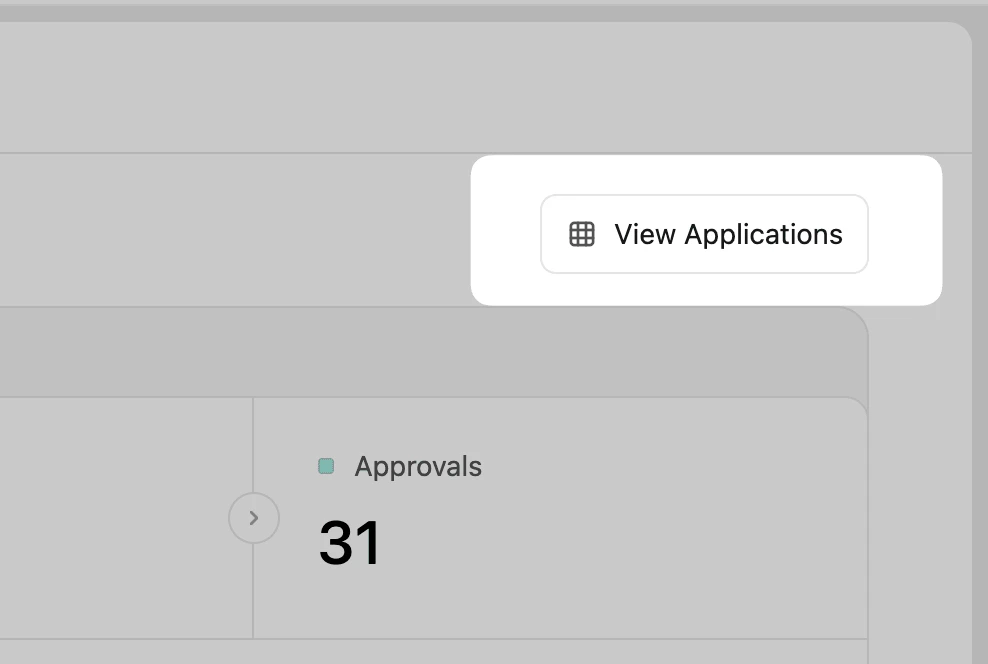
To review the applicants behind your application analytics, click **View Applications** in the top right of the analytics page.
## Reviewing applications
To review the applicants behind your application analytics, click **View Applications** in the top right of the analytics page.
 You can also go directly to the [Applications page](/help/article/program-applications) to approve, reject, or review pending applications.
## Filtering application analytics
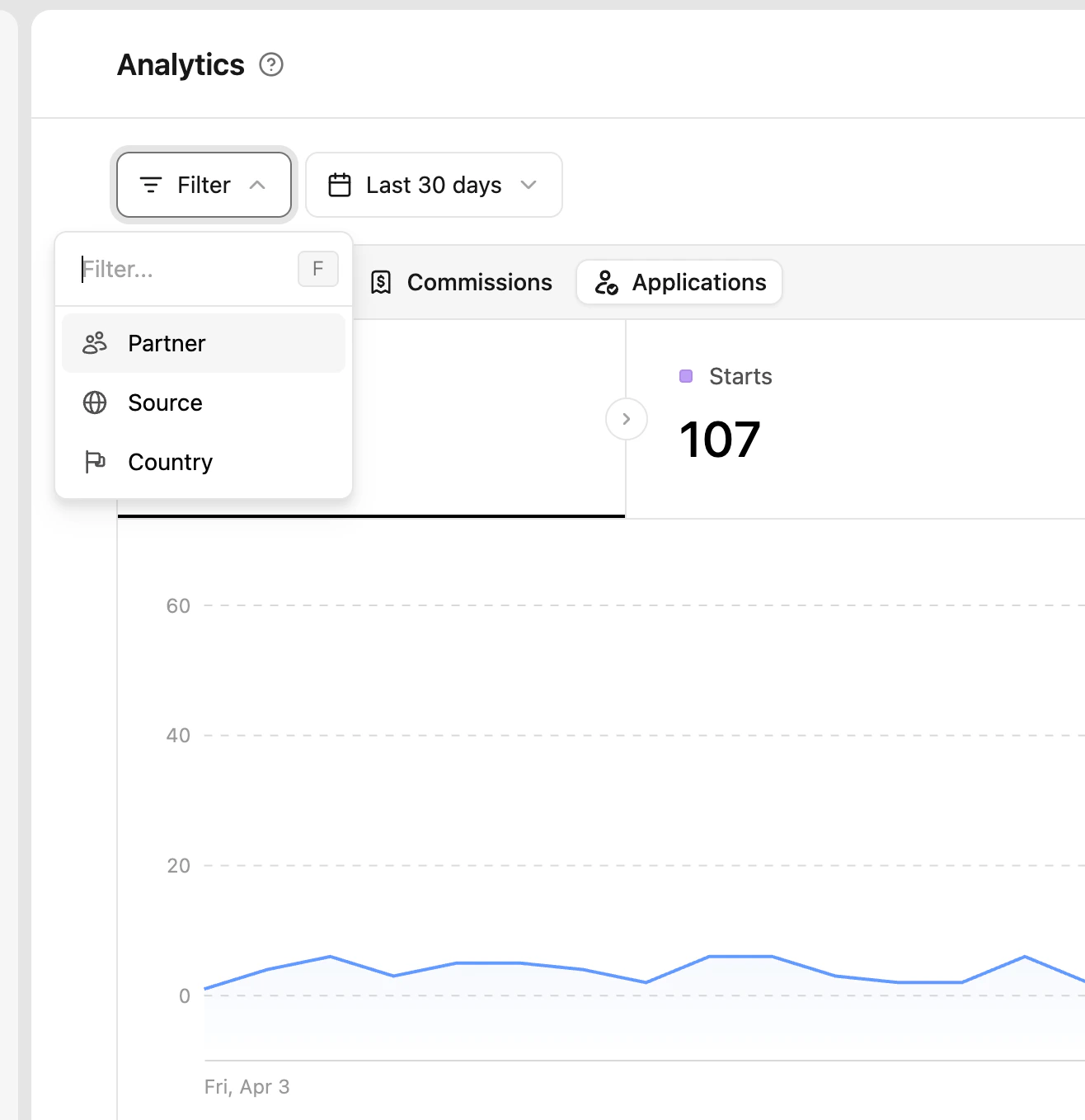
You can click the **Filter** button in the top left to narrow application analytics by partner, application source, and country.
You can also go directly to the [Applications page](/help/article/program-applications) to approve, reject, or review pending applications.
## Filtering application analytics
You can click the **Filter** button in the top left to narrow application analytics by partner, application source, and country.
 | Filter | Description |
| ------- | -------------------------------------------------- |
| Partner | Select a specific program partner |
| Source | Select a specific application source |
| Country | Select a specific country where applications start |
The date picker controls the reporting period for the application funnel and source tables.
| Filter | Description |
| ------- | -------------------------------------------------- |
| Partner | Select a specific program partner |
| Source | Select a specific application source |
| Country | Select a specific country where applications start |
The date picker controls the reporting period for the application funnel and source tables.