> ## Documentation Index
> Fetch the complete documentation index at: https://dub.co/llms.txt
> Use this file to discover all available pages before exploring further.
# Google Tag Manager
> How to add the Dub Analytics script to your site using Google Tag Manager
This guide will walk you through the process of integrating Dub Analytics with Google Tag Manager (GTM).
First, navigate to your Google Tag Manager account and create a new tag:
* Click on **Tags** in the left sidebar
* Click the **New** button
* Select **Custom HTML** as the tag type
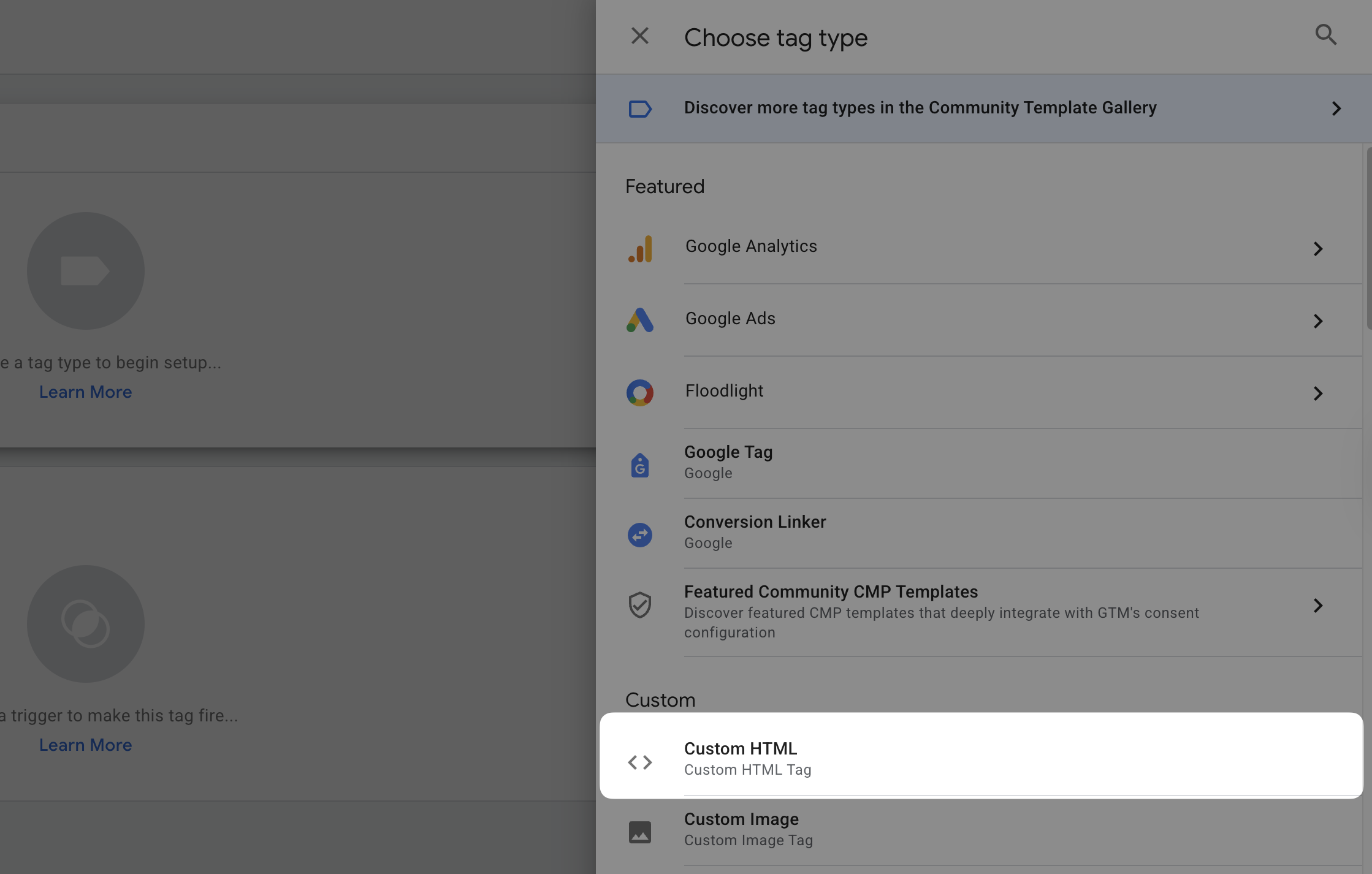 In the Custom HTML section, you'll need to add the Dub Analytics script. Copy and paste the following code into the **HTML** field:
```js theme={null}
```
In the Custom HTML section, you'll need to add the Dub Analytics script. Copy and paste the following code into the **HTML** field:
```js theme={null}
```
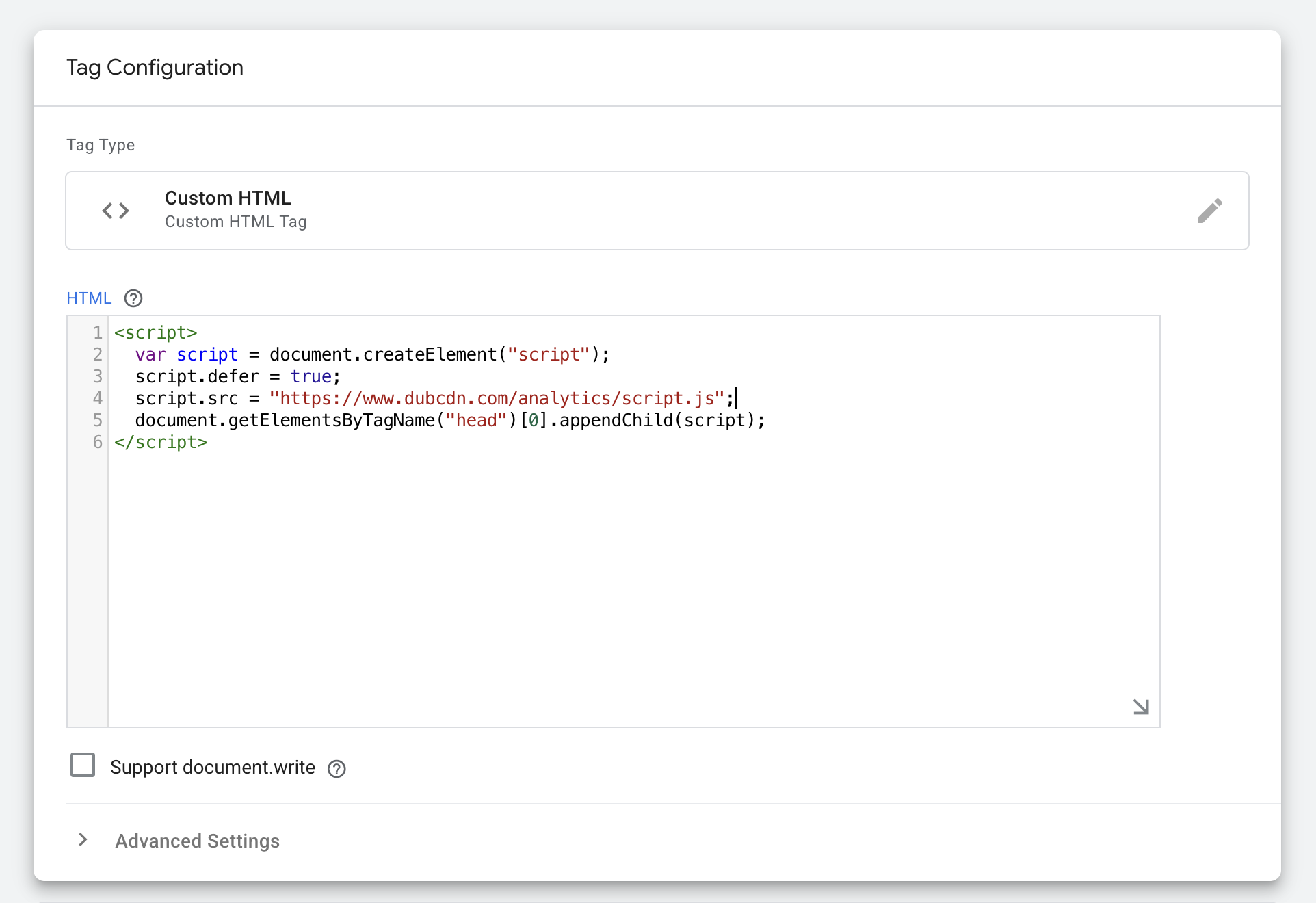 If you're using [Dub Partners](https://dub.co/partners) for affiliate management, you will also need to set up the `data-domains` property to enable [client-side click-tracking](/docs/sdks/client-side/features/click-tracking).
```js theme={null}
```
To ensure the analytics script loads on all pages:
* Click on the **Triggering** section
* Select **All Pages** as the trigger type
* This will make the tag fire on every page load
* Name your tag **Dub Analytics**
* Click **Save** to store your changes
* Click **Submit** to create a new version
* Finally, click **Publish** to activate the tag on your website
You can **verify the installation** with the following tests:
1. Open the browser console and type in `_dubAnalytics` – if the script is installed correctly, you should see the `_dubAnalytics` object in the console.
2. Add the `?dub_id=test` query parameter to your website URL and make sure that the `dub_id` cookie is being set in your browser.
If both of these checks pass, the script is installed correctly. Otherwise, please make sure:
* The analytics script was added to the `` section of the page
* If you're using a content delivery network (CDN), make sure to purge any cached content
## Concepts
You can pass the following props to the Dub Analytics script to customize its behavior:
The base URL for the Dub API. This is useful for [setting up reverse
proxies](/docs/sdks/client-side/features/reverse-proxy-support) to avoid
adblockers.
The attribution model to use for the analytics event. The following
attribution models are available:
* `first-click`: The first click model
gives all the credit to the first touchpoint in the customer journey.
* `last-click`: The last click model gives all the credit to the last
touchpoint in the customer journey.
Custom properties to pass to the cookie. Refer to
[MDN's Set-Cookie documentation](https://developer.mozilla.org/en-US/docs/Web/HTTP/Headers/Set-Cookie) for
all available options.
Specifies the value for the `Domain` Set-Cookie attribute. This is useful
for cross-domain tracking. Example: `.example.com`
Specifies the `Date` object to be the value for the `Expires` Set-Cookie
attribute. Example: `new Date('2024-12-31')`
Specifies the number (in days) to be the value for the `Expires`
Set-Cookie attribute.
For example, to set the cookie window to 60 days (instead of the default 90 days), you can add the following to your script:
```html theme={null}
```
Specifies the value for the `Path` Set-Cookie attribute. By default, the
path is considered the "default path". Example: `/`
Configure the domains that Dub will track. The following properties are available:
The Dub custom domain for [referral program client-side click tracking](http://d.to/clicks/refer) (previously `data-short-domain`).
Example: `refer.dub.co`
The Dub short domain for tracking site visits.
Example: `site.dub.co`
An array of domains for cross-domain tracking. When configured, the existing `dub_id` cookie
will be automatically appended to all outbound links targeting these domains to enable
cross-domain tracking across different applications.
Example: `"dub.sh, git.new"`
An array of query parameters to listen to for client-side click-tracking (e.g.
`?via=abc123`).
If you're using [Dub Partners](https://dub.co/partners) for affiliate management, you will also need to set up the `data-domains` property to enable [client-side click-tracking](/docs/sdks/client-side/features/click-tracking).
```js theme={null}
```
To ensure the analytics script loads on all pages:
* Click on the **Triggering** section
* Select **All Pages** as the trigger type
* This will make the tag fire on every page load
* Name your tag **Dub Analytics**
* Click **Save** to store your changes
* Click **Submit** to create a new version
* Finally, click **Publish** to activate the tag on your website
You can **verify the installation** with the following tests:
1. Open the browser console and type in `_dubAnalytics` – if the script is installed correctly, you should see the `_dubAnalytics` object in the console.
2. Add the `?dub_id=test` query parameter to your website URL and make sure that the `dub_id` cookie is being set in your browser.
If both of these checks pass, the script is installed correctly. Otherwise, please make sure:
* The analytics script was added to the `` section of the page
* If you're using a content delivery network (CDN), make sure to purge any cached content
## Concepts
You can pass the following props to the Dub Analytics script to customize its behavior:
The base URL for the Dub API. This is useful for [setting up reverse
proxies](/docs/sdks/client-side/features/reverse-proxy-support) to avoid
adblockers.
The attribution model to use for the analytics event. The following
attribution models are available:
* `first-click`: The first click model
gives all the credit to the first touchpoint in the customer journey.
* `last-click`: The last click model gives all the credit to the last
touchpoint in the customer journey.
Custom properties to pass to the cookie. Refer to
[MDN's Set-Cookie documentation](https://developer.mozilla.org/en-US/docs/Web/HTTP/Headers/Set-Cookie) for
all available options.
Specifies the value for the `Domain` Set-Cookie attribute. This is useful
for cross-domain tracking. Example: `.example.com`
Specifies the `Date` object to be the value for the `Expires` Set-Cookie
attribute. Example: `new Date('2024-12-31')`
Specifies the number (in days) to be the value for the `Expires`
Set-Cookie attribute.
For example, to set the cookie window to 60 days (instead of the default 90 days), you can add the following to your script:
```html theme={null}
```
Specifies the value for the `Path` Set-Cookie attribute. By default, the
path is considered the "default path". Example: `/`
Configure the domains that Dub will track. The following properties are available:
The Dub custom domain for [referral program client-side click tracking](http://d.to/clicks/refer) (previously `data-short-domain`).
Example: `refer.dub.co`
The Dub short domain for tracking site visits.
Example: `site.dub.co`
An array of domains for cross-domain tracking. When configured, the existing `dub_id` cookie
will be automatically appended to all outbound links targeting these domains to enable
cross-domain tracking across different applications.
Example: `"dub.sh, git.new"`
An array of query parameters to listen to for client-side click-tracking (e.g.
`?via=abc123`).